Section 3 - Configuration
D-Link DSL-2750B User Manual
42
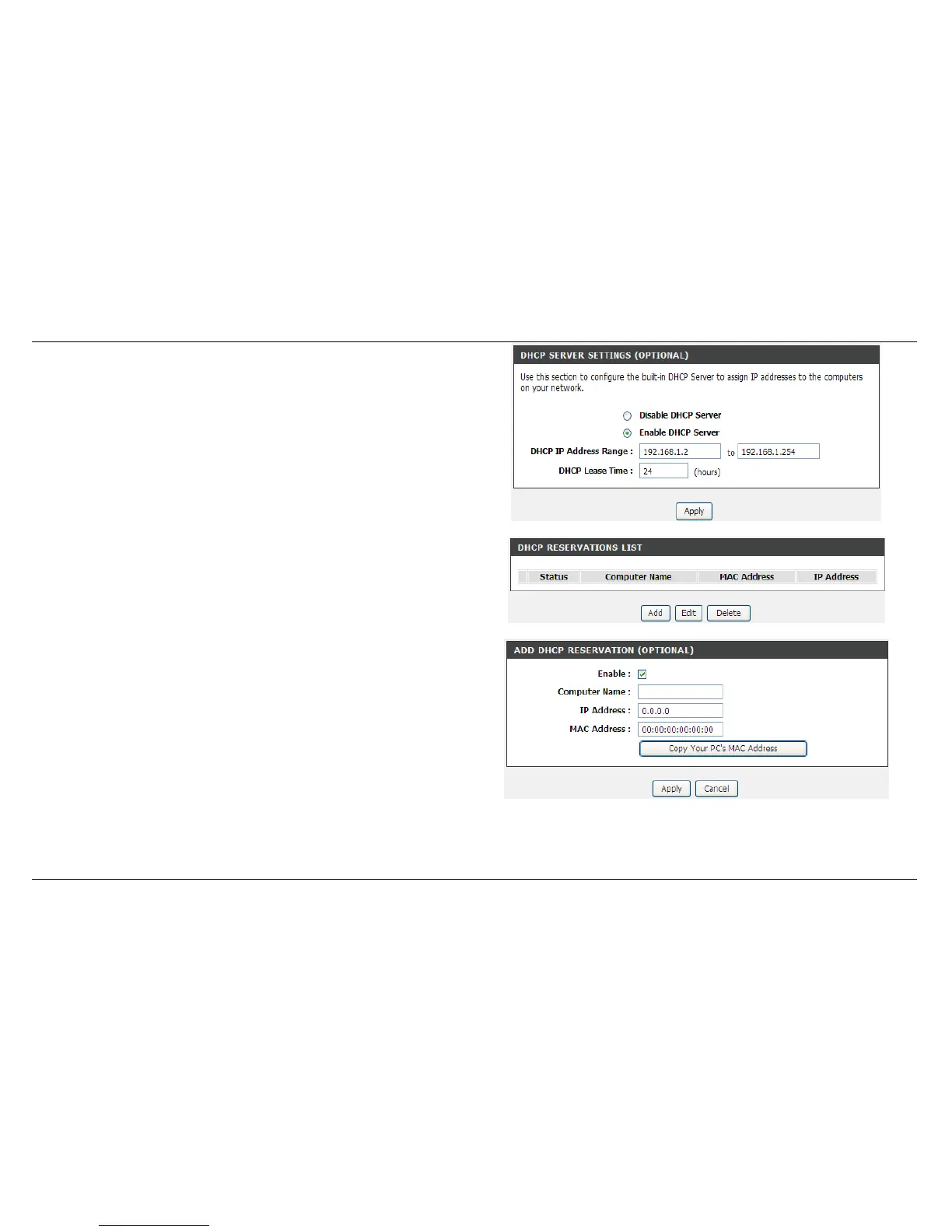
DHCP SERVER SETTINGS (OPTIONAL)
Set the value hours on the DHCP Lease Time
If you don’t want DSL-2750B to be the DHCP server, you can disable.
DHCP RESERVATION LIST
Click Add/Edit/Delete to configure the settings
Select the Enable to let you reserve the IP Address for the designated
PC with the configured MAC Address.
The Computer Name can help you recognize the PC with the MAC
Address, such as “Dad’s Laptop”.
Clicking on the Copy Your PC’s MAC Address button to help you get the
MAC address from the PC you are using now browsing this web page.
Click on the Apply to save the settings.



 To Next Page