DVG-6004S/6008S User’s Manual Advanced Options
3-9 Advanced Options
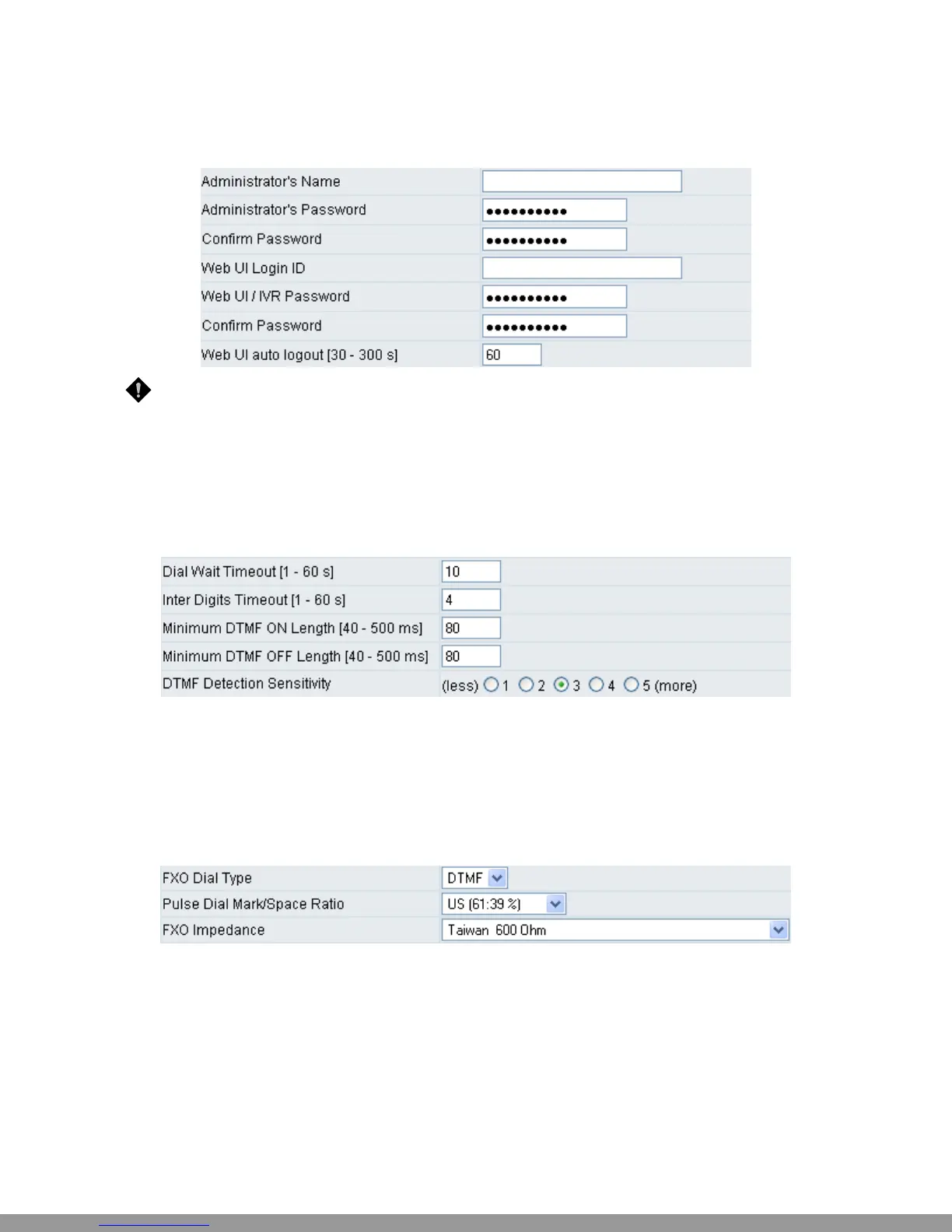
NOTE: There are two operating levels when entering the Web UI. Logging-in as the Administrator
allows you to change all settings. A Web UI user only has access to some settings.
y Administrator’s Name and Password: Enter the administrator name and password, which has the
highest level of control of the gateway.
y Web UI Login ID and Web UI/IVR Password: Enter log-in ID and password when you log-in to the
Web interface/IVR of the gateway as a normal user.
y Web UI auto logout: If a user does not act within the effective time range when logging into the web
interface, the user will be disconnected from the web page to allow others to log-in.
y Dial Wait Timeout: Use this variable to set the wait time for the user’s first key pressing when dialing a
number. The user will hear a busy tone if he or she does not press the first key within the set time
frame.
y Inter Digits Timeout: Set the waiting time between each key press. The numbers input up to that
point will be dialed after the timeout.
y Minimum DTMF ON Length (Dial on)/ Minimum DTMF OFF Length (Dial off - between tones):
Used to set the dial tone when a call is being diverted to another extension.
y DTMF Detection Sensitivity: Used to adjust the sensitivity of the telephone keys.
y FXO Dial Type: Choose dialing type of FXO. There are DTMF and Pulse.
y Pulse Dial Mark/Space Ratio: Duration and break of pulse dial ration.
y FXO Impedance: Choose the correct impedance in your country or area.
D-Link Systems, Inc. 31
This Manual: http://www.manuallib.com/file/2602385


 To Next Page