DVG-6004S/6008S User’s Manual Transit Call Control
3-15 Transit Call Control
If you wish to restrict a general user (one who is not required to enter the PIN code) to local calls only and
prohibit him/her from making long-distance calls started with a prefix “0”, do the following steps:
1. Enable the Outbound Call Control function,
2. Set the PIN code for Outbound Level 5 to blank,
3. Set the Long-Distance Control Table to correspond with the Outbound Level 5 to prohibit making any
call with the prefix “0” (as shown above).
Note: Transit Call Control is effective when it cooperate with Long-Distance Control Table.
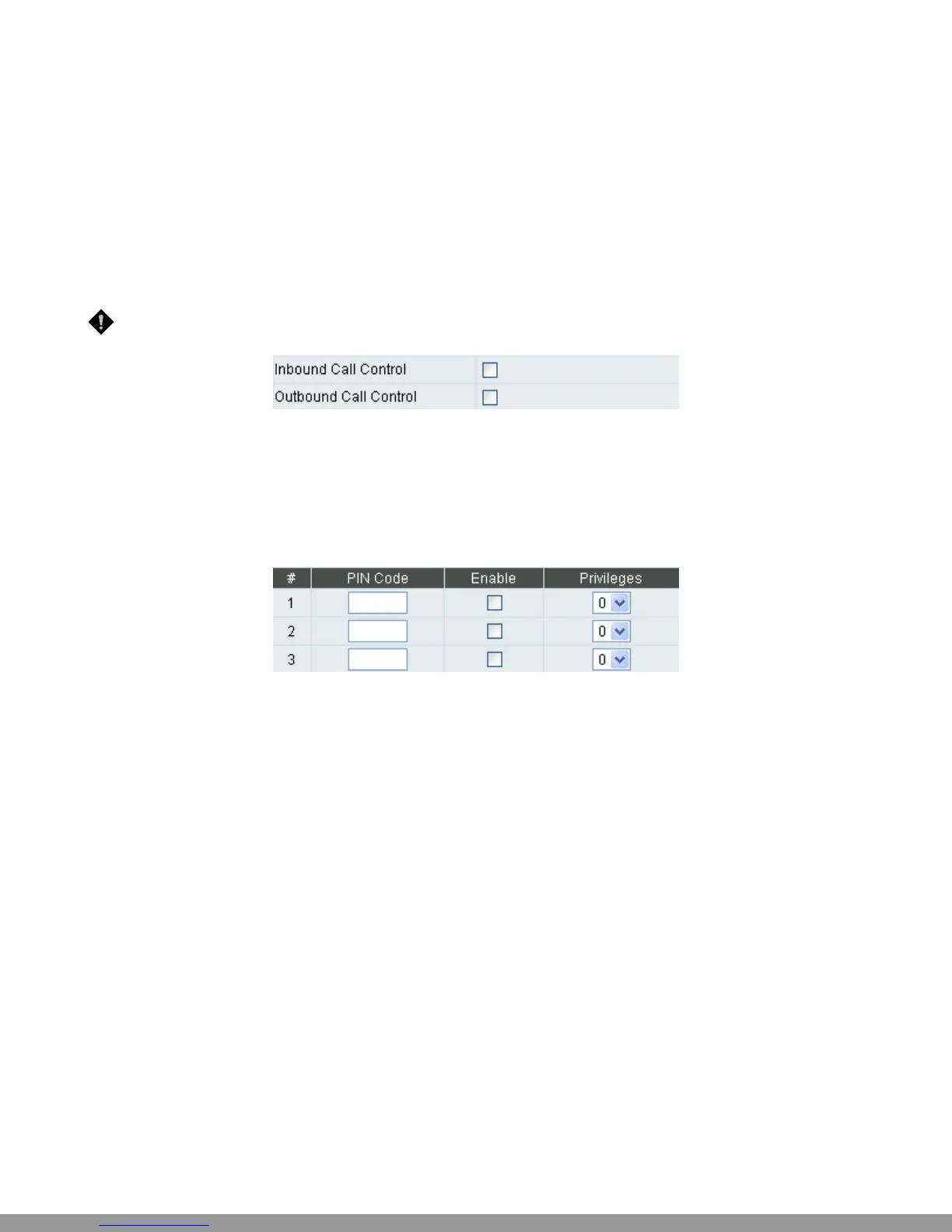
y Inbound Call Control: To determine when users make a phone call from a PSTN to Gateway FXO
whether or not they check the inbound PIN code while using a VoIP -only effective for incoming calls
calling from a PSTN trunk.
y Outbound Call Control: To determine when users utilize Gateway FXO interface to divert to a PSTN
whether or not they check the outbound PIN code - only effective for outgoing calls being diverted to
a PSTN Trunk.
y PIN Code: Enter the PIN code (4-6 digits or leave blank. A blank indicates no PIN code is required at
this level. Generally, the PIN at level 5 can remain blank to simplify the phone number.)
y Enable: Enables the PIN code at each level.
y Privileges: The level is divided into 0~5 (The levels are in descending order; 0 stands for the highest
authority and 5 stands for the lowest.)
D-Link Systems, Inc. 43
This Manual: http://www.manuallib.com/file/2602385


 To Next Page