23D-Link DWA-132 User Manual
Section 4 - Troubleshooting
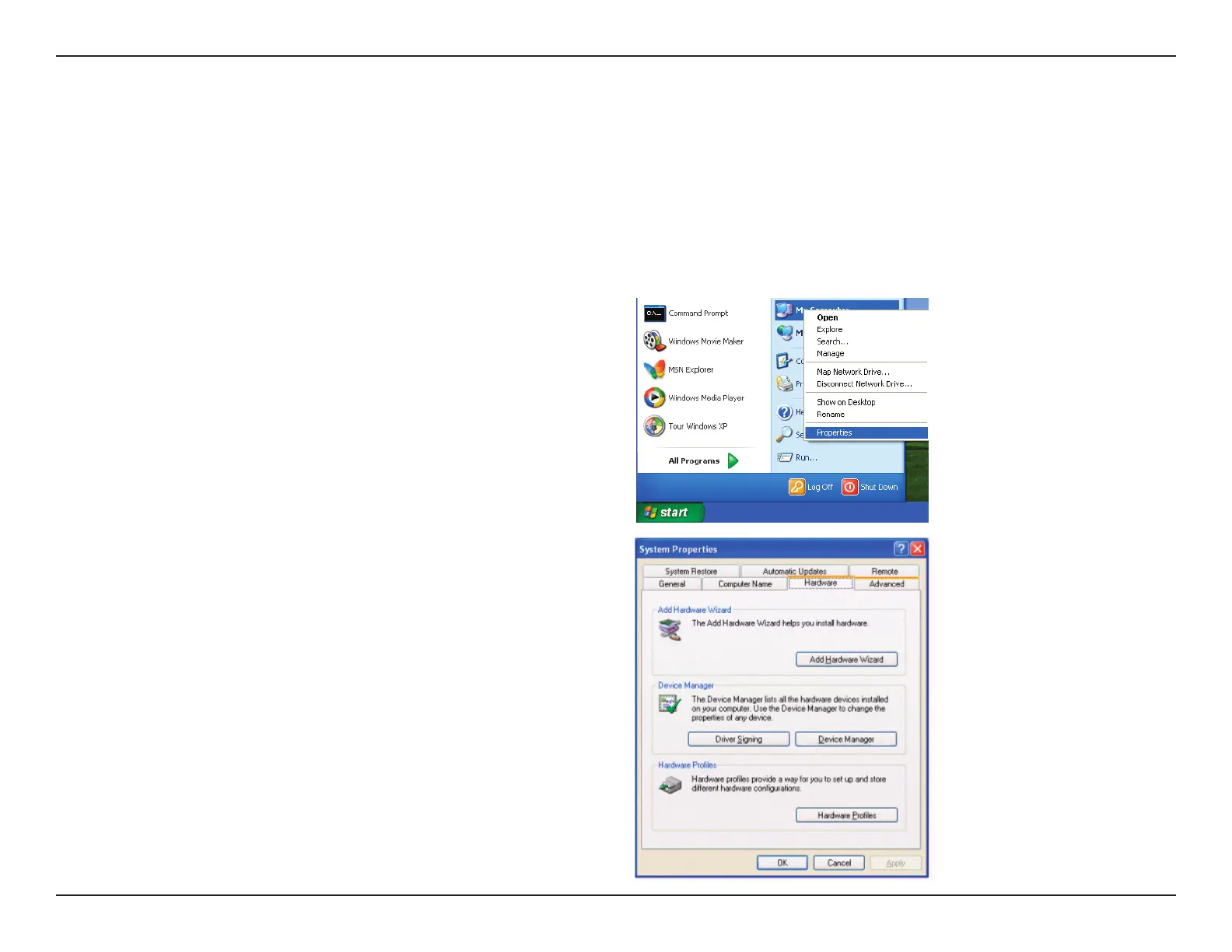
1. How do I know if my adapter is installed properly?
Troubleshooting
This chapter provides solutions to problems that can occur during the installation and operation of the DWA-132. Read the following descriptions
if you are having problems.
Windows XP - Go to Start > My Computer > Properties >
Hardware > Device Manager.
Windows Vista/7 - Go to Start > Device Manager.
Windows 8 - Press the Windows key and X together and
then click Device Manager.



 To Next Page
 Loading...










