--7-
FAQ : How to manually create a profile on the D-Link Connection Manager
Technical Support Set-up Procedure
How to manually create a profile on the D-Link Connection Manager
Note: The D-Link Connection Manager will detect & use the profile stored on your 3G SIM
Card automatically. Only manually create a profile if it fails to detect your SIM Card profile.
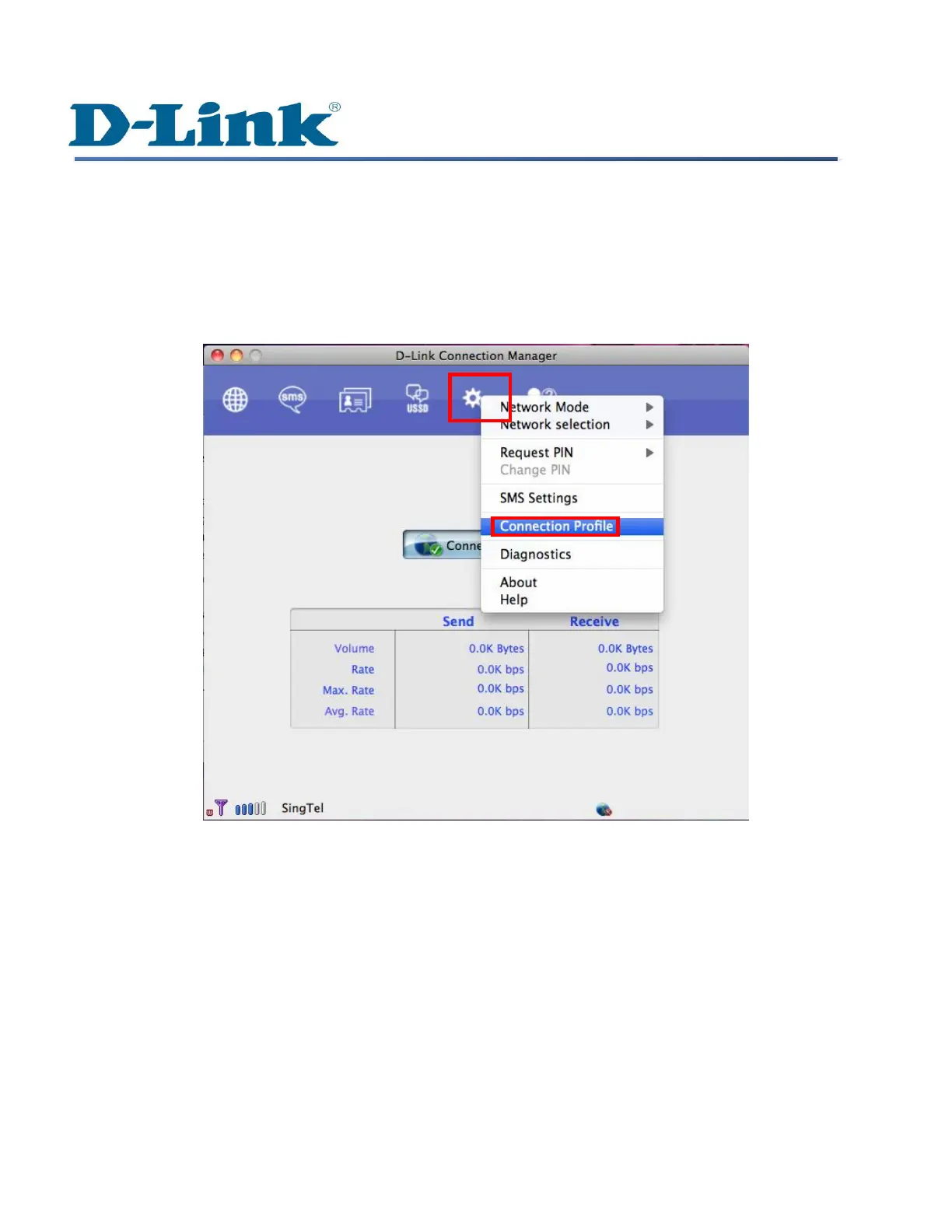
Step 1: Launch D-Link Connection Manager. Click on the Settings menu on top, select Connection
Profile.


 To Next Page
 Loading...









