DWR-953 Wireless AC1200 4G LTE Router
with Gigabit Ethernet Ports
User Manual
Configuring via Web-based Interface
To remove a message, select the checkbox located to the left of the relevant line in the table and
click the DELETE button ( ).
To reply to an incoming message, click the REPLY button in the line corresponding to the
message.
To forward an incoming message, click the FORWARD button in the line corresponding to the
message.
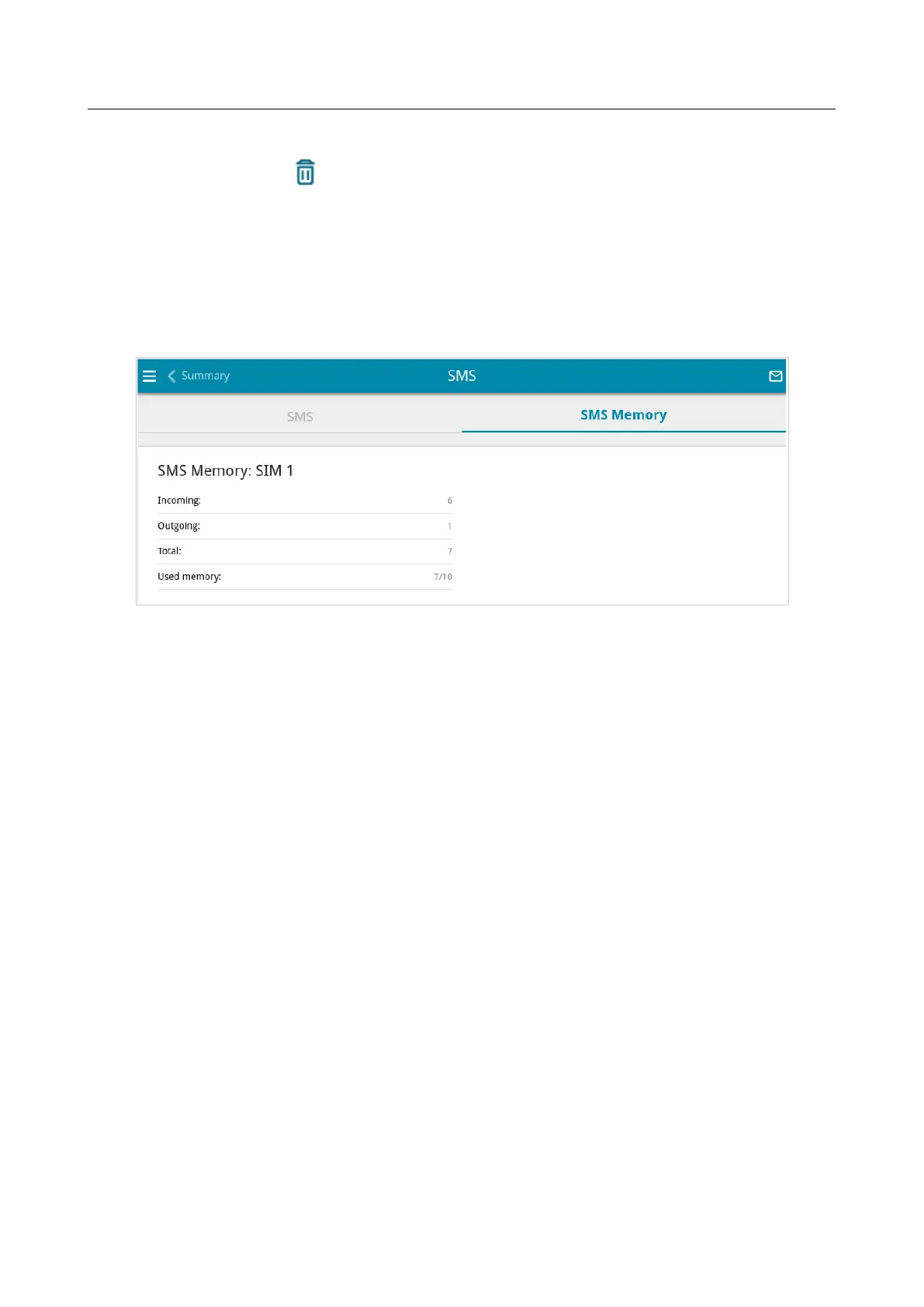
On the SMS Memory tab, you can view data on the number of messages and the state of the SIM
card memory.
Figure 143. The LTE Modem / Modem 1 / SMS page. The SMS Memory tab.
Page 182 of 264



 To Next Page