This document provides a comprehensive guide for the Bob mini dishwasher, covering its quick setup, utilization, maintenance, and troubleshooting. Bob is designed as a compact and versatile appliance for domestic use, suitable for various settings from home kitchens to office kitchenettes, hotels, and motels.
Function Description
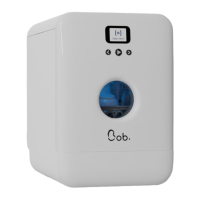
Bob is a mini dishwasher designed to clean plates, glasses, forks, and knives. It offers multiple wash programs tailored to different types of dishes, degrees of soiling, and occasions. The device features a modular basket design, allowing for flexible configuration to accommodate various dish sizes and shapes. Bob can operate either by being connected to a water inlet via a hose (Bob.easywater) or autonomously using its built-in 4-liter water tank (Bob.carafe). The dishwasher includes a three-stage filtration system to ensure effective cleaning and prevent clogging. An analog display with three buttons allows users to navigate through menus, select wash cycles, and monitor the program's progress. The door automatically opens at the end of a wash cycle to facilitate drying and reduce standby energy consumption.
Usage Features
Setup and Connections:
Bob can be placed on a work surface, on top of a shelf (provided it can withstand 25 kg / 55.1 lbs), or even below a sink. Its compact size makes it highly adaptable to various spaces. For water inlet, users can choose between two options:
- Bob.easywater: Connect the provided water inlet hose to a 19 mm threaded water inlet. It's crucial to ensure the connection is firmly tightened and to close the water supply tap after each use.
- Bob.carafe: Utilize the built-in water tank for autonomous operation. No water inlet hose is needed. The tank can be filled with cold or hot water up to 60°C using a carafe. Users must fill the tank with the door open until a signal sound indicates it's full, and avoid overfilling to prevent water from escaping into the main interior.
For water outlet, the drain hose should be plugged into the back of Bob and directed to a siphon drain pipe or a container (such as a jerrican, bucket, or similar). A screwdriver can be used to fix the water outlet to prevent leaks. It is important to ensure the drain hose is not bent or blocked.
Getting Started:
Before plugging Bob into the power network, verify that the voltage matches the device's type plate. Bob must be placed on a stable and even surface. The power cable should be properly plugged into both the wall outlet and Bob's side. The device features a capacitive door opening mechanism; touching the door opens it. To prevent accidental openings, this feature is deactivated for 3 seconds after closing the door. If Bob is disconnected from power, the door can still be opened manually, but with greater resistance.
Basket Configuration:
Bob's modular basket design allows for flexible arrangements. It includes modules for 6 plates, 4 glasses, and cutlery. Users can place the plate module in the middle or on either side of the basket, and the cutlery module can be positioned as needed or removed if not required. When loading, ensure forks and knives are placed with blades pointing downwards to avoid damaging the door seal or causing leaks. Dishes should be arranged to prevent them from flipping or impeding the spray arm during a cycle. Lightweight items, especially plastic containers, should be secured. Food waste should be removed from dishes before loading to prevent filter blockages. Soaking pans with burnt stains in hot water beforehand is recommended. Objects like pans, cups, and glasses should be placed in a way that they do not store liquid during the wash cycle.
Wash Cycle Operation:
Bob's display shows the remaining time and the icon of the current program.
- Before Starting: Ensure dishes are correctly positioned, detergent (gel, tablet, or powder) is added to the tank, and the door is properly closed. Select the appropriate program based on dish type and soiling level. If using the built-in tank, fill it until the signal sounds. Ensure the drain hose is correctly positioned.
- Adding Items During a Cycle: Press the central button to pause the cycle. Carefully open the door, being mindful of hot steam. Place the additional item, close the door, and select "YES" to resume.
- Cancelling a Cycle: Press the central button to pause, then select "NO" to cancel and launch a drain. The device will return to the home screen.
- End of Cycle: The "Drying in progress" icon appears as the timer nears zero, and the door automatically opens halfway (10-degree angle) to aid drying. Hot steam will be released. Allow a few minutes for drying to complete before removing dishes to prevent skin burns. Leaving the door open at a 10-degree angle after the cycle helps prevent unpleasant smells and reduces standby energy consumption.
Detergent:
Only use dishwasher detergents (gel, powder, or tablets). Hand soap or other detergents can damage the product and void the warranty. Detergents are corrosive and dangerous, so keep them out of reach of children. Tablets can be placed in the provided slot. For gel or powder, 5g can be placed in the notch at the bottom of the door when it's open. For best results, use a cycle of 50 minutes or more with tablets.
Maintenance Features
Regular maintenance is crucial for Bob's longevity.
Filters:
Bob's filtration system consists of three stages:
- Stainless-steel filter: For initial filtration of soil and food particles.
- Coarse waste filter: Collects large lumps of food.
- Micro-filter: Filters fine particles (120 microns).
Maintenance Schedule:
- After each cycle: Remove the coarse waste filter using its grip tabs, dispose of waste, clean it with clear water, and put it back.
- Once a week or every 10 cycles: Turn the microfilter counter-clockwise to unlock the microfilter/coarse filter combination. Lift out the stainless steel filter. Rinse all three filters under running tap water and clean them with a soft bristle brush. Put the stainless steel filter back into Bob, then reinsert the microfilter/coarse filter combination by turning it clockwise until it clicks. Never start a cycle without the filters in place.
Heating Elements:
The heating disk should be cleaned thoroughly to prevent clogging and maintain rinsing performance.
- Once per month or every 30 cycles: Remove the 3 filters, then remove the protection part of the heating disc. Clean the heating disc with a non-abrasive sponge to avoid scratching the non-stick coating. Put the protection part back in place, then reinsert the 3 filters.
Cover and Screen:
To clean the exterior of Bob, simply wipe it with a damp cloth. Do not use scouring agents, chemical solvents, or strong detergents, as these can damage the coating. Avoid using cleaning sprays directly on the electronic components, screen, buttons, or door lock system to prevent water ingress.
Spray Arm:
If the spray arm is not turning, it may be due to a nozzle blockage.
- Cleaning: Unscrew the ring at the base of the spray arm with one hand to remove it. Wash the spray arm under running water to remove food residues from the nozzles. Put it back in place and ensure nothing hinders its rotation.
Troubleshooting:
The manual provides solutions for common issues such as Bob not turning on (check power supply, door closure), cycles not starting (check water tank, water supply, frozen screen), water not draining (check drain hose, filters), dishes not drying or cleaning properly (check arrangement, program selection, door opening), foam formation (use appropriate detergent, clean basket), interior stains (use white vinegar), bad smells (run emptying cycle, intensive cycle), and water leaks (check connections, seals). For any damaged components or issues requiring repair, contact customer service. If Bob needs to be transported, drain it, clean the interior and filters, seal the water inlet and outlet, and pack it in its original box.


 To Next Page
 General