DIGITAL INDICATOR
DN500N
17
(● Factory Default)
SET LOCATION OF DECIMAL POINT
0 No Decimal Point 0
1 One decimal place 0.0
● 2 Two decimal places 0.00
F01
3 Three decimal places 0.000
ZERO MEMORY MODE
● 0 Normal Mode
F02
1 Back-up Mode
* On normal condition, it doesn’t remember the weight on scale if power failure or Power OFF.
Thus, you need to make Power ON after removing the weight from scale.
* On Back-up condition, it remembers the initial zero value when power failure or Power OFF. So
if there is a weight on scale when Power is on, it displays the same weight value.
If the weight is already removed, you need to press “ZERO" Key to make Zero value re-saved.
SET MOTION BAND RANGE
F03
2
0
∫
3
It is to set a certain weight change range per hour to show or not
to show its steadiness.
0 : Weak Vibration ~ 3 : Strong Vibration
* If weight change range in setting time is within A/D count setting Range, it regards this
condition as steady. To have speedy steady condition, please have a big number when the surroundings
have strong vibration and please have a small number when the surroundings have weak vibration.
SET ZERO TRACKING COMPENSATION RANGE
F04
2
0
∫
3
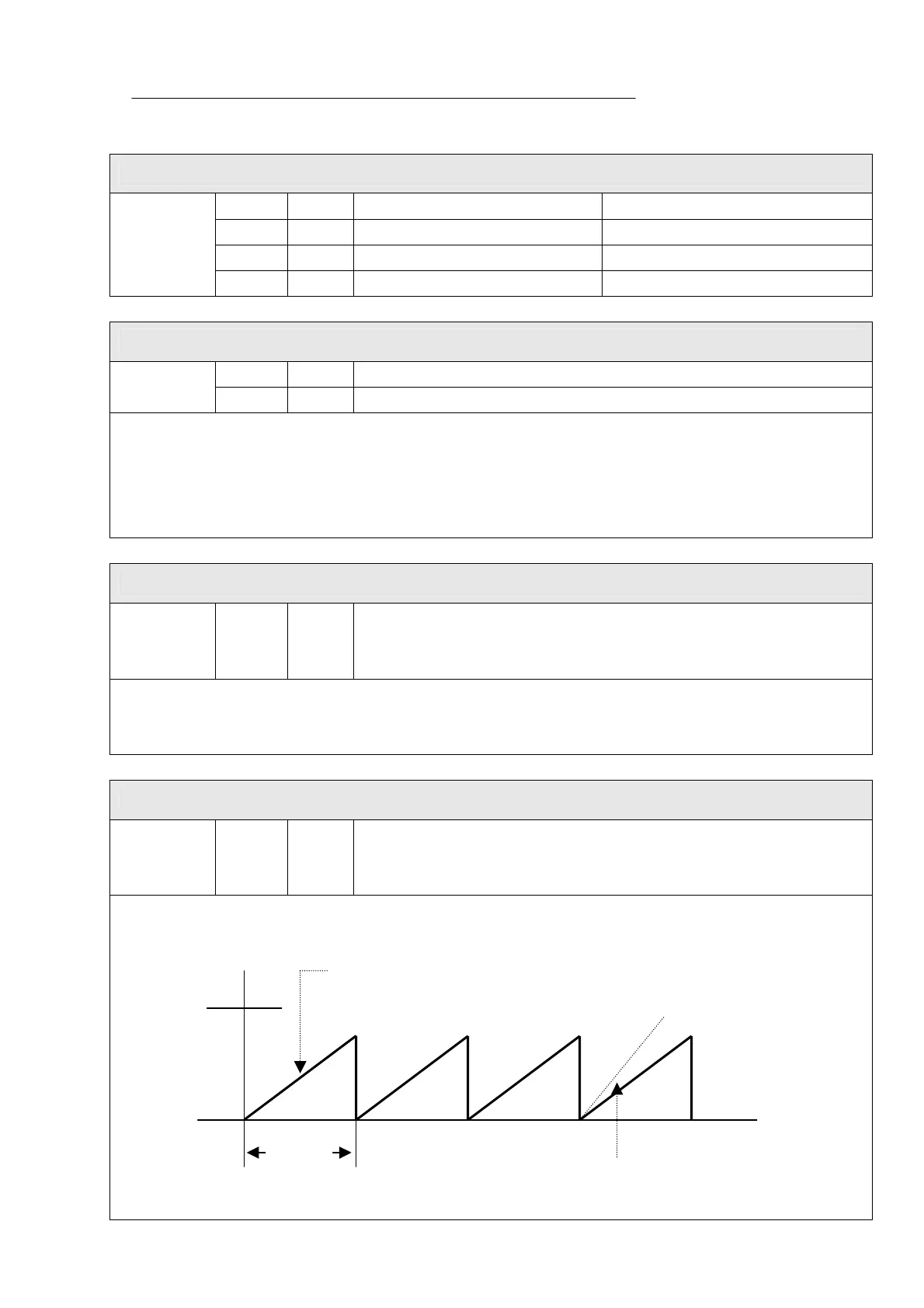
The zero tracking compensation function will automatically bring
the display back to “Zero” when there are small deviations caused
by dust, wind, temperature etc.
Ex) When Maximum display division is 120.00Kg and the value of one division is set as 0.05Kg:
F04 is set as “3.”
t
If weight change is within 250g in 0.75 Sec,
displays shows “0” automatically.
If weight change is over 250g in 0.75
Sec, the changed value will be shown
4.5digit
(0.25Kg)
0.75 Sec


 To Next Page
 Loading...
