DIGITAL INDICATOR
DN500N
6
3-2. KEY OPERATION
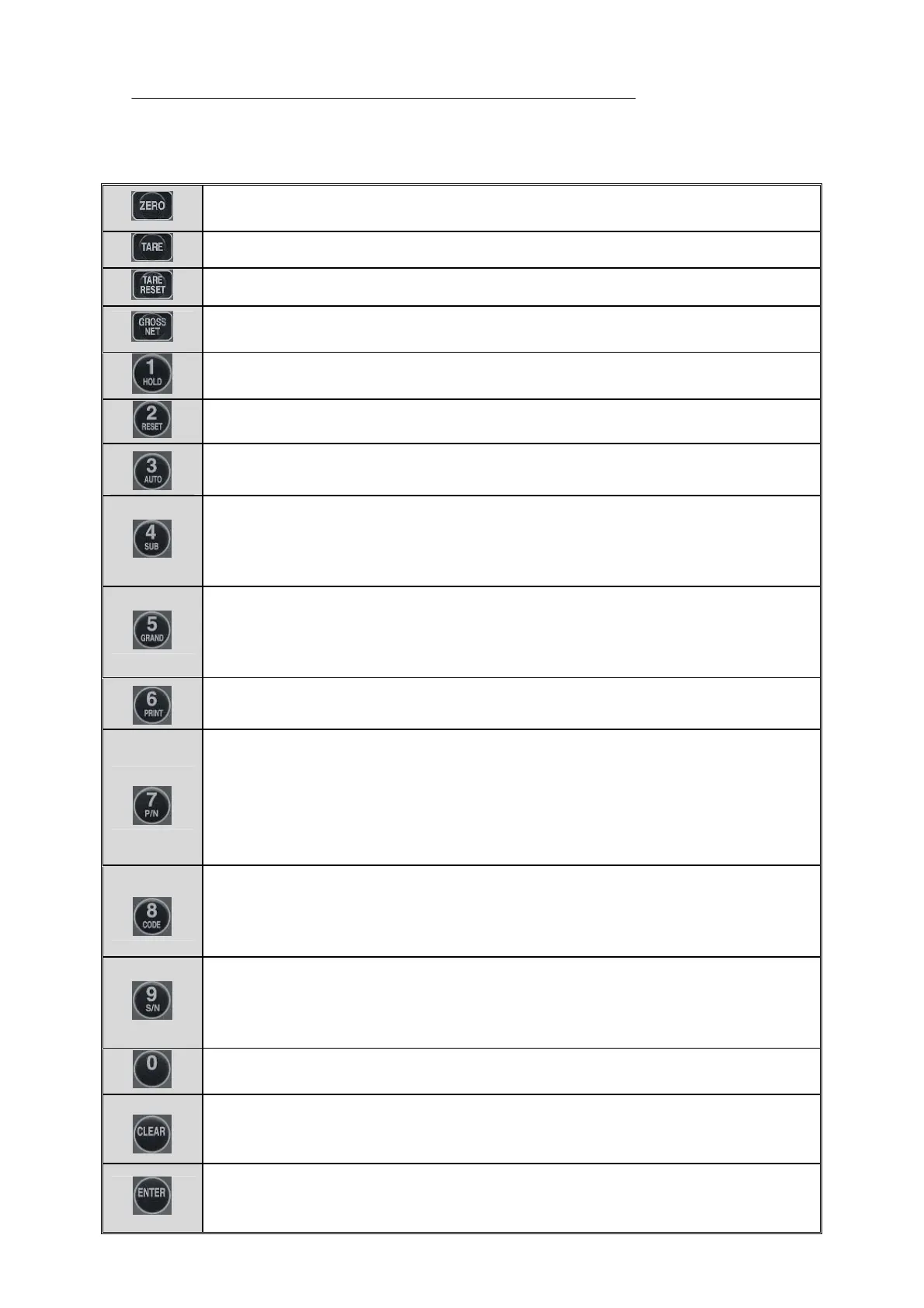
- This key returns the display to the center of zero.
Available within 2%, 5%, 10%, 20%, 100% of maximum capacity.
- This key is used to subtract tare weight.
- This key is used to cancel tare subtraction.
- This key is used to convert from Net Weight to Gross Weigh or vice versa after setting
the tare weight.
- This key is used to hold peak weight, average weight, sample weight.
- This key is used to cancel hold weight.
- This key is used to select AUTO (when steady) or MANUAL (when printer key operated) for
PRINT and it is operated in TOGGLE method..
- This key is used to print totalized sub data for a present Part No. (The serial number
for part and subtotal weight will be printed.)
* Please press “CLEAR” key and “4”key to delete subtotal data. Or F-43 from F-FUNCTION
can be used to change.
- This key is used to indicate Part No.1 ~ 99.
The total weighing count (serial) and GROSS weight will be printed.
To delete grand total data, please press “CLEAR” key and “5” key. Or F-43 from F-FUNCTION
can be used to change.
- This Key is used to print or transmit data manually.
- This key is used to confirm or change a present part number.
For part number, a specific number between 1~99 will be grant and the code value can be
set per part number.
▶ Code Confirmation: - Press “7”Key. It returns automatically after 3 seconds. Press
“Clear” key to return.
▶ Code Change: - Press “7”Key. Press “ENTER” key after changing part number.
- Each code number is used to confirm or change 6-digit code.
▶ Code Confirmation: - Press “8”Key. It returns automatically after 3 seconds. Press”
CLEAR” key to return.
▶ Code Change: - Press “8”Key. Press “ENTER” key after changing code number.
- This key is used to confirm or change a present weighing count (serial).
▶ Confirm: - Press “9”Key. After 3 sec of checking the serial, it returns automatically.
Also it returns when “CLEAR” Key is pressed.
▶ Change: - Press “9”Key. Press “ENTER” Key after changing the serial.
- This key is used to change the value of 1 division when it is on span calibration mode.
Every time when “0”Key is used, it is increased by ×1, ×2, ×5,…
- This key is used to cancel while inputting setting value.
It is used to return to previous mode on span calibration mode.
It is used to change F-FUNCTION.
- This key is used to save input of each setting value.
It is used to proceed span calibration.
It is used to save Data on F-Function.


 To Next Page
 Loading...
