17
IMPORTANT:
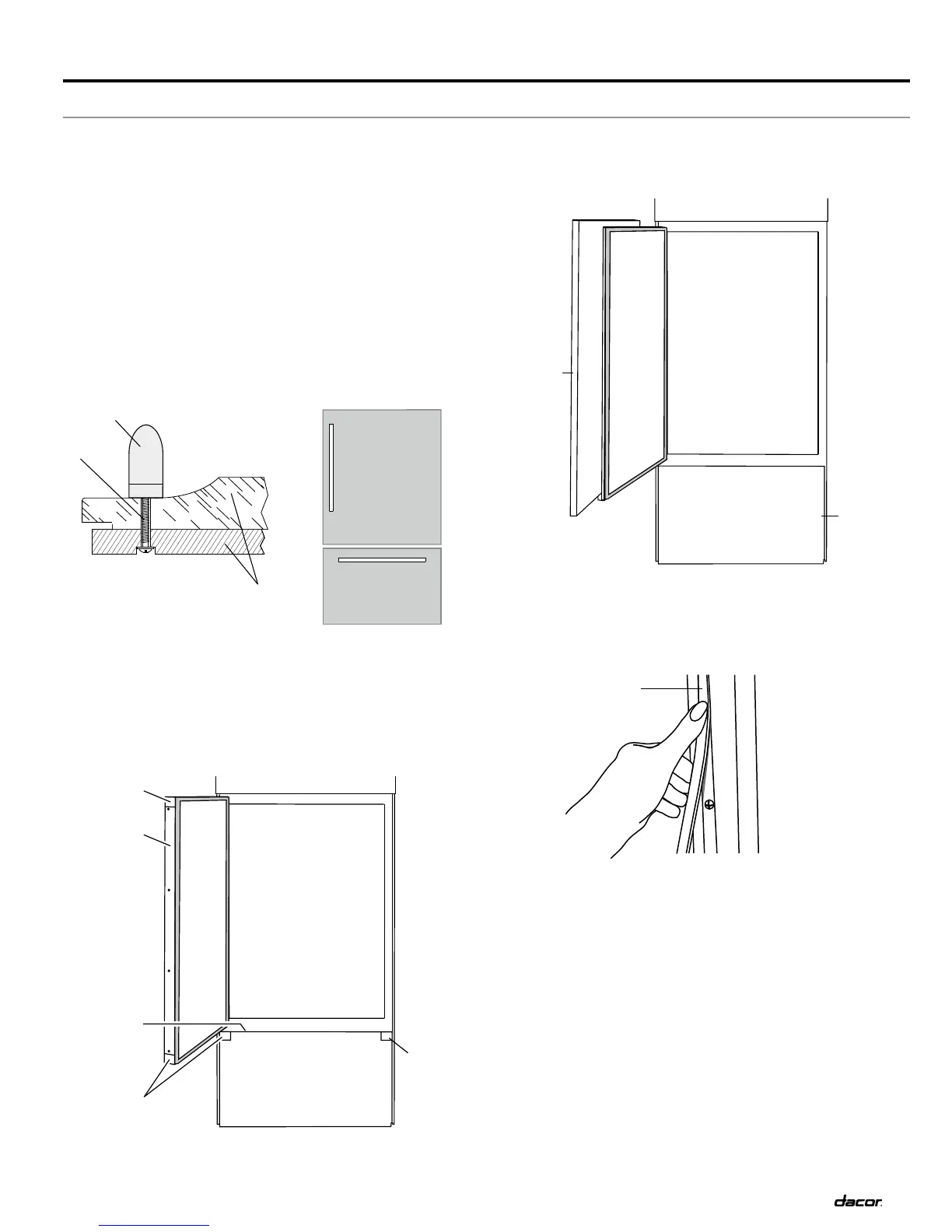
Install the custom handles prior to installing the panels on the
refrigerator.
Create custom door overlay panels according to the
specifications in the Custom Panels and Handles section.
Dacor is not responsible for customer installed molding or
decorative panels that need to be removed or replaced to
service the refrigerator.
Handle Installation
Before installing a custom panel assembly, install the custom
handle hardware.
Counter-sink the screw head into the back of the panel to allow
the panel to slide into place smoothly and for proper fit.
Door Panel Installation
Remove all tape and door bracing from the refrigerator and 1.
freezer doors.
Open the refrigerator and freezer compartment doors.2.
Remove the trims and corner caps.3.
Installation Instructions
Custom Panel and Handle Installation - IF36 Series Models
Slide the custom panels into the bottom and hinge side trims 4.
on the refrigerator compartment and freezer compartment
doors, making sure that the backer panel fits into the hinge
side trims.
Reinstall the trims and corner caps.5.
Remove the film from the screw covers. Slide or snap the 6.
screw covers into the handle trim section.
Check refrigerator level and alignment. Adjust if needed.7.
Continued...
Front View
A. Countersunk screw
B. Handle
C. Door panel assembly
Side View
A
B
C
D. Panels
D
D
A. Corner caps
B. Refrigerator door trims
C. Freezer drawer trim
A
A
A
B
C
E
E. Screw cover



 To Next Page