EasyManua.ls Logo

Daewoo DLP-26C2 - User Manual

Daewoo DLP-26C2
48 pages
Print Icon
To Next Page IconTo Next Page
Loading...
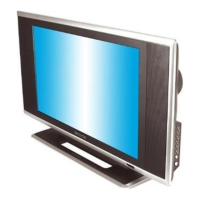
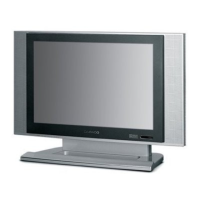
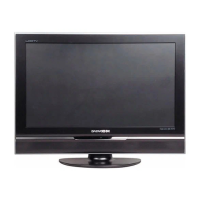
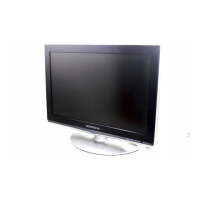
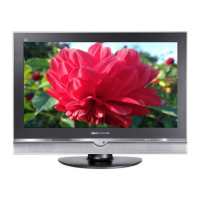
LCD TELEVISION
INSTRUCTION MANUAL
DLP-26C2
DLP-26C3
DLP-32C1
DLP-32C2
DLP-32C3
DLP-37C3
DLP-42C1

Other manuals for Daewoo DLP-26C2

Questions and Answers

  • J
    Jessica LindseyAug 21, 2025
    Why is there no picture or sound on my Daewoo DLP-26C2 LCD TV?
    • B
      Brittany SchaeferAug 21, 2025
      If your Daewoo LCD TV has no picture or sound, check that the power sockets are properly connected and that the main power to the TV is switched on.
  • T
    Theresa SmithSep 4, 2025
    How to center the image on my Daewoo LCD TV?
    • D
      Deanna CarrollSep 4, 2025
      To center the image on your Daewoo LCD TV, adjust the H-POSITION and V-POSITION control.
  • B
    bryansolisSep 2, 2025
    How to adjust image clarity on Daewoo DLP-26C2?
    • B
      brianjonesSep 2, 2025
      To improve image clarity on your Daewoo LCD TV, adjust the PHASE control.
  • J
    Jessica LesterSep 1, 2025
    How to fix stripes on picture of Daewoo DLP-26C2 LCD TV?
    • K
      kennethcarterSep 1, 2025
      To address stripes on the picture of your Daewoo LCD TV, check for susceptible interference from other electronic devices, such as radios or televisions. Keep magnetic or electronic devices away from the TV.
  • R
    Roger StricklandAug 30, 2025
    Why is the sound OK, but there is no color on my Daewoo DLP-26C2?
    • J
      Jeffrey BrownAug 30, 2025
      If the sound is fine but there's no color on your Daewoo LCD TV, check the color control and adjust it properly. Also, verify that the program you're watching is in color and not in black & white.
  • J
    James EvansAug 29, 2025
    What to do if my Daewoo DLP-26C2 LCD TV shows 'OUT OF RANGE'?
    • D
      Daniel FloydAug 29, 2025
      If 'OUT OF RANGE' appears on the screen of your Daewoo LCD TV, check the resolution and frequency of your PC and adjust them to the optimum condition for the LCD TV. Refer to the table of PC mode input format (If registered resolution and frequency on the table no listed then no picture will be displayed.)
  • J
    Joshua SchmidtAug 27, 2025
    How to fix bad stereo or dual sound on Daewoo LCD TV?
    • L
      ldeanAug 27, 2025
      If you are experiencing bad stereo or dual sound on your Daewoo LCD TV due to long distance from the station or other radio waves, try changing the mode to Mono.
  • W
    wnunezAug 26, 2025
    What to do if my Daewoo DLP-26C2 picture is OK but there is no sound?
    • S
      susan05Aug 27, 2025
      If you see a picture on your Daewoo LCD TV but hear no sound, check that the volume control is not set to the minimum or muted.
  • D
    David BoothAug 25, 2025
    What to do if my Daewoo LCD TV shows 'NO SIGNAL'?
    • M
      Mary FigueroaAug 25, 2025
      If your Daewoo LCD TV displays a 'NO SIGNAL' message, ensure that the signal cable is firmly connected to both your PC and the TV.
  • T
    Traci RollinsAug 23, 2025
    What to do if my Daewoo LCD TV remote control does not work?
    • E
      Eric EvansAug 23, 2025
      If the remote control for your Daewoo LCD TV isn't working, first check whether the batteries are dead. Also, make sure there are no objects obstructing the path between the remote control and the IR sensor on the TV.

Daewoo DLP-26C2 Specifications

General IconGeneral
BrandDaewoo
ModelDLP-26C2
CategoryLCD TV
LanguageEnglish

Related product manuals