-24-
Software Upgrade Methord
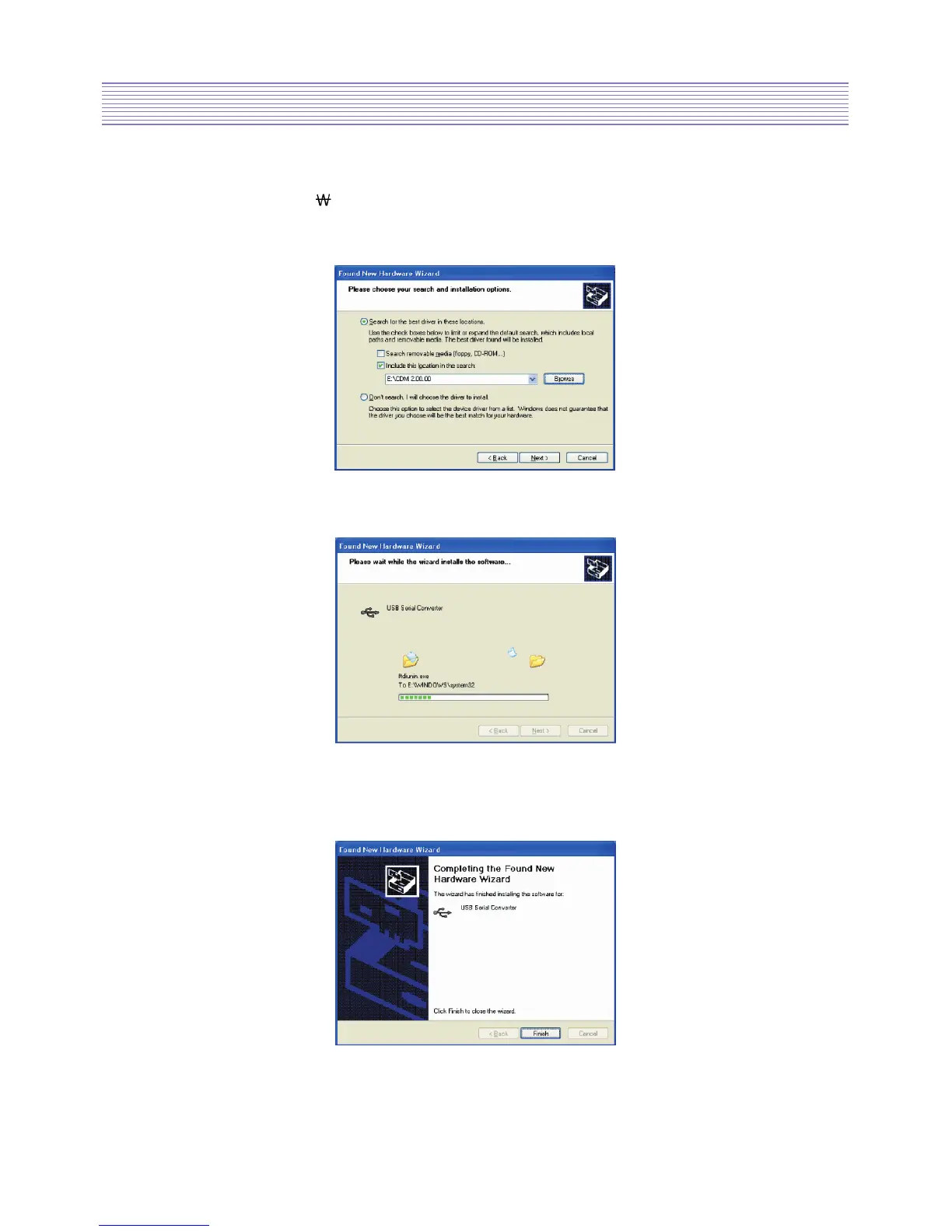
• Select “Search for the best driver in these locations” and enter the file path in the
combo-box (ex.“E:
CDM 2.00.00”in the example below) or browse to it by clicking the
browse button.
Once the file path has been entered in the box, click next to proceed.
• The following screen will be displayed as Windows XP copies the required driver files.
• Windows should then display a message indicating that the installation was successful.
Click Finish to complete the installation for the first port of the device.


 To Next Page