-25-
Software Upgrade Methord
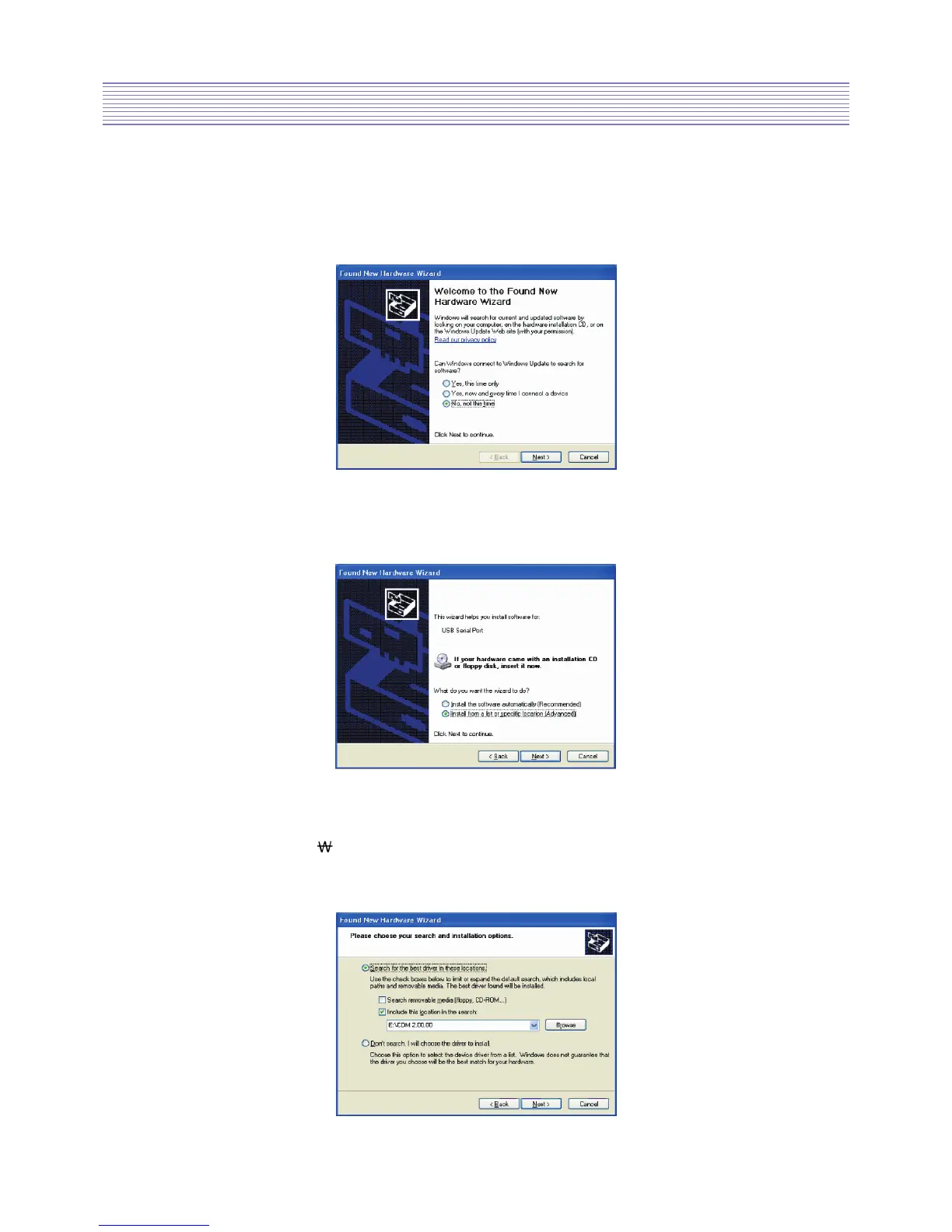
• The Found New Hardware Wizard will launch automatically to install the COM port
emulation drivers.
As above, select “No, not this time” from the options and click “Next” to proceed with
the installation.
• Select “Install from a list or specific location (Advanced)” as shown below and then
click “Next”.
• Select “Search for the best driver in these locations” and enter the file path in the
combo-box (ex.“E:
CDM 2.00.00”in the example below) or browse to it by clicking the
browse button.
Once the file path has been entered in the box, click next to proceed.


 To Next Page