-26-
Software Upgrade Methord
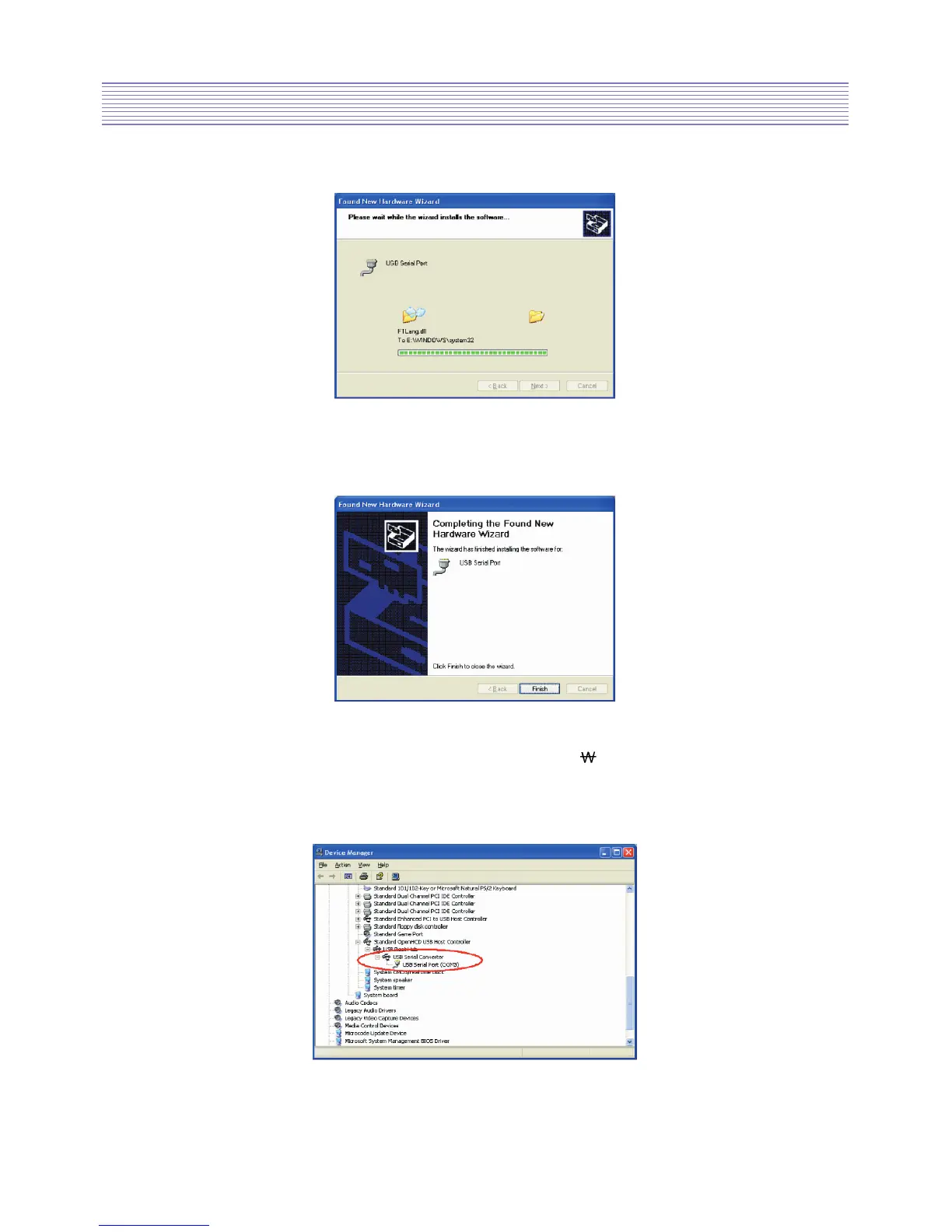
• Open the Device Manager (located in “Control Panel System” then select the
“Hardware” tab and click “Device Manger”) and select “View > Devices by Connection”,
the device appears as a USB Serial Converter with an additional COM port
with the label “USB Serial Port”.
• The following screen will be displayed as Windows XP copies the required driver files.
• Windows should then display a message indicating that the installation was successful.
Click Finish to complete the installation for the first port of the device.


 To Next Page