-27-
Software Upgrade Methord
• Connect USB cable to the USB port of the computer.
• Connect the phone jack cable the phone jack port of main PCB.
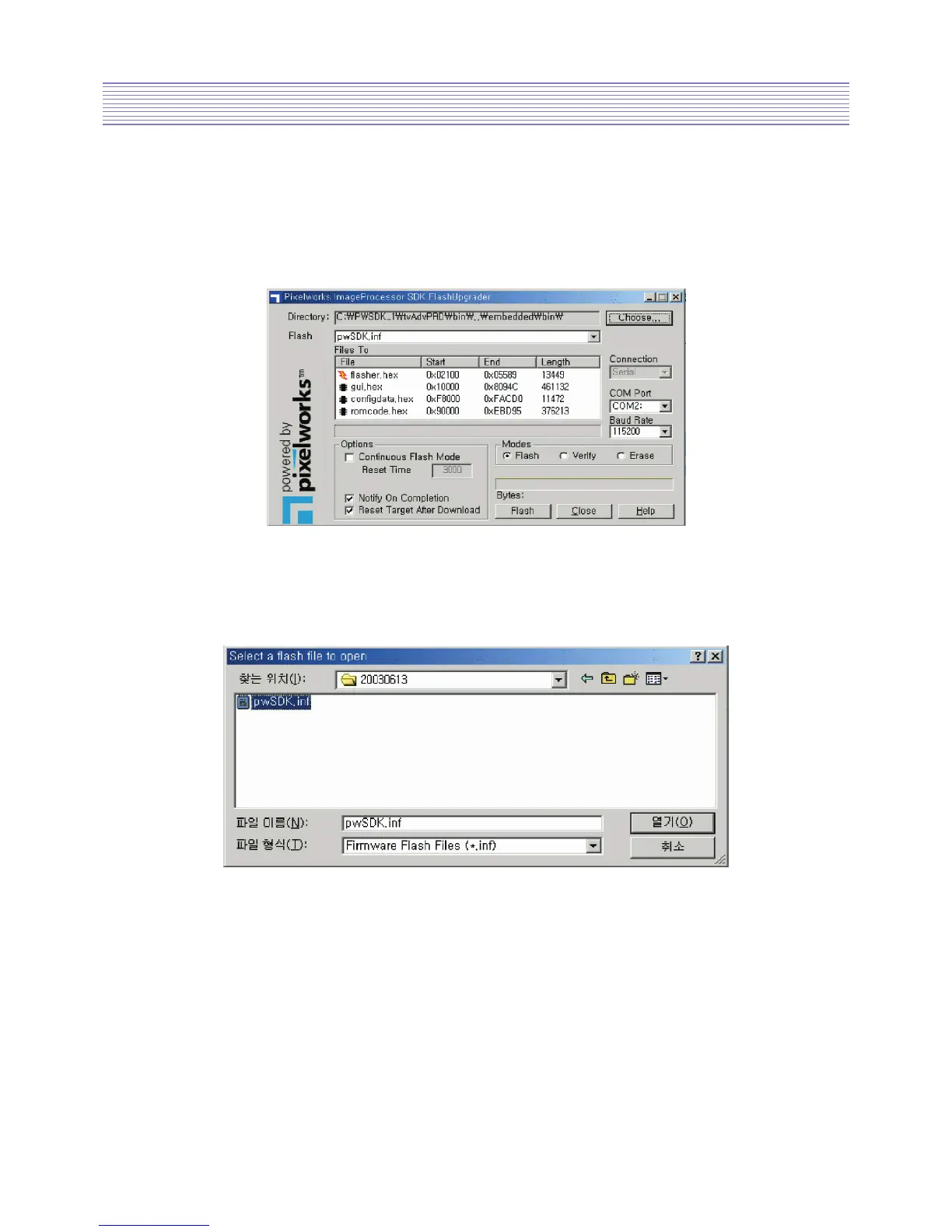
• Run Flashupgrader.exe in the PC to excute the program as shown below.
• Select current Upgrade file
i) Click “Choose
...
”button to select the file you want to upgrade.
ii) Select the file (pwSDK.inf) that you want to upgrade.



 To Next Page