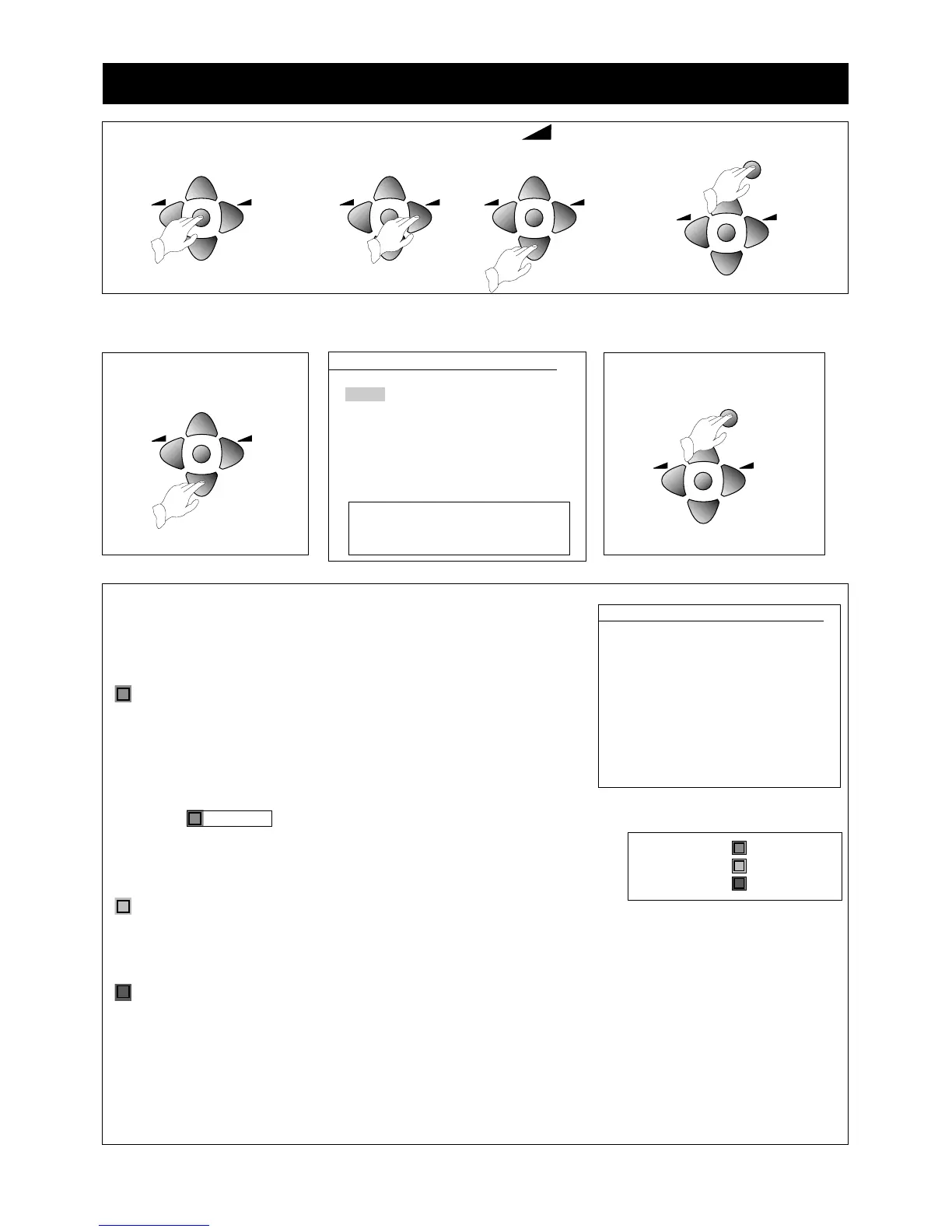
• Remember, the menu will go off if you do not press a button within 30 seconds.
•You can keep pressing the MENU button at any time to return to normal viewing.
‘PR’ is the programme number you store a broadcast channel under.
‘NAME’ is either read automatically from the broadcast, or you create it.
‘CH’ is the broadcast channel number.
‘SKIP’ - see below.
Move a channel
When the channel is not on the programme number you want it on, you
can move it.
1 Use the PR buttons to highlight the channel you want to move.
The picture for that channel will show behind the menu.
2 Press the green MOVE button on the remote control, the highlight will
change to red, and the green block on the screen will be
labelled Confirm.
3 Use the PR buttons to move the red highlight onto the programme
number where you want to put the channel.
4 Press the green MOVE button to finish the move.
Delete a channel
1 Use the PR buttons to highlight the channel you want to delete. The picture for that channel will show behind
the menu.
2 Press the yellow DELETE button on the remote control. The highlight will change to red for a moment and the
programme list shifts down to get rid of the empty slot.
Skip
You set the tick mark under ‘SKIP’ so that you can’t select a programme with the PR buttons.
1 Use the PR buttons to highlight the programme number where you want to set or remove the tick mark. The
picture for channel will show behind the menu.
2 Press the red SKIP button on the remote control to set the tick mark or to remove it.
13
Editing programmes
INSTALL
ATSS GB
SYSTEM GB
CHANNEL C55
FREQ 743.25
NAME BBC1
PROGRAM 01
STORE TO 01
EDIT
PR NAME CH SKIP
07 -------- C37
06 -------- C64
05 CH5 C59
04 CH4 C62
03 ITV C55
O2 BBC2 - ---
01 BBC1 - ---
V
Position CBAdjust
W
MENU Exit
OK Access
V
Position Move
W
Delete
MENU Exit
Skip
Use the PR buttons to highlight
‘EDIT’.
Press the OK button and the
edit menu will appear.
EDIT


 To Next Page