8
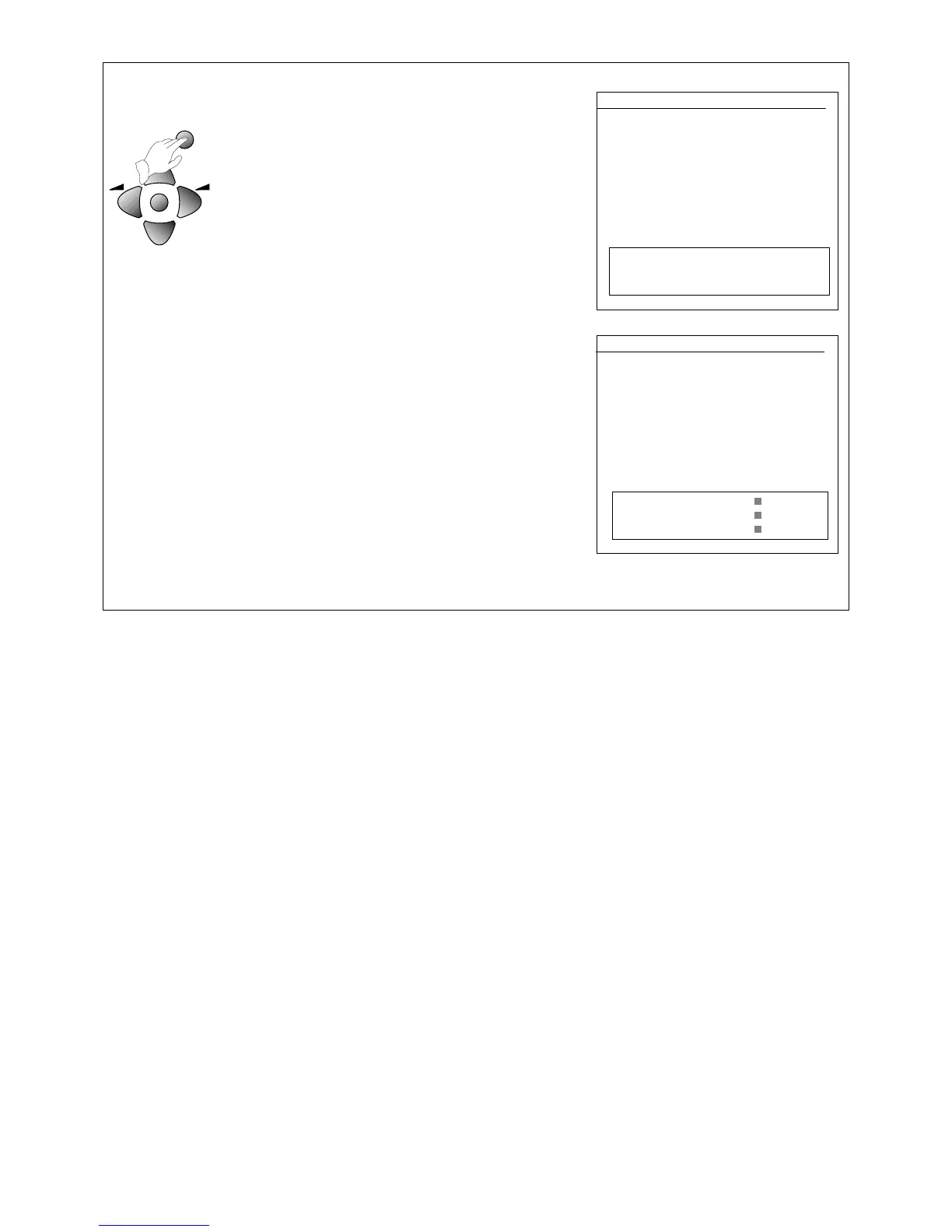
4 OK
The 'ATSS' line will be highlighted in green.
Press and hold the OK button for at least three
seconds to start the automatic tune, search and store
process (ATSS).
The on-screen display will ask you to wait and you will
see the frequency changing ('freq'). 'Program' and
'store to' numbers increase as each station is stored
in the television's memory.
When the ATSS process has finished, you will see the
edit menu which shows you what programme
numbers the stations have been stored under. If these
are correct, just press the MENU button or wait a few
seconds until the edit menu goes off. If you are not
happy with the order the programmes are in, you can
use the edit menu to re-arrange them.
• Your television might not name a satellite receiver or
video recorder properly, so you will need to use the
edit menu to change the name.
• Sometimes the ATSS process will not store the
best-quality signal on the programme number you
would like, so you will see a grainy picture or a
distorted picture. You will need to use the edit menu
to change the programme number.
•
If you need to change anything using the edit
menu, please read 'Editing programmes' on page 10.
•
If you have poor-quality pictures or interference,
please read 'Picture interference from other
equipment' below.
INSTALL
ATSS GB
EDIT
SYSTEM GB
CHANNEL C55
FREQ 743.25
NAME BBC1
PROGRAM 01
STORE TO 01
MENU Exit
PLEASE WAIT!
EDIT
PR NAME CH SKIP
05 CH5 C37
04 CH4 C64
03 ITV C59
02 BBC2 C62
01 BBC1 C55
00 ------ - ---
99 ------ - ---
V
Position Move
W
Delete
MENU Exit Skip
Picture interference from other equipment
If you have used the aerial lead to connect a video recorder, satellite receiver or other piece of equipment,
switch the equipment on one piece at a time and check the picture on all your programmes. The pieces of
equipment that are not switched on must be on stand-by. If any of your programmes have wavy lines on the
picture when the equipment is switched on, you will have to change the output frequency of that equipment.
Please read the instruction book for the equipment to find out how to do this. Change the output frequency a
little at a time (or in 8MHz steps) and keep checking all your programmes.
When there are no wavy lines (or other interference) on any of the pictures, re-tune the programme number
that you have chosen for your equipment (see 'Manual tuning'). Do the same for each piece of equipment ,
but after you've finished with each one, leave it switched on while you check the next piece of equipment.
Continue to do this until you have all the pieces of equipment working together without any interference. If you
cannot get rid of the interference, you may have to connect the equipment with a scart cable (see 'Connecting
other equipment') .



 To Next Page