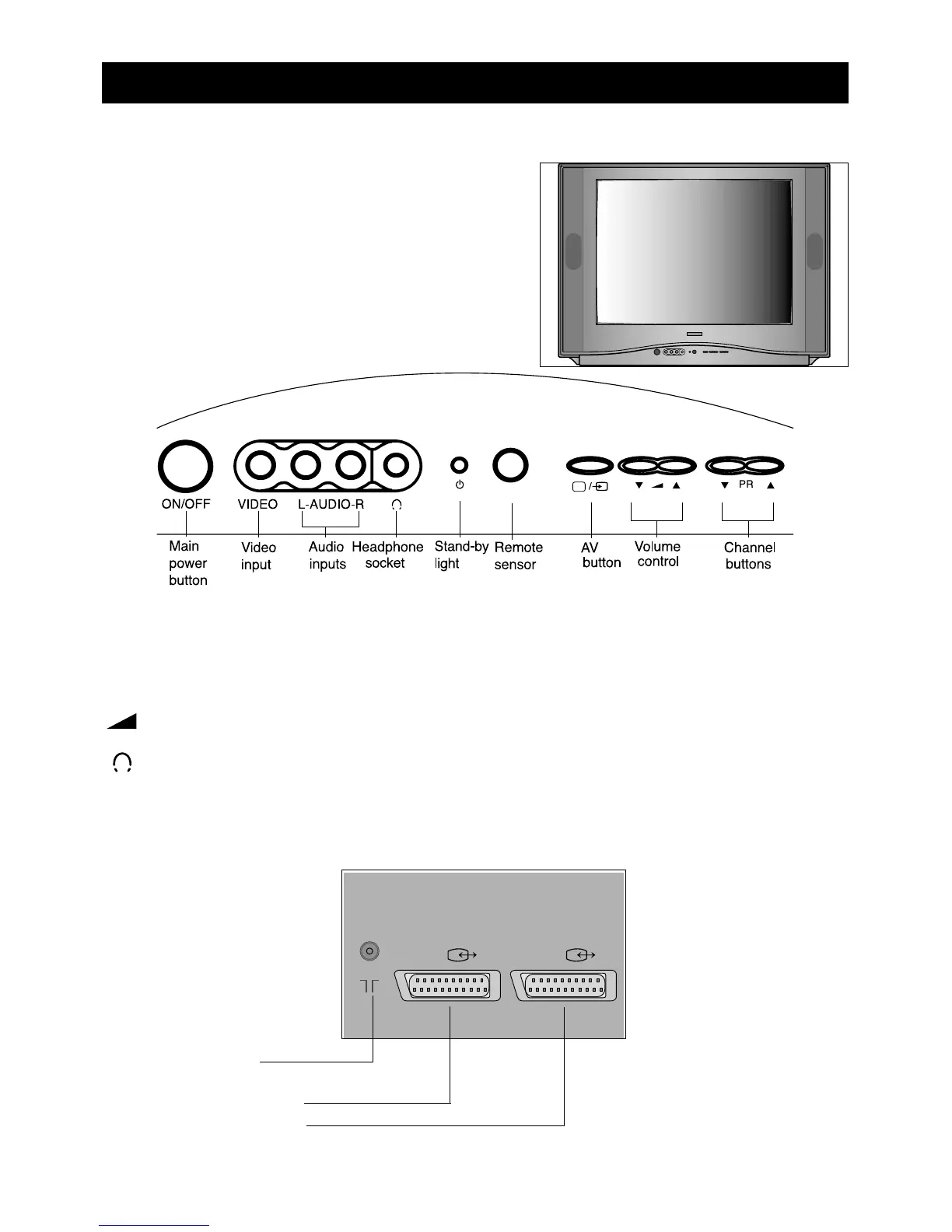
•You can get to the controls on the front of the television by pushing the triangle at the top centre of
the cover flap. The flap will fall open. Push the flap again to close it.
The channelVbutton increases the programme number and the channelWbutton decreases it.
The volume controlVbutton makes the sound louder and the volume controlWbutton makes the sound
quieter.
The headphone socket takes a 3.5mm diameter plug.
Warning! Prolonged listening through headphones at high volume may damage your hearing.
PR
Features on the television and the remote control
Features on the front of the television
Features on the back of the television
3


 To Next Page