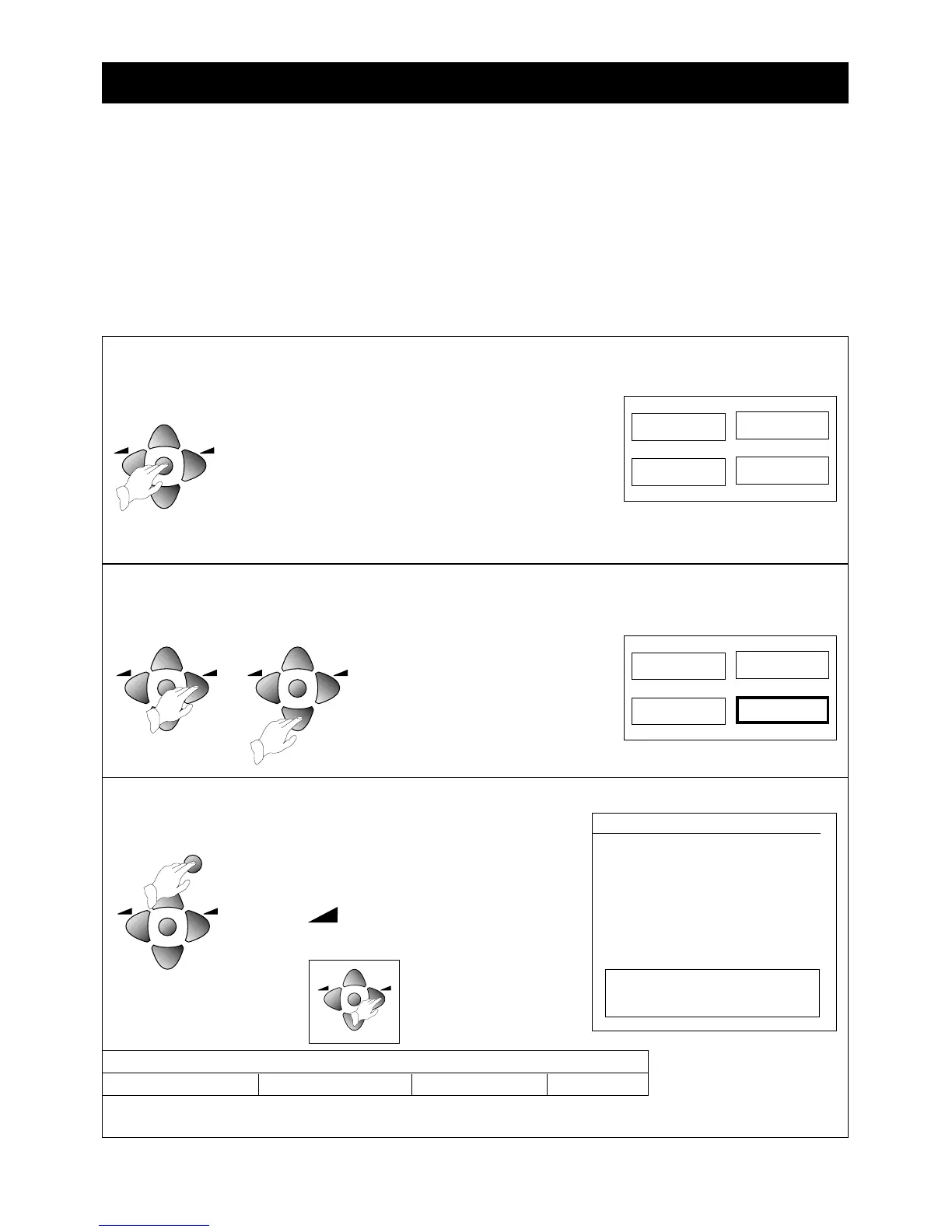
Press the OK button to display the INSTALL menu.
• Make sure the country listed against 'ATSS' is the
country you are in.
If you need to change the country, press one of the
volume
()
buttons until the correct abbreviation
shows.
1 Make sure you have followed steps 1 to 5 under 'Setting up your television' and read 'Stand-by mode'.
2 If you have a video recorder connected with the aerial lead, switch it on to produce a test picture, or play a
video tape.
3 If you have a satellite receiver (or any other piece of equipment as well as the video recorder) connected
with the aerial lead, make sure that it is plugged in and that it is on stand-by.
4 Switch on the television. If the screen does not light up, please check the previous sections 'Supply power',
‘Switch on the television’ and 'Stand-by mode'.
7
Tuning in the programmes
Before you start
Press the MENU button to make the picture, sound,
features and install boxes appear on the screen.
• Whenever a menu is displayed, if you do not press a
button within 30 seconds the menu will go off.
• If you find a menu asking you to set the on-screen
menu language, press the volume increase button to
change the setting (GB stands for Great Britain).
Press the MENU button to finish.



 To Next Page