EasyManua.ls Logo

Daewoo DV6T811N - Remote Operation Guidelines; Included Accessories

Daewoo DV6T811N
81 pages
Print Icon
To Next Page IconTo Next Page
To Previous Page IconTo Previous Page
Loading...
Product Information
15
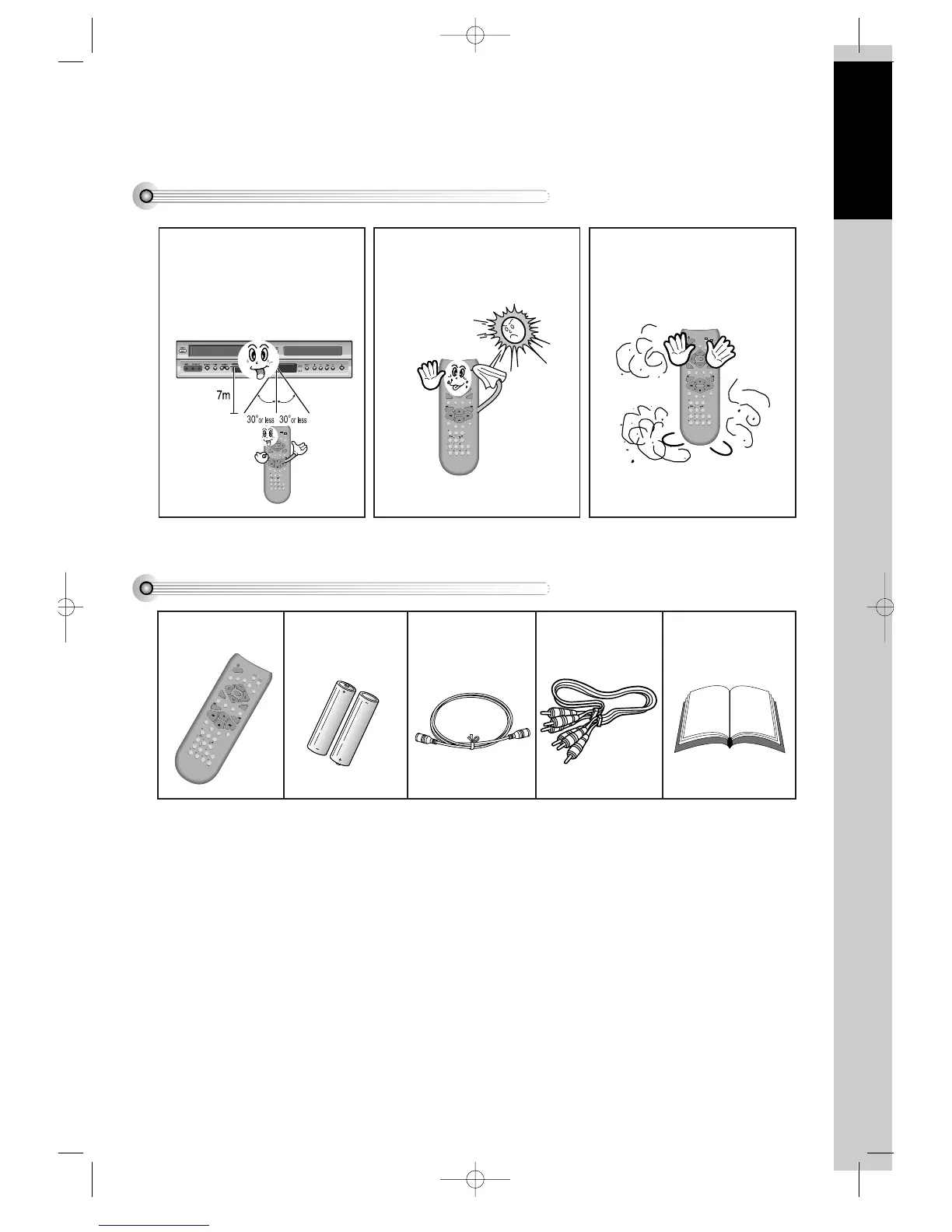
Instructions in Using REMOTE
Accessories
VCR
DVD
REPEAT
OPEN/CLOSE
DISPLAY
TITLE/PBC
MENU
CH
CH
OUTPUT
PREV.
REC
PROGRAM
CLK/CNT
SPEED/ANGLE
TRACKING
TV/VCR
MARK
SEARCH
100/SYSTEM
PLAY/PAUSE
NEXT
ZOOM
AUDIO
SUBTITLE
RETURN
CLEAR/3D
SETUP
ENTER
/S-VHS
REMOTE 2 Batteries RF cable
Connecting cable to
Audio/Video jack
Owner’s Manual/
Warranty
• To purchase accessories or not supplied parts additionally, contact your nearest dealer or service center. But,
owner’s manual and warranty are not sold additionally.
VCR
DVD
REPEAT
OPEN/CLOSE
DISPLAY
TITLE/PBC
MENU
CH
CH
OUTPUT
PREV.
REC
PROGRAM
CLK/CNT
SPEED/ANGLE
TRACKING
TV/VCR
MARK
SEARCH
100/SYSTEM
PLAY/PAUSE
NEXT
ZOOM
AUDIO
SUBTITLE
RETURN
CLEAR/3D
SETUP
ENTER
/S-VHS
• Operate REMOTE within 7m
from the unit.
• Do not press 2(two) buttons at
the same time.
• Do not light up sending part of
REMOTE.
• Do not keep in the place with
much dust and humidity.
VCR
DVD
REPEAT
OPEN/CLOSE
DISPLAY
TITLE/PBC
MENU
CH
CH
OUTPUT
PREV.
REC
PROGRAM
CLK/CNT
SPEED/ANGLE
TRACKING
TV/VCR
MARK
SEARCH
100/SYSTEM
PLAY/PAUSE
NEXT
ZOOM
AUDIO
SUBTITLE
RETURN
CLEAR/3D
SETUP
ENTER
/S-VHS
VCR
DVD
REPEAT
OPEN/CLOSE
DISPLAY
TITLE/PBC
MENU
CH
CH
OUTPUT
PREV.
REC
PROGRAM
CLK/CNT
SPEED/ANGLE
TRACKING
TV/VCR
MARK
SEARCH
100/SYSTEM
PLAY/PAUSE
NEXT
ZOOM
AUDIO
SUBTITLE
RETURN
CLEAR/3D
SETUP
ENTER
/S-VHS
DV6T811N-LT(GB) 02.4.16 5:10 PM ˘`15

Related product manuals