Timer Recordings
TIMER RECORDINGS
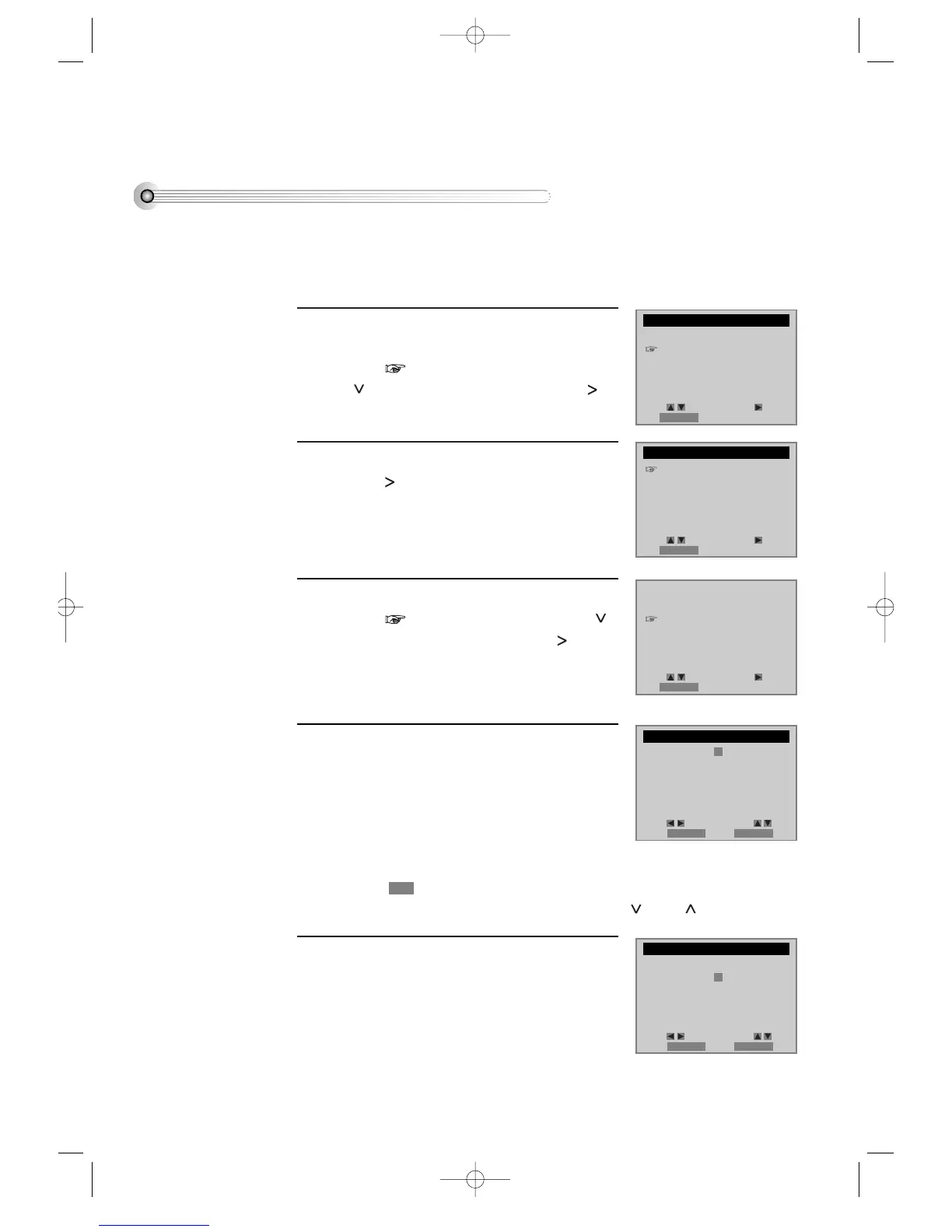
Press [SETUP/ENTER] button and select
“TIMER RECORDINGS”.
Move into “TIMER RECORDINGS” with
[ ] and then, select the desired one with [ ]
button.
Select “Make a New Program”.
Press [ ] button to select “Make a new
Program”.
1
2
Select “TIMER REC method”.
Move into desired recording type with [ ]
and then, select the desired one with [ ]
button.
For TIMER REC method details, see “Various
TIMER REC” in the next page.
3
Select “a broadcasting to record”.
Select the desired broadcasting channel with
[NUMBER] buttons.
**If Converter Box and video are connected to
Video/Audio terminal, set “EXTERNAL INPUT”
on TIMER REC CH by using “OUTPUT”
button.
4
Set “the date and time to record”.
Select the date, start time and end time to record
with [NUMBER] buttons.
5
■ Power on TV.
■ Make sure that current time is set correctly.
■ Insert a recordable tape with recording tab.
■ Prior to the setting, press [VCR] button to change to VCR mode.
When moves into (GENERAL BROADCASTING), select one of GENERAL
BROADCASTING/CABLE BROADCASTING with [ ] and [ ] buttons.
36
SETUP
CLOCK SET
TIMER RECORDINGS
CHANNEL SET
FUNCTIONS
LANGUAGE SELECT
TIMER RECORDINGS
Make a New Program
Review/Cancel Programs
PROGRAM (ONE TIME)
How often do you want
to record program?
One Time
Daily (Sun-Sat)
Weekdays (Mon-Fri)
Weekly (Once a Week)
Channel - - Cable
Start Date - - / - -
Start Time - - : - - AM
End Time - - : - - AM
Tape Speed SP
PROGRAM (ONE TIME)
Channel 104 Cable
Start Date - - / - -
Start Time - - : - - AM
End Time - - : - - AM
Tape Speed SP
Move: Select:
End:RETURN
Move: Select:
End:RETURN
Move: Select:
End:RETURN
Move: Select:
Video:OUTPUT End:RETURN
Move: Select:
Video:OUTPUT End:RETURN
DVD-Video(USA)_DV6T811N-LT 02.4.16 2:38 PM ˘`36



 To Next Page