VCR Operation
35
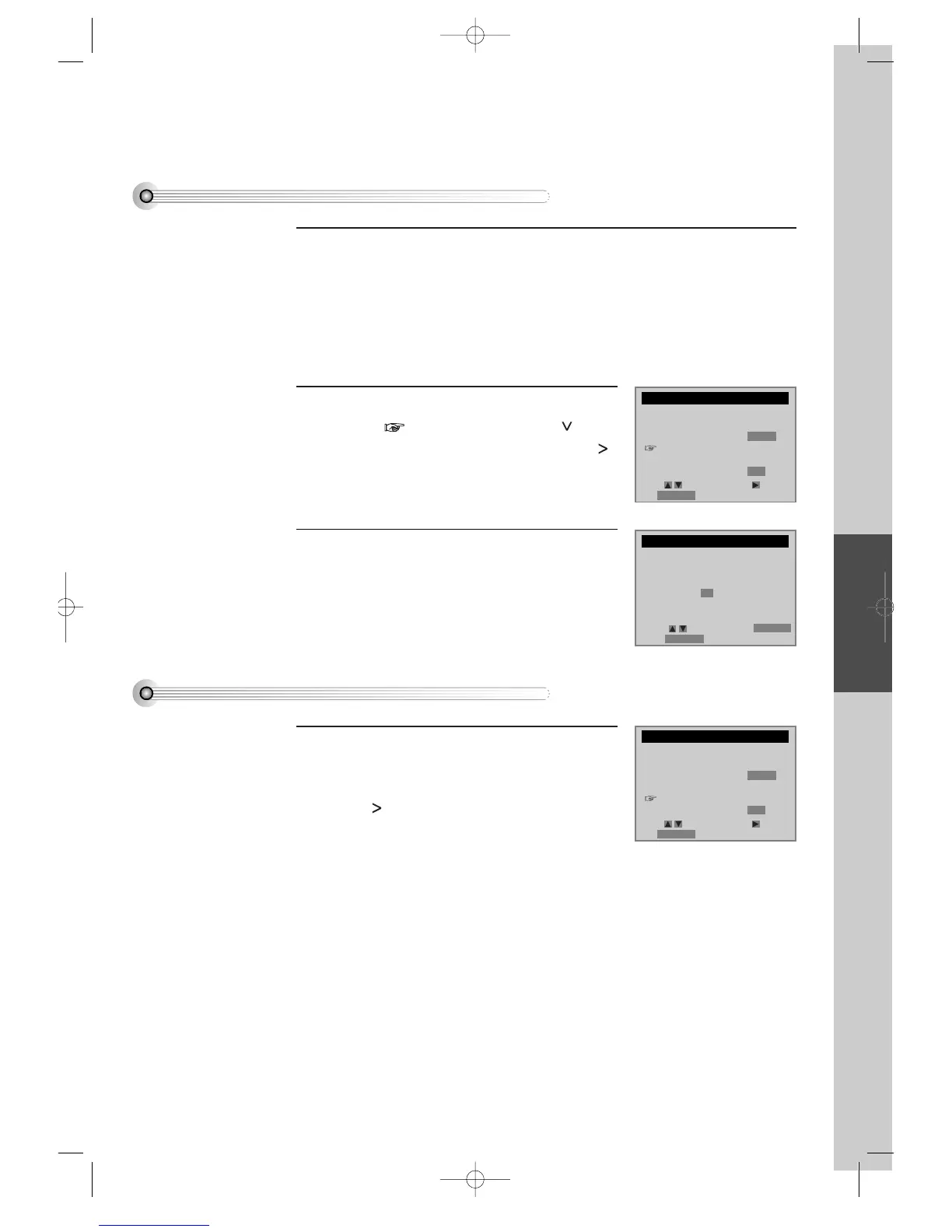
To Set Cable Box
To Set Output Channel
Press [SETUP/ENTER] button and select
“CHANNEL SET” .
Select “Output channel selection”.
By pressing [ ] button, set the exclusive channel for
video on the desired one of 3CH or 4CH.
Press [SETUP/ENTER] button and select “CHANNEL SET”.
Select “Cable Box Setup”.
Move into Cable box setup with [ ]
button and then, select the desired item with [
] button.
1
2
Select “Cable Box Channel”.
Press the channel number which matches to the
output of the Cable Box to connect between
Cable Box and this unit.
3
CABLE BOX SETUP
On what channel do you
want to receive from
the cable box?
03
CHANNEL SET
Auto Channel Search
Add/Remove Channels
Signal Type: CABLE
Cable Box Setup
Output channel
selection: CH3
Move: Select:
End:RETURN
CHANNEL SET
Auto Channel Search
Add/Remove Channels
Signal Type: CABLE
Cable Box Setup
Output channel
selection: CH3
Move: Select:
End:RETURN
Select: End:RETURN
Video:OUTPUT
DVD-Video(USA)_DV6T811N-LT 02.4.16 2:38 PM ˘`35



 To Next Page