!
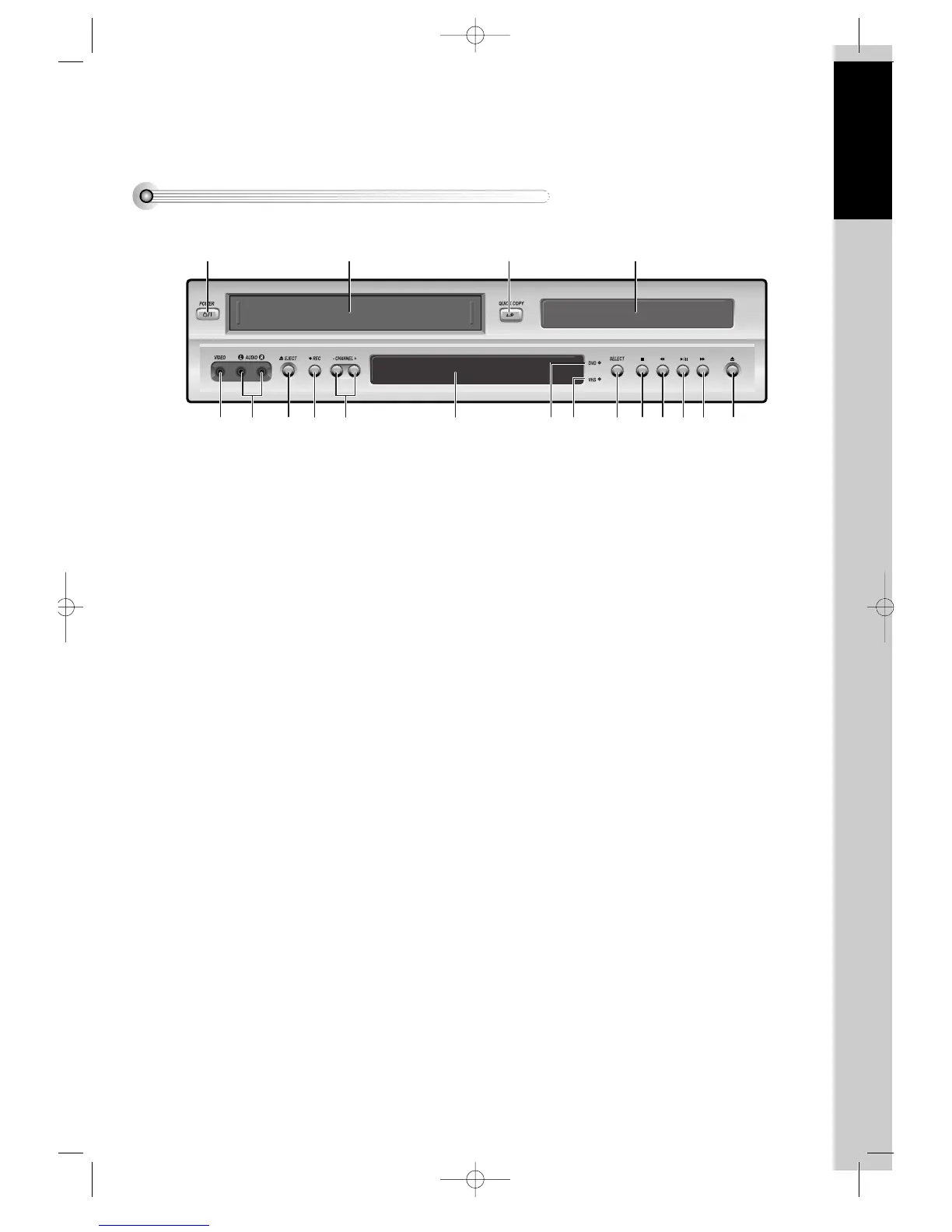
POWER (STANDBY/ON) button
Use to power the device on/off if AC power supply
is connected.
@
Place to insert videotape
#
COPY button
Use to copy contents of disc into a videotape.
$
Disc tray
%
VIDEO INPUT jack
^
AUDIO INPUT jack
&
EJECT button
*
RECORD button
(
CHANNEL Up/Down button
)
Operation Display Window
Display operation of device. For more information,
see “Operation Display Window” in the next page.
1
DVD operation display lamp
2
VCR operation display lamp
3
SELECT button
Use to change DVD mode to VCR mode, and vice
versa.
4
STOP button
Use to stop playing .
5
REWIND button
Use to rewind currently being played videotape or
disc; or to playback back rapidly.
6
Playback/PAUSE button
Playback videotape or disc.
Press this button to pause a screen.
7
FAST FORWARD button
Use to wind currently being played videotape or
disc; or to playback rapidly.
8
OPEN/CLOSE Tray button
DVD-Video(USA)_DV6T811N-LT 02.4.16 4:40 PM ˘`11



 To Next Page