!
VCR Operation
@
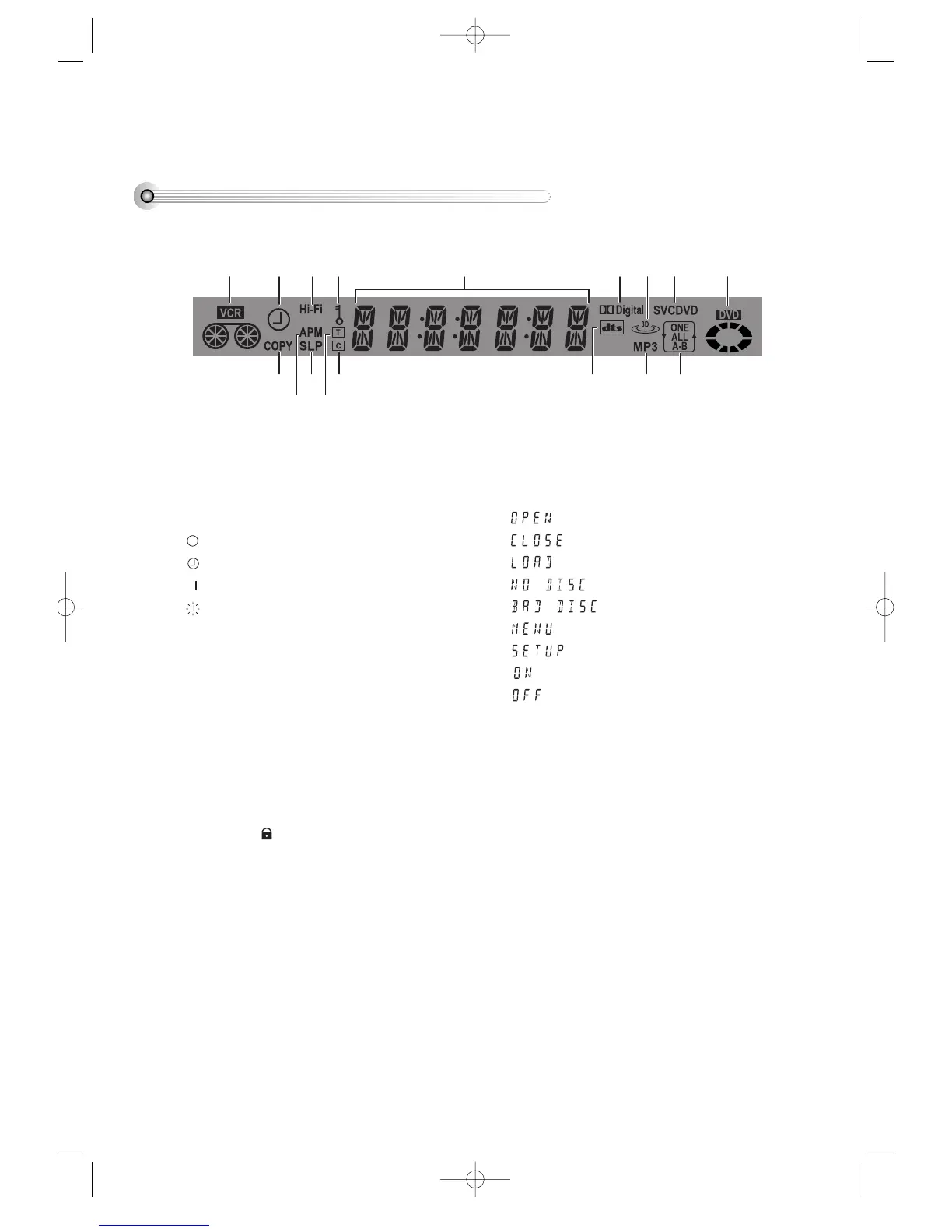
REC and TIMER REC display
: Recording ,
: TIMER Recording ,
: To be Timer-recorded,
: To be Timer-recorded state ERROR (No Tape
or Tape without tab)
#
Copying
Use to copy contents of disc into videotape.
$
Hi-Fi Videotape
%
AM/PM
^
Recording Speed
&
Parental (Lock)
When parental limit in “SETUP” menu is set except
“8 UNLOCK” and you set a password, it goes into
LOCK status ( ) and this indicator is lighted up.
This indicator disappears iif you doesn’t set a
password.
*
Title
This is displayed in VCD and CD disc.
(
Chapter
This is displayed in DVD disc.
)
Time, Counter and Current Operation
: Tray is opened
: Tray is closed
: Disc is loaded
: There is no disc in tray
: Disc has some error
: Menu screen is displayed
: Setup menu is displayed
: Power is ON
: Power is OFF
1
Dolby Digital Indicator
2
dts Disc Indicator
3
3D Sound Indicator
4
MP3 Disc Indicator
5
Disc Type Indicator
Currently loaded disc type (SVCD, VCD, DVD etc.)
is displayed.
6
Repeat Playback
It indicates repeat playback is on now. ONE, ALL,
and A-B mean repeat playback between a chapter
or track; title or whole contents of disc; and two
specific points respectively.
7
DVD Disc Operation
DVD-Video(USA)_DV6T811N-LT 02.4.16 2:37 PM ˘`12



 To Next Page