!
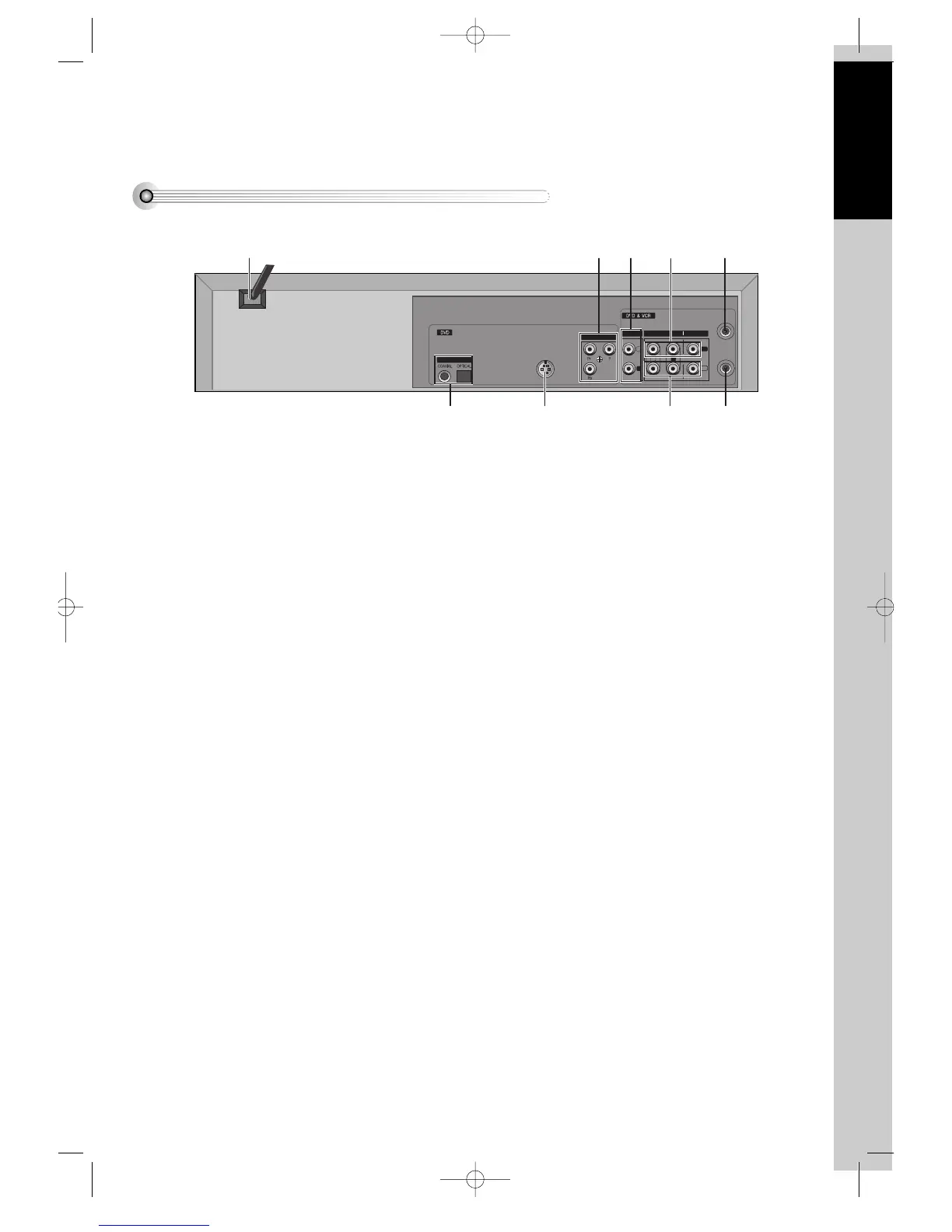
POWER CORD
It is a jack for supplying power to the unit. Connect
to outlet in a wall.
@
DIGITAL OUTPUT (COAXIAL, OPTICAL)
Jack
To enjoy sound quality of theater level in home,
connect this jack with amp or unit embedded with
digital audio decoder.
#
S-VIDEO OUT Jack
To obtain better screen quality, connect and use the
unit to TV or monitor inputted from S-VIDEO.
$
COMPONENT OUT Jack
To obtain better screen quality, connect the unit to
TV or monitor with COMPONENT(480i) input.
%
AUDIO OUT Jack
^
A/V INPUT Jack
&
A/V OUTPUT Jack
*
Connection to ANTENNA Cable
(
Connection to TV
DVD-Video(USA)_DV6T811N-LT 02.4.16 2:37 PM ˘`13



 To Next Page