VIDEO CASSETTE
LOADING
UNLOADING
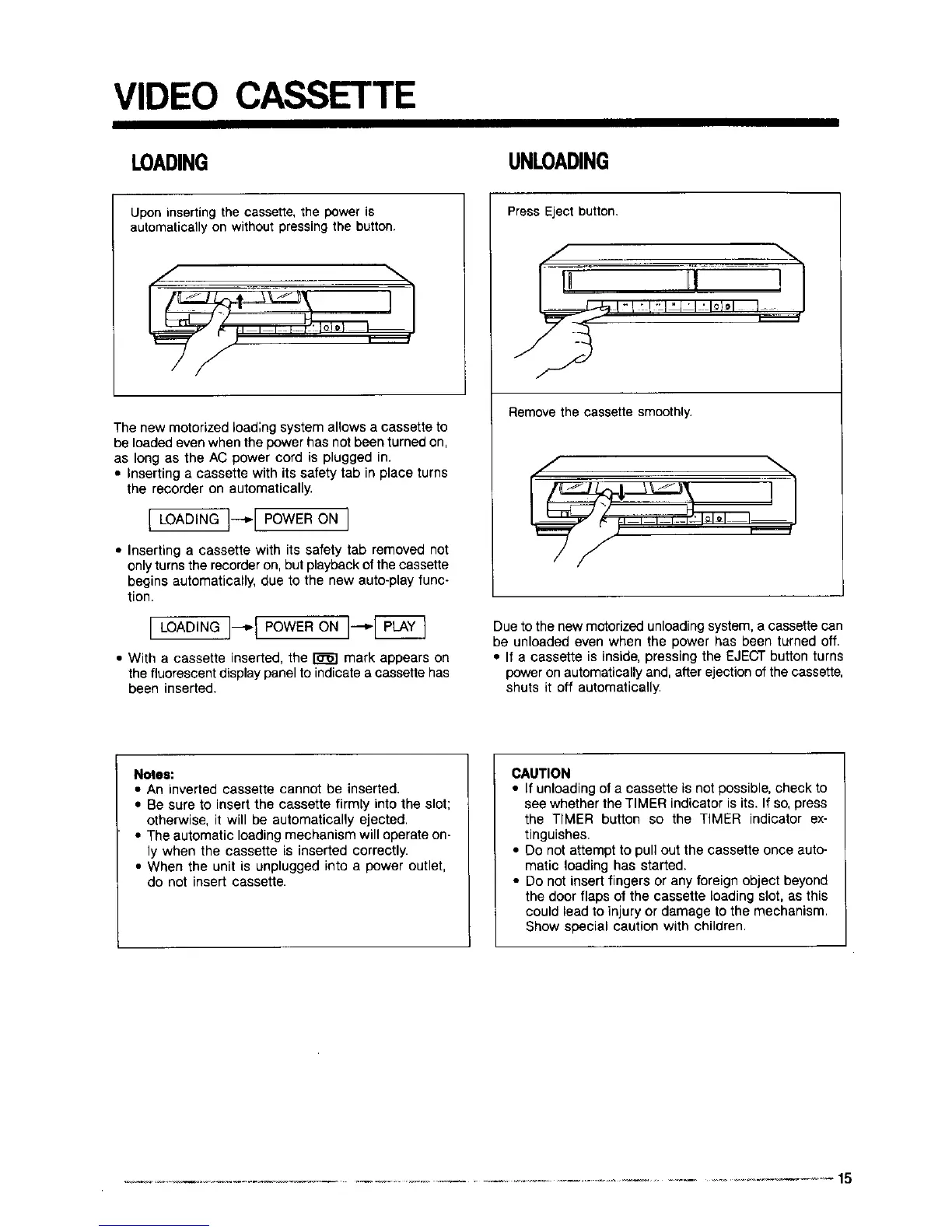
Upon inserting the cassette, the power is
automatically on without pressing the button.
, ,
The new motorized load;rig system allows a cassette to
be loaded even when the power has not been turned on,
as long as the AC power cord is plugged in.
• Inserting a cassette with its safety tab in place turns
the recorder on automatically.
[LOAO NG!--'lPOWERONI
• Inserting a cassette with its safety tab removed not
only turns the recorder on, but playback of the cassette
begins automatically, due to the new auto-play func-
tion.
J LOADING ]--_1 POWER ON J---'.-[_
• With a cassette inserted, the _ mark appears on
the fluorescent display panel to indicate a cassette has
been inserted.
Press Eject button.
Remove the cassette smoothly.
Due to the new motorized unloading system, a cassette can
be unloaded even when the power has been turned off.
• If a cassette is inside, pressing the EJECT button turns
power on automatically and, after ejection of the cassette,
shuts it off automatically.
Notoe:
• An inverted cassette cannot be inserted.
• Be sure to insert the cassette firmly into the slot;
otherwise, it will be automatically ejected.
• The automatic loading mechanism will operate on-
ly when the cassette is inserted correctly.
• When the unit is unplugged into a power outlet,
do not insert cassette.
CAOTION
• If unloading of a cassette is not possible, check to
see whether the TIMER indicator is its. If so, press
the TIMER button so the TIMER indicator ex-
tinguishes.
• Do not attempt to pull out the cassette once auto-
matic loading has started.
• Do not insert fingers or any foreign object beyond
the door flaps of the cassette Loadingslot, as this
could lead to injury or damage to the mechanism.
Show special caution with children.
.......... ._-- ............................................. 15



 To Next Page