SPECIAL EFFECTS AND OPERATIONS
SPECIALEFFECTSINPLAYBACKMODE(BESTINSP+SLPSPEED:.SOUNDISMUTED)
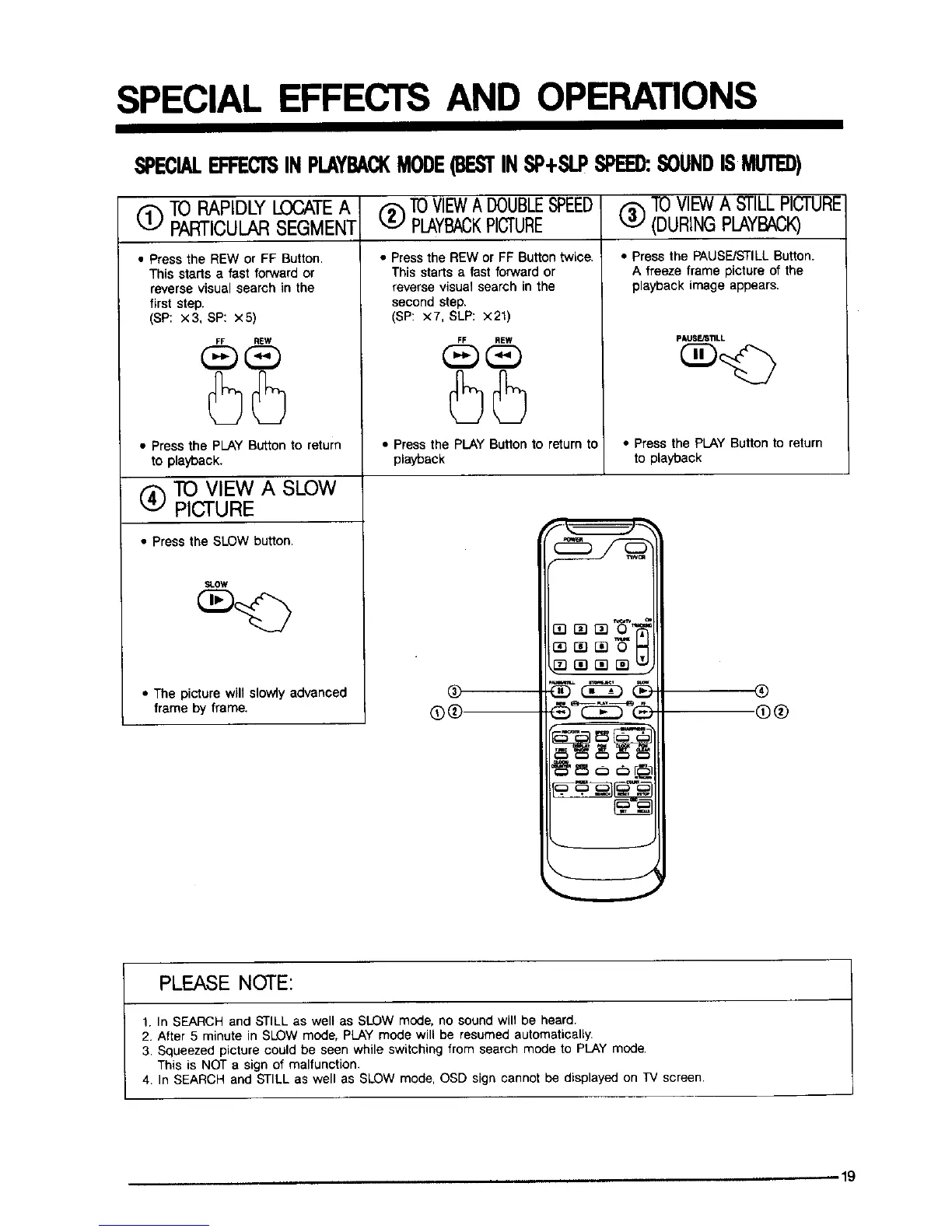
(_ TO RAPIDLYLOCATEA _ TOVIEWADOUBLESPEED
PARTICULARSEGMENT _ PLAYBACKPICTURE
• Press the REW or FF Button.
This starts a fast forward or
reverse visual search in the
first step.
(SP: x3, SP: x5)
FF REW
• Press the PLAY Buttonto return
to playback.
(_) TO VIEW A SLOW
PICTURE
• Press the SLOW button.
• Press the REW or FF Button twice.
This starts a fast forward or
reverse visual search in the
second step.
(SP: x7, SLP: x21)
(_)T0 VIEWA STILLPICTURE
(DURINGPLAYBACK)
• Press the PAUSE/STILLButton.
A freeze frame picture of the
playback image appears.
FF REW
SLOW
pAUSFJSTILL
• Press the PLAY Button to return to • Press the PLAY Button to return
playback to playback
• The picture will slowly advanced
frame by frame.
®®
r_ O_
®
@®
PLEASE NOTE:
1. In SEARCH and STILL as well as SLOW mode, no sound will be heard.
2. After 5 minute in SLOW mode, PLAY mode will be resumed automatically.
3. Squeezed picture could be seen while switching from search mode to PLAY mode.
This is NOT a sign of malfunction.
4. In SEARCH and STILL as well as SLOW mode, OSD sign cannot be displayed on TV screen.
,,-19



 To Next Page