TIMER RECORDING
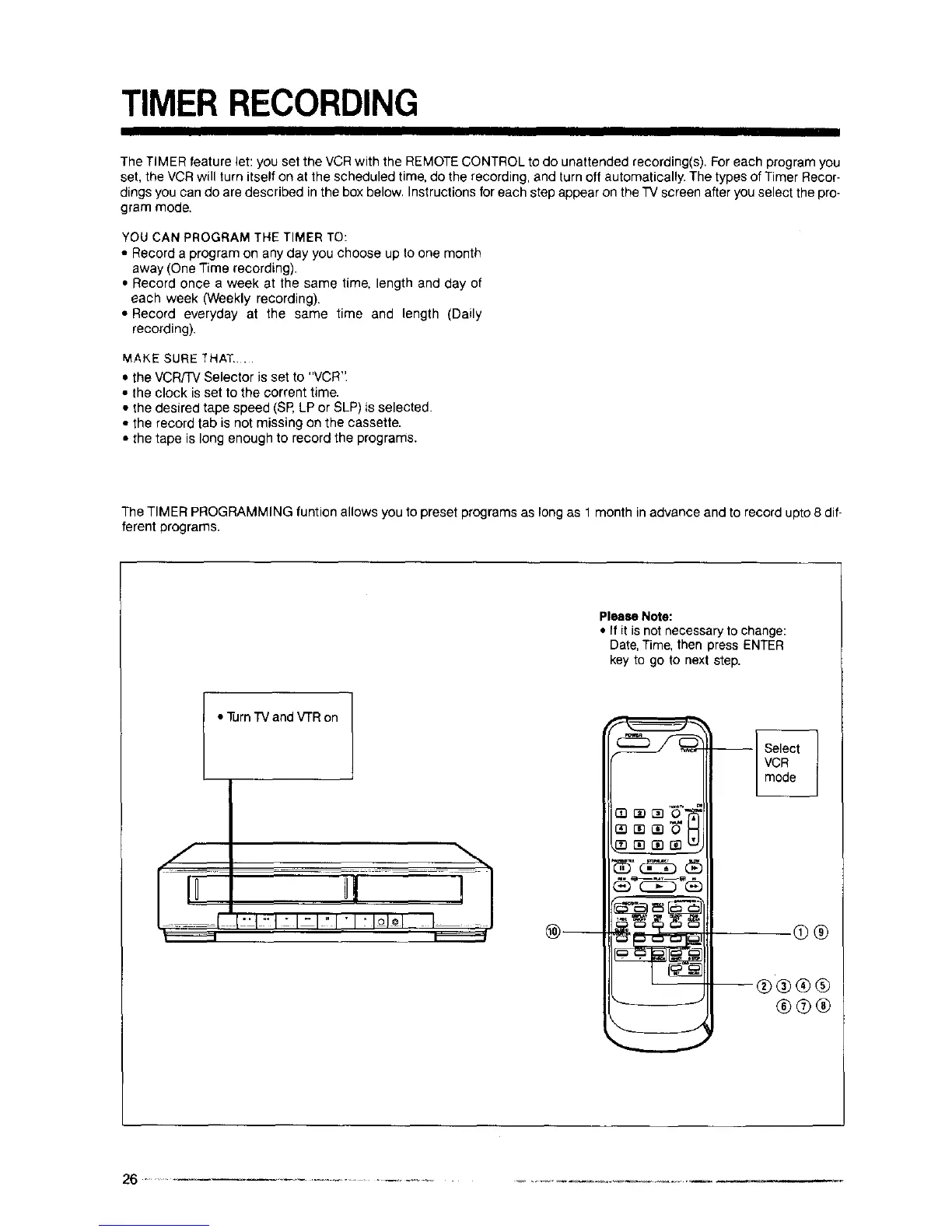
The TIMER feature let: you set the VCR with the REMOTECONTROL to do unattended recording(s). Foreach program you
set, the VCR will turn itself on at the scheduled time, do the recording, and turn off automatically. The types of Timer Recor-
dings you can do are described in the box below. Instructions for each step appear on the T'Vscreen after you select the pro-
gram mode.
YOU CAN PROGRAM THE TIMER TO:
• Record a program on any day you choose up to one month
away (One Time recording).
• Record once a week at the same time, length and day of
each week (Weekly recording).
• Record everyday at the same time and length (Daily
recording).
MAKE SURE _HAT .
• the VCR/TV Selector is set to "VCR".
• the clock is set to the corrent time.
• the desired tape speed (SR LP or SLP) is selected.
• the record tab is not missing on the cassette.
• the tape is long enough to record the programs.
The TIMER PROGRAMMING funtion allows you to preset programs as long as 1 month in advance and to record upto 8 dif-
ferent programs.
Please Note:
• If it is not necessary to change:
Date, Time, then press ENTER
key to go to next step.
• Turn"IV and V'rR on
®®
®®®®
®®®



 To Next Page