......... C.....
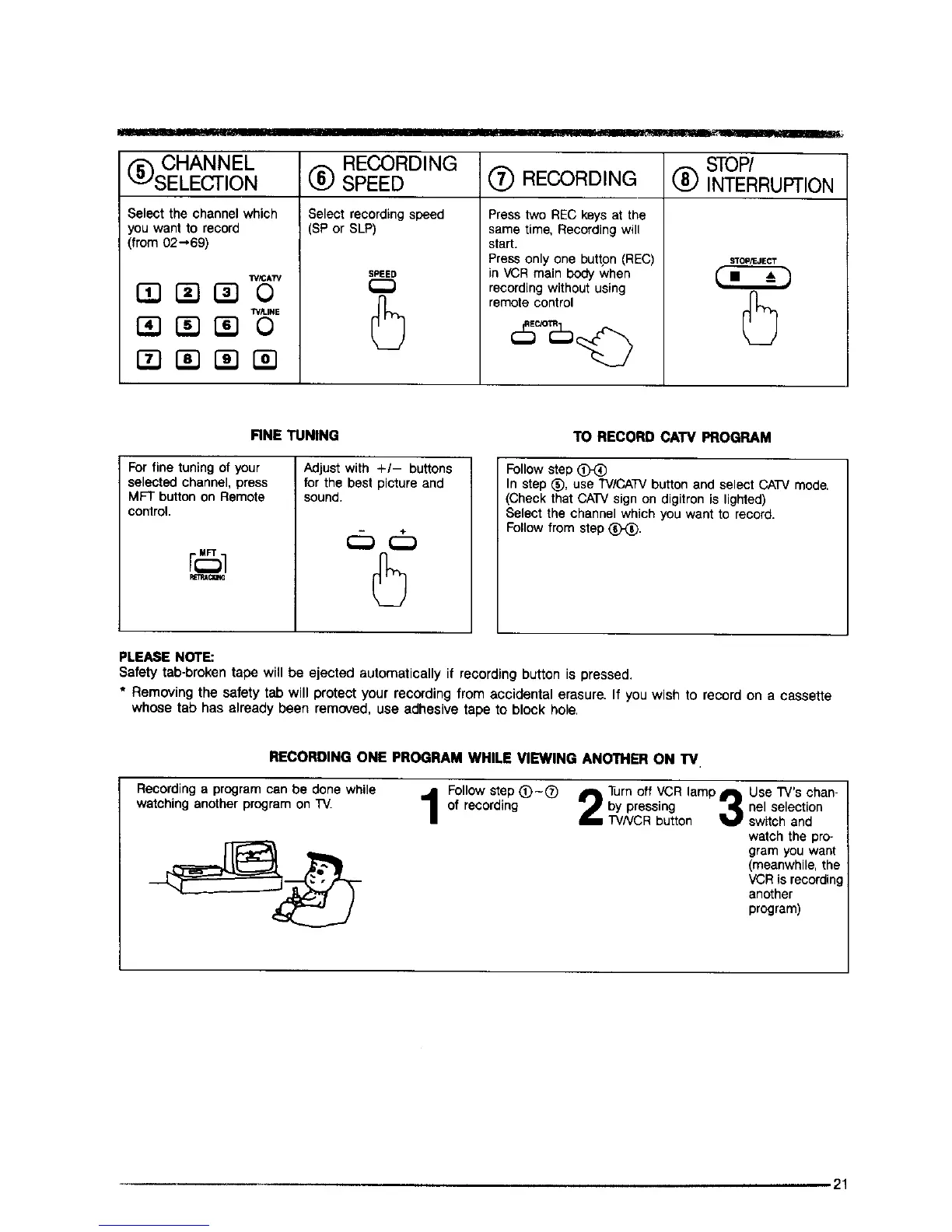
STOP/
RECORDING INTERRUPTION
CHANNEL
SELECTION
Select the channel which
you want to record
(from 02-,69)
W_AW
_E
RECORDING
SPEED
Select recording speed
(SP or SLP)
SPEED
Press two REC keys at the
same time, Recording will
start.
Press only one button (REC)
in VCR main body when
recording without using
remote control
STOP/F. JECT
FINE TUNING
For fine tuning of your
selected channel, press
MFT button on Remote
control.
rG1
Adjust with +/- buttons
for the best picture and
sound.
TO RECORD CATV PROGRAM
Follow step
In step (_, use TV/CATVbutton and select CATV mode.
(Check that CATV sign on digitron is lighted)
Select the channel which you want to record.
Follow from step (_.
PLEASE NOTE:
Safety tab-broken tape will be ejected automatically if recording button is pressed.
* Removing the safety tab will protect your recording from accidental erasure. If you wish to record on a cassette
whose tab has already been removed, use adhesive tape to block hole,
RECORDING ONE PROGRAM WHILE VIEWING ANOTHER ON TV
Recordinga program can be done while j Follow step (_)-(_)
watchinganother program on TV. 1 of recording
Turn off VCR lamp
by pressing _q[
TVNCR button V
Use rv's chan-
nel selection
switch and
watch the pro-
gram you want
(meanwhile, the
VCRis recordin
another
program)
.21



 To Next Page