14
Connections
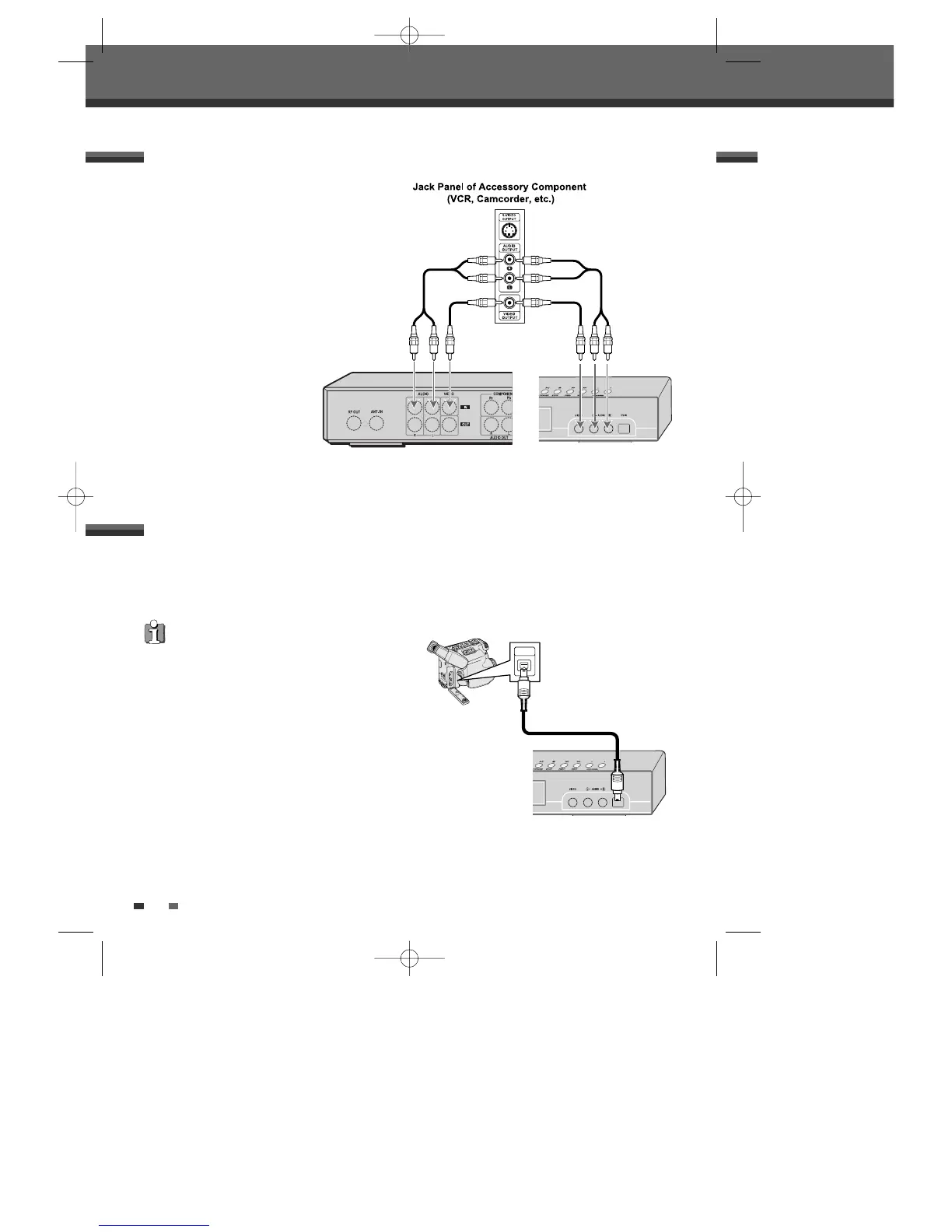
To receive audio/video signals from other equipment,
connect the LINE1 or LINE2 jacks on the DVD Recorder
to the audio/video out jacks on your external
component, using optional audio/video cables.
Connecting Optional Equipment
Using the front panel DV IN jack, it is possible to connect a DV digital camcorder, video deck or DVD+R/RW
recorder and digitally transfer DV tapes or DVD+R/RW discs to DVD+R/RW.
Use a DV cable (not supplied) to connect the DV In/Out jack of your DV camcorder/video deck to the front panel
DV IN jack of the DVD Recorder.
Connecting a Digital Camcorder
This jack is for connection to DV equipment only. It is not
compatible with digital satellite tuners or D-VHS video
decks.
Rear of DVD Recorder Front of DVD Recorder
Front of DVD Recorder



 To Next Page