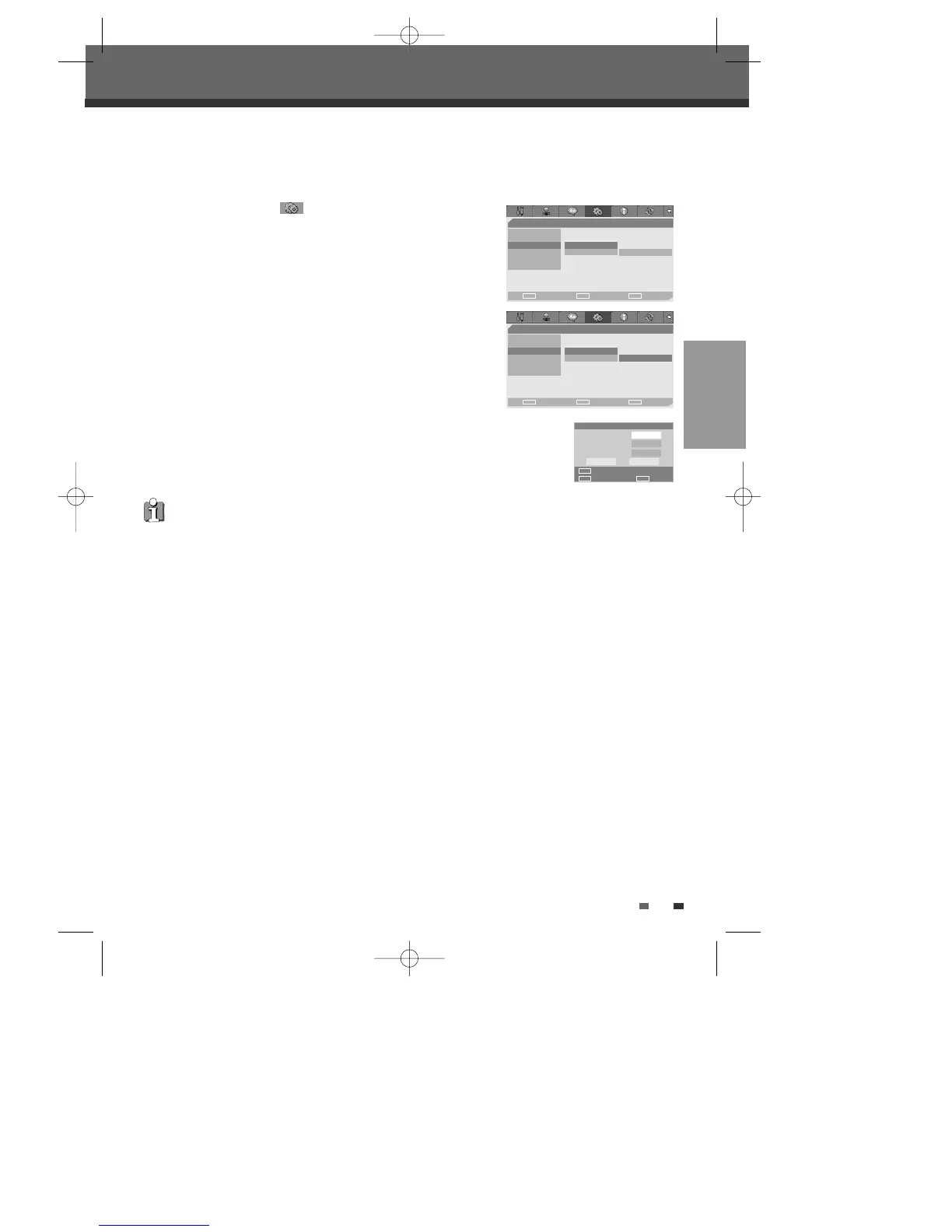
Change Password
1
While ‘Preference Page ‘ is selected, press [†] to select ‘Parental
Ctrl‘.
2
Select ‘Password‘ then press [√] to select ‘Change‘.
3
Press [ENTER]. The Input Password submenu appears. Enter your current 4-digit
password then press [ENTER].
4
Enter a new 4-digit password, then press [ENTER]. Re-enter the new password to
confirm, press [ENTER].
SETUP
25
•
Master Password :
If you forget your password, press 3,3,0,8 on the remote
control and then press [ENTER].
• Set the new password to something other than '0000'.
Initial Setup
Input Password
Old Password
New Password
Confirm PWD
Input digits
Select OK
OK Cancel
ENTER
0-9
œ √
…
†
- - Preference Page - -
Video
Audio
Parental Ctrl Parental
Auto Clock • Password Change
AutoPlay
YourDVD
Choose OK Exit
ENTER SETUP
œ √
…
†
- - Preference Page - -
Video
Audio
Parental Ctrl Parental
Auto Clock Password • Change
AutoPlay
YourDVD
Choose OK Exit
ENTER SETUP
œ √
…
†
DW-Q74D2N-LS(GB)USA 2005.9.21 3:21 PM ˘ ` 25 mac001 1200DPI 90LPI



 To Next Page