48
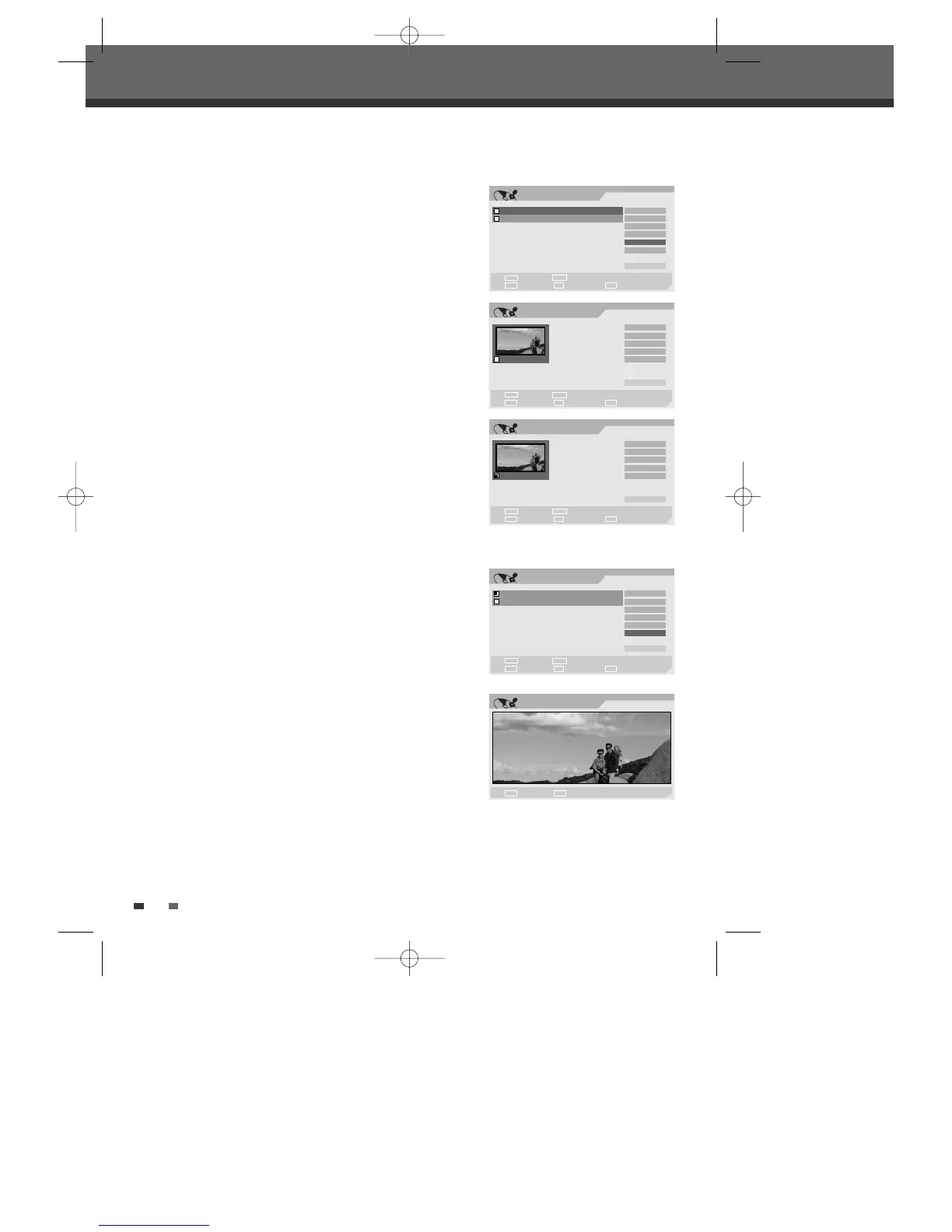
Edit Chapters
2
Select the title to be edited using [ENTER].
3
Select ‘Chap Edit’ using [
… †
] .
4
Press [ENTER] to edit the chapters.
5
Select 'Yes' and press [ENTER] to confirm.
6
The Chapter Edit Menu will be displayed. Use [
œ √…†
] to select
one of the various chapter marker functions (Add, Delete, or Hide).
7
Press [ENTER] to confirm.
Add/Delete a Marker
You can add a chapter marker anywhere in a title during playback.
Once the chapter is marked, you can use the chapter search feature as
described above.
You can add/delete chapter markers or delete all chapter markers in a
title.
Hide Chapters
This feature allows you to hide or unhide a chapter. After hiding a
chapter, the chapter is not deleted but only hidden. If a chapter is
hidden then it shows ‘Unhide Chapter‘ and vice versa.
Change Index Picture
Each title displayed in the Playlist menu is represented by a thumbnail
picture taken from the start of that title or chapter. If you prefer, you
can select a different still picture from within the title.
2
Select the title to be edited using [ENTER].
3
Select ‘Index Pic’ using [
… †
] .
4
Press [ENTER] to change the index picture.
5
Press [ENTER] when the preferred picture is on your TV screen.
Disc Edit
Chap Edit
1
Select Exit
Confirm Prev Page Next Page
§
ENTER
∞
SETUP
Title
Play
Add Mark
Del Makr
Hide CH
_ Exit
œ √
…
†
Edit
TITLE CH 10 10:20 am 12/21/04 SEP
Select Exit
Confirm Prev Page Next Page
§
ENTER
∞
SETUP
Label
Erase
Divide
Protect
Chap Edit
Index Pic
_ Exit
TITLE CH 10 10:34 am 12/21/04 HQ
œ √
…
†
Chap Edit
1
Select Exit
Confirm Prev Page Next Page
§
ENTER
∞
SETUP
Title
Play
Add Mark
Del Mark
Hide CH
_ Exit
œ √
…
†
Edit
Stop Confirm
ENTER
■
Edit
TITLE CH 10 10:20 am 12/21/04 SEP
Select Exit
Confirm Prev Page Next Page
§
ENTER
∞
SETUP
Label
Erase
Divide
Protect
Chap Edit
Index Pic
_ Exit
TITLE CH 10 10:34 am 12/21/04 HQ
œ √
…
†
DW-Q74D2N-LS(GB)USA 2005.9.21 3:21 PM ˘ ` 48 mac001 1200DPI 90LPI



 To Next Page