15
This function allows you to combine convection operation with microwave to produce traditional baked or roasted results in less time.
Always use microwave-safe and oven-proof cookware. Glass or ceramic dishes are ideal as they allow the microwaves to penetrate the
food evenly.
Always use oven gloves when touching the utensils in the oven, as they will be very hot.
COMBINATION COOKING
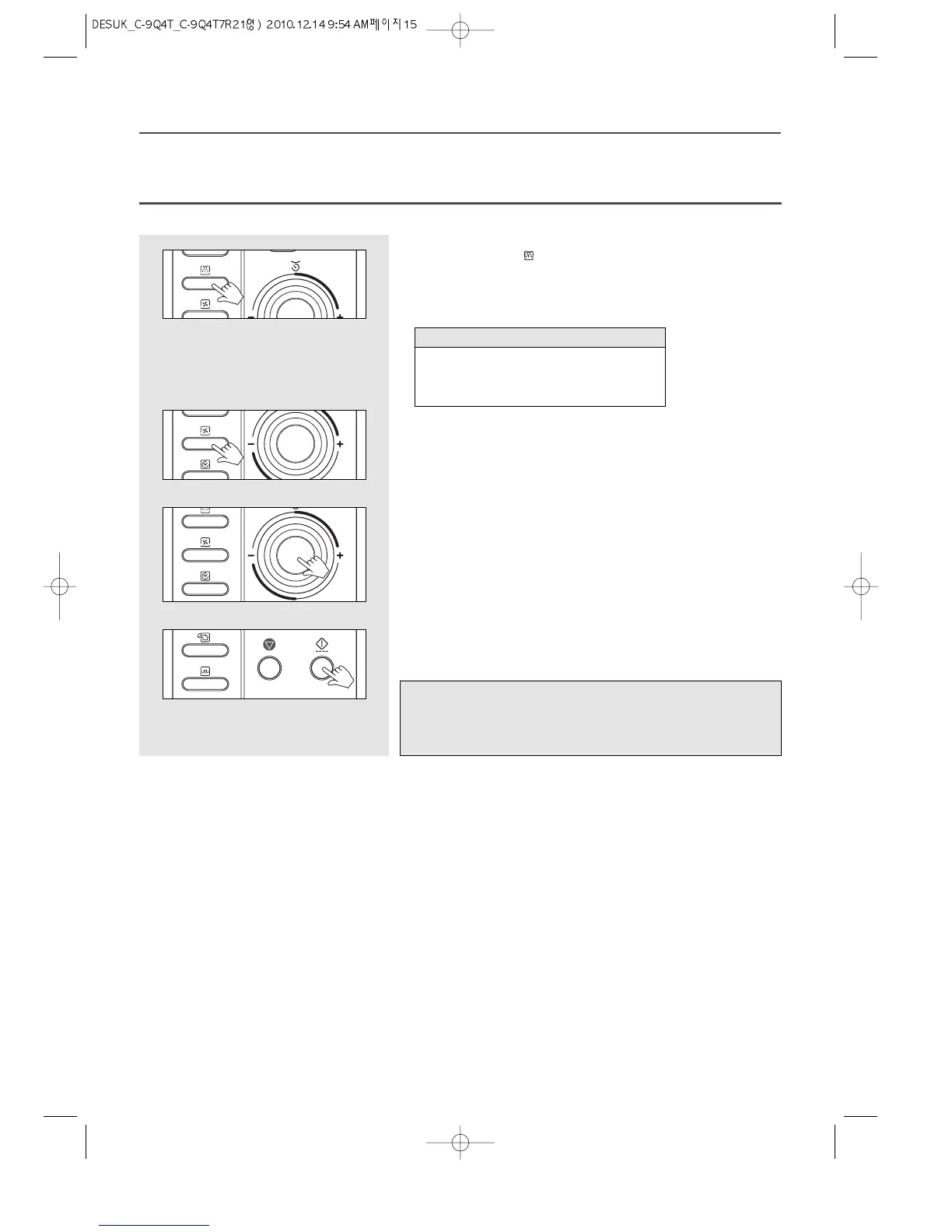
1. Press the Combi button once.
The COMBI indicator ( ) light and “C-0” will show in the display.
2. Press Convection button once.
“180˚C” shows in display.
Select the convection cooking temperature by pressing the Convection button
again until the corresponding temperature is displayed.
3. Turn the dial knob to set the cooking time.
For a cooking time of 11 minutes, turn the dial knob to set 11:00.
(up to 60 minutes can be set)
“11:00” shows in display.
4. Press the START/SPEEDY COOK button.
The oven light comes on and the turntable starts rotating.
Cooking starts and the time in the display will count down.
Note : You can check the cooking temperature while cooking is in progress by
pressing the Convection button.
You can check the power level while cooking is in progress by pressing
the Combi button.
180C → 190C → 200C → 210C → 220C →
100C → 110C → 120C →
130C → 140C → 150C → 160C → 170C →
Temperature sequence


 To Next Page
 Loading...