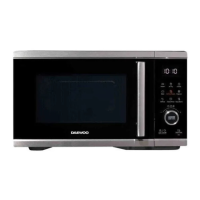
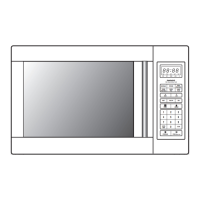
4. Once the cooking has finished, 3 beeps will be heard and the LED Display (7)
will show ‘End’.
WARNING! Never operate the microwave oven when empty.
• At the maximum microwave power level 100%, the oven will automatically
lower the power after a certain time of cooking to lengthen the service life of
the oven.
• If you want turn the food during cooking, open the door, turn the food, close
the door and press the STAR+30s button once to resume cooking.
• If you intend to remove the food before the preset time, press STOP/Clock
button once to clear the preset programme.
Defrosting
1. There are two defrost settings, dEF1 and dEF2:
• dEF1 – in this mode food is defrosted by weight.
• dEF2 – in this mode food is defrosted by time.
2. Press the Defrost button to select either dEF1 or dEF2 on the LED Display (7),
set the required weight or time as below:
3. Press the START+30s button to start defrosting.
4. Once defrosting has finished, 3 beeps will be heard and the LED Display (7) will
show ‘End’.
If dEF1 defrosting mode has been selected, during cooking, a beep will be
heard to prompt you to turn the food over.
Defrosting Tips
Microwaves penetrate approximately 4cm into most foods, to maximise defrosting
effects, the following is advised:
• For thick and chunky foods, turn the food regularly during operation in order to
obtain uniform thawing.
• If food is over 2.0kg it is advised to turn it a minimum of two times.
• Do not refreeze food once defrosted.
• The following table provides a guide to defrost times for various foods:


 To Next Page