Entering Factory mode Option bits
To switch the TV set into FACTORY mode, use the factory remote control, and press on “SVC”. The factory menu
will appear on the screen, showing “FACTORY Vx.xxX” (where x.xx is the software version) and X is the project. A is
the correct project for WP895/895F, CP
-485/885F, and B is for the CP885 chassis.
To find the option bits, push the button “OPT” once. Then “00000000 OPTION” will appear (assuming that all bits are
already zero) to indicate all 8 option bits. To find OPTION2 press the button “OPT” a second time. From left to right,
bits 7 to 0 are shown.
Toggling option bits
This is done from the user remote control, as there are no unallocated keys available from the factory remote control.
Each bit, from bit 7 to bit 0 is represented by its own key. Each key will, with repeated use, toggle on/off the
associated bit. See the table below for the keys to use.
After setting option bits
Before pushing on the shipping key, “AGC”, it is necessary to push the “NORMAL” key to obtain NORMAL I. This will
reset all the sound and brightness settings to a factory defined level, as well as some other settings such as sound
PRESET and WAKE TIME/PROG.
Then, on pushing the shipping key, these levels are memo rised in the television, ready for packing and delivery.
Verification
On pushing the shipping “AGC” key, a four digit hexadecimal number is displayed in addition to “SHIPPING”. This
number is there to verify the option bits setting that has been entered. For example the binary code 0000 0111
(OPTION2) 1100 0010 (OPTION) will give 07 C2 hex. The order of display is therefore OPTION2 then OPTION
when reading from left to right
.
Bit B7 B6 B5 B4 B3 B2 B1 B0
User
remote
control key
Text
HOLD
Text
SubPage
Mode
Text
Reveal
Text
Double
Height
Red Green Yellow Blue
- 16-
3-4 TV set Alignment
3-4-1- Local oscillator alignment
Tune a colour bar pattern. The frequency of the signal carrier must be accurate ( Max +/- 10Khz deviation from the
nominal channel frequency).
Find “AFT” item in service mode.
Adjust the coil L150 to bring the cursor to central position : 32.
3-4-2- G2 alignment
- Tune a colour bar pattern.
- Find the “G2 - SCREEN” item in service mode.
- Adjust screen volume ( on FBT ) to bring the cursor to central position : 32.
3-4-3- White balance
- Select a dark picture and adjust RED BIAS and GRN BIAS to the desired colour temperature.
- Select a bright picture and adjust RED, GRN and BLUE GAIN to the desired colour temperature.
3-4-4- Focus
Adjust the Focus volume ( on FBT ) to have the best resolution on screen.
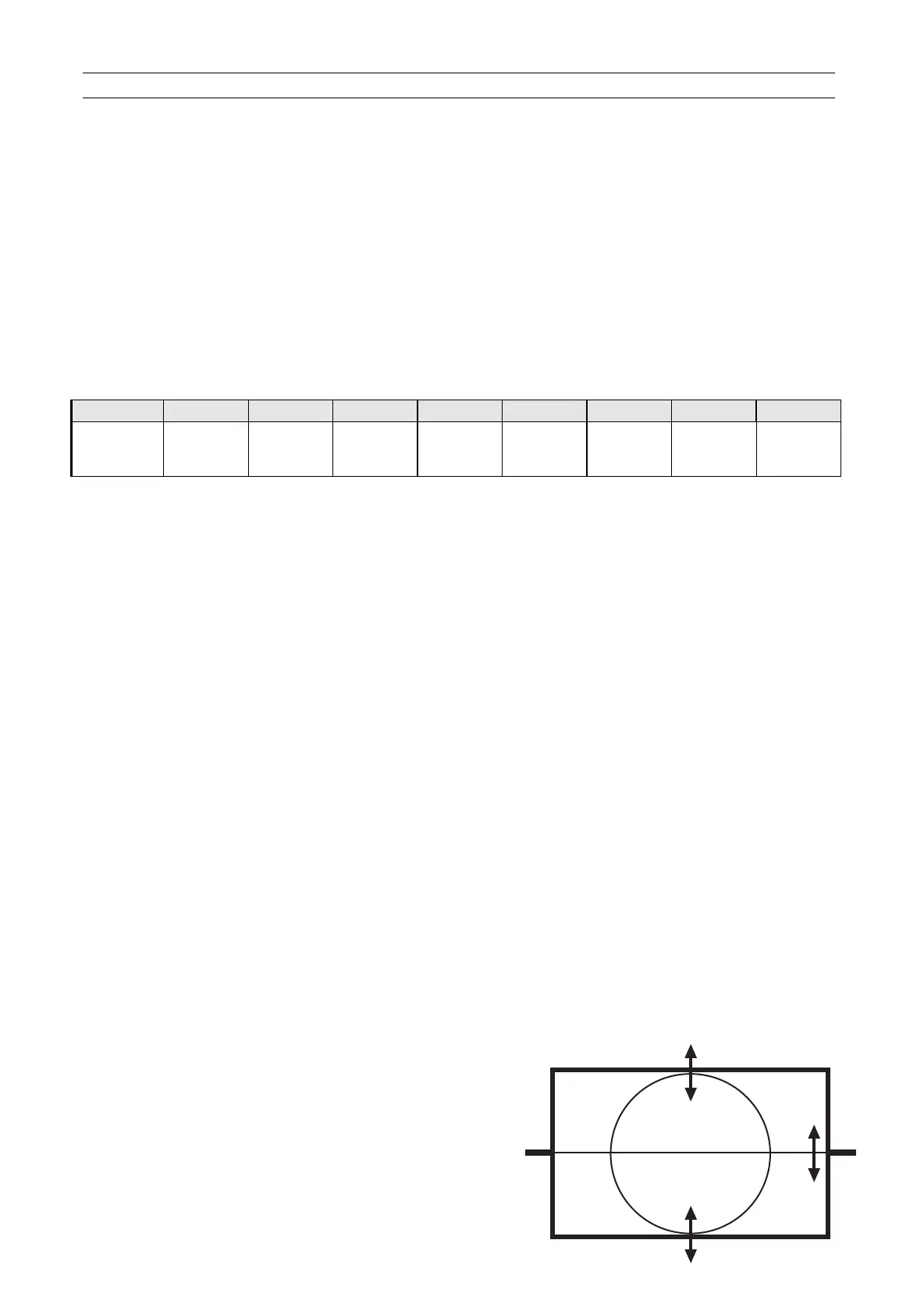
3-4-5- Vertical geometry
Adjust V.LINEAR (linearity), S CORRECT
(S. Correction), VERT SIZE (Vertical
amplitude), VERT CENT (vertical centring)
to compensate for vertical distortion.
Service manual WP 895/895F, CP885/885F, CP485F



 To Next Page