User’s Manual
89
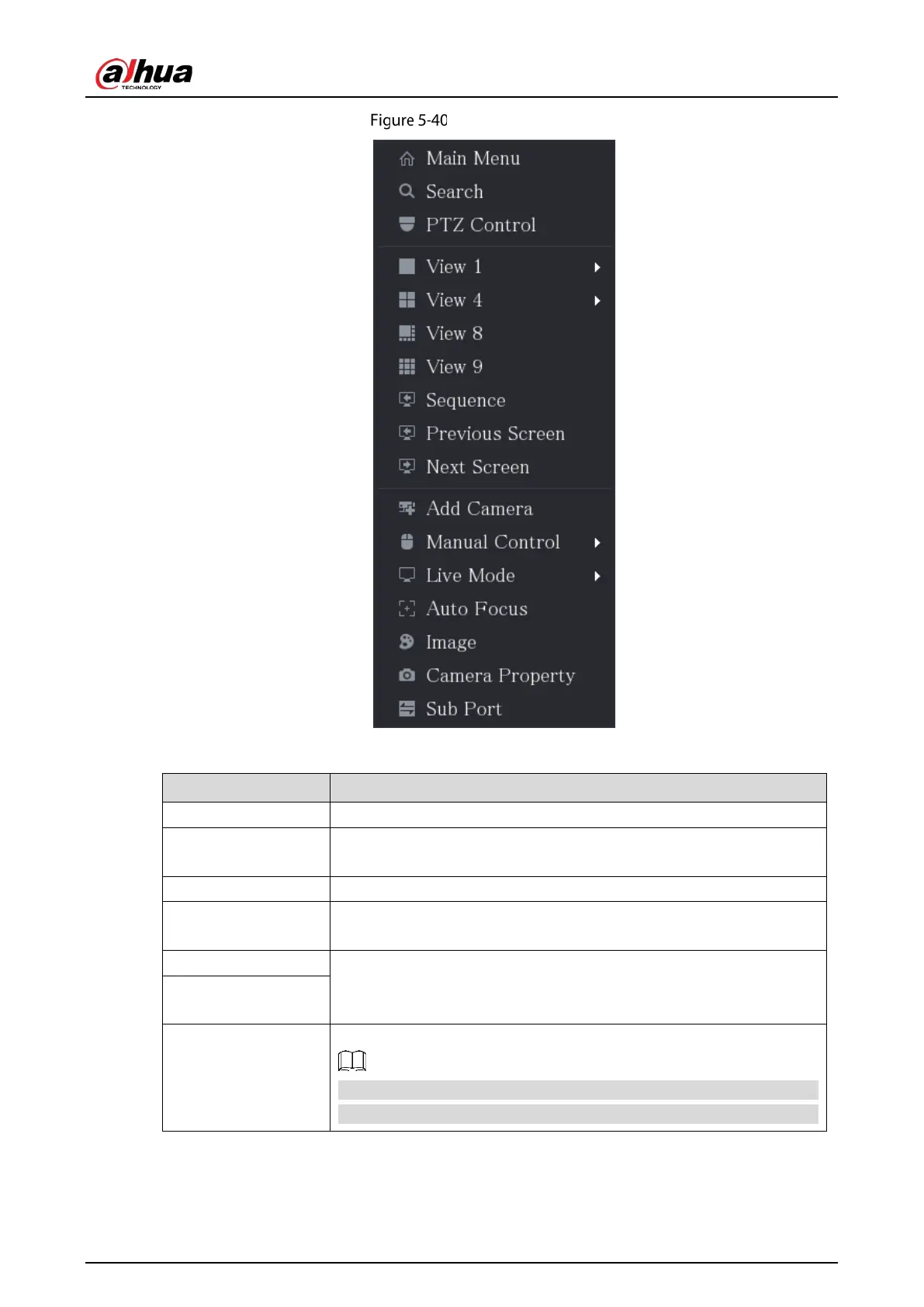
Shortcut menu
Table 5-13 Shortcut menu description
Main Menu Open
interface.
Search
Open the
interface where you can search and play back
record files.
PTZ Open the
interface.
View Layout
Configure the live view screen as a single-channel layout or multi-
channel layout.
Previous Screen Click
to go to the previous screen. For example, if you
are using 4-split mode, the first screen is displaying the channel 1-4,
click
, you can view channel 5-8.
Next Screen
Add Camera
Open the
interface.
This parameter displays on the right-click menu only after setting at
least one channel to
type in
Main Menu > CAMERA > Channel Type
.


 To Next Page
 Loading...