User’s Manual
305
Log
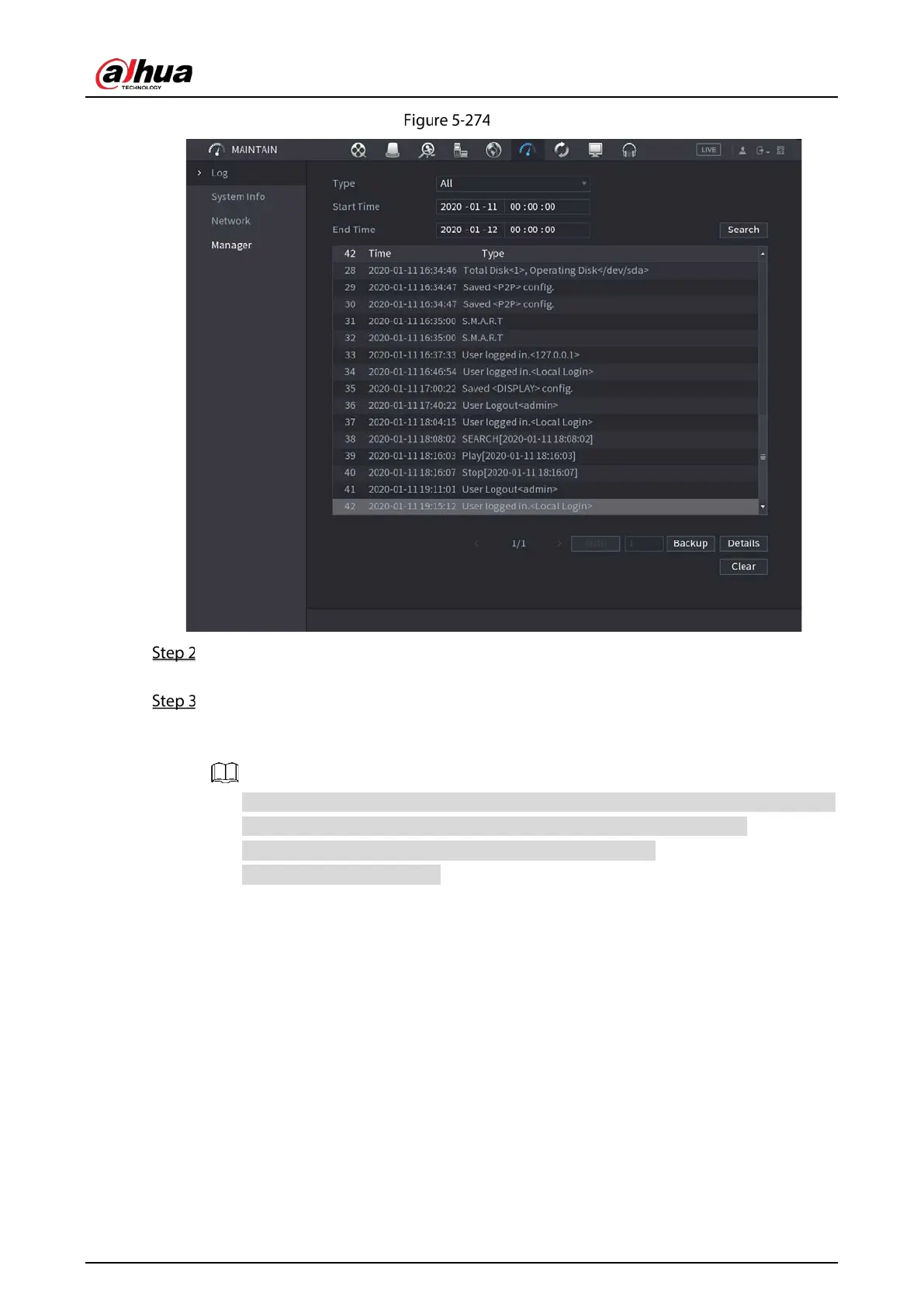
In the Type list, select the log type that you want to view (System, Config, Storage, Record,
Account, Clear Log, Playback, and Connection) or select All to view all logs.
In the Start Time box and End Time box, enter the time period to search, and then click
Search.
The search results are displayed.
Click Details or double-click the log that you want to view, the Detailed Information
interface is displayed. Click Next or Previous to view more log information.
Click Backup to back up the logs into the USB storage device.
Click Clear to remove all logs.
5.21.3 Viewing Alarm Status Information
You can view the event information of the Device and channel.
Select
Main Menu > Alarm > Alarm Status.


 To Next Page
 Loading...