User’s Manual
122
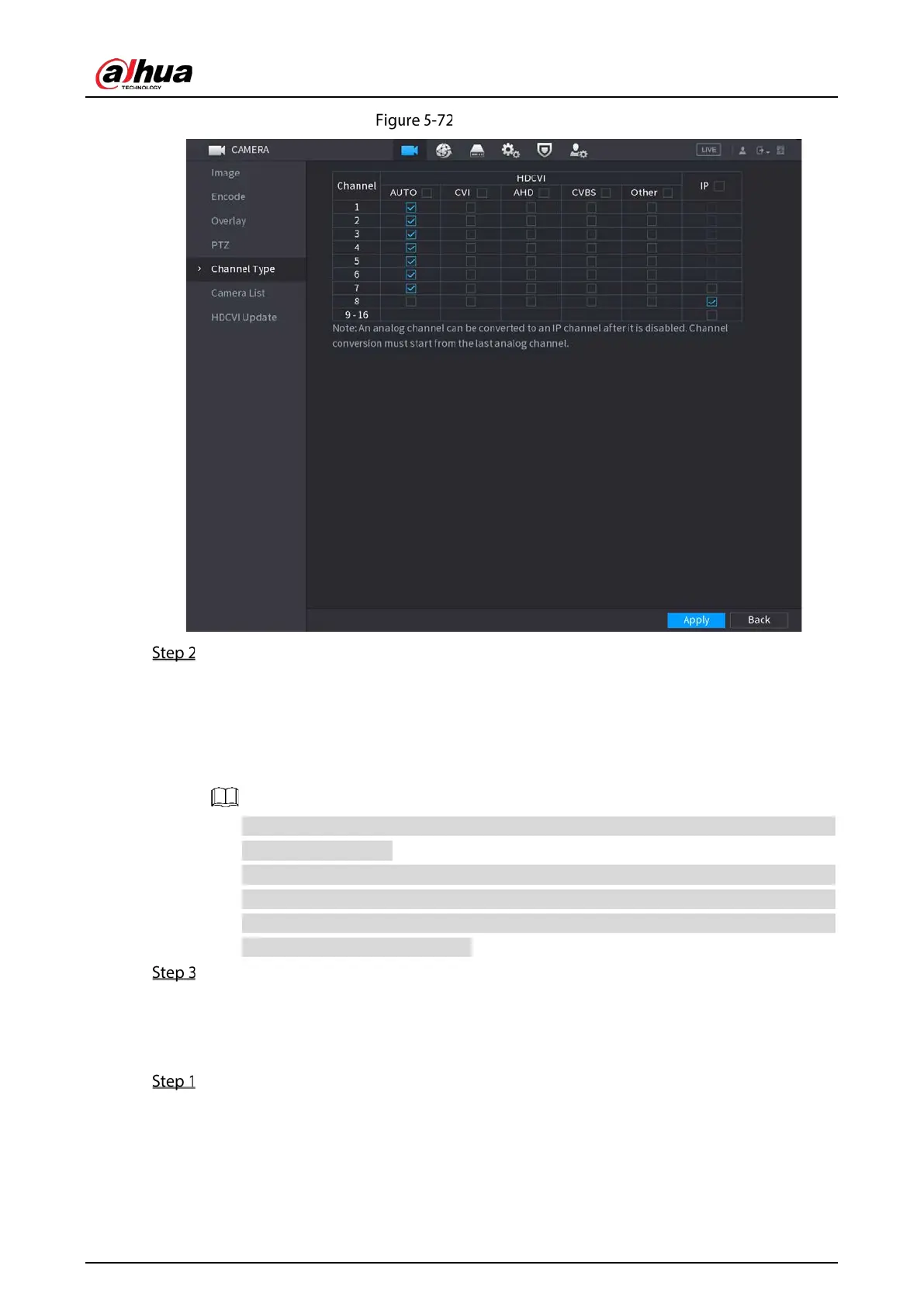
Channel type
Configure the channels.
Analog Channel: Select the transmission medium such as CVI, AHD, CVBS, and then
follow the onscreen instructions to complete the settings.
IP Channel: You can enable the IP channels by disabling the corresponding analog
channels. The Device also provides expanded IP channels for your use, such as the
channel 8 in Figure 5-72.
The 17–32 channels are only for IP camera and the range changes dependent on the
model you purchased.
The channel selection for analog camera or IP camera are in sequence, for example, if you
want to select channels for IP camera, you need to select from the last channel number
Channel 16 first, which means, you cannot jump to select the channel 15 directly until
you have selected the channel 16.
Click Apply and follow the onscreen instructions to complete the settings.
5.5.6 Upgrading Coaxial Camera
Select Main Menu > CAMERA > HDVCI Update.


 To Next Page
 Loading...