Basic Operations 24
You can use and view the app you have installed in "App Center."
4.7.2 Operating File Manager
View and operate files.
In main menu, select App Manager > App Center. Step 1
The App Center interface is displayed.
Click File Manager. Step 2
The File Manager interface is displayed.
Select a storage path, for example, "Internal Storage." Step 3
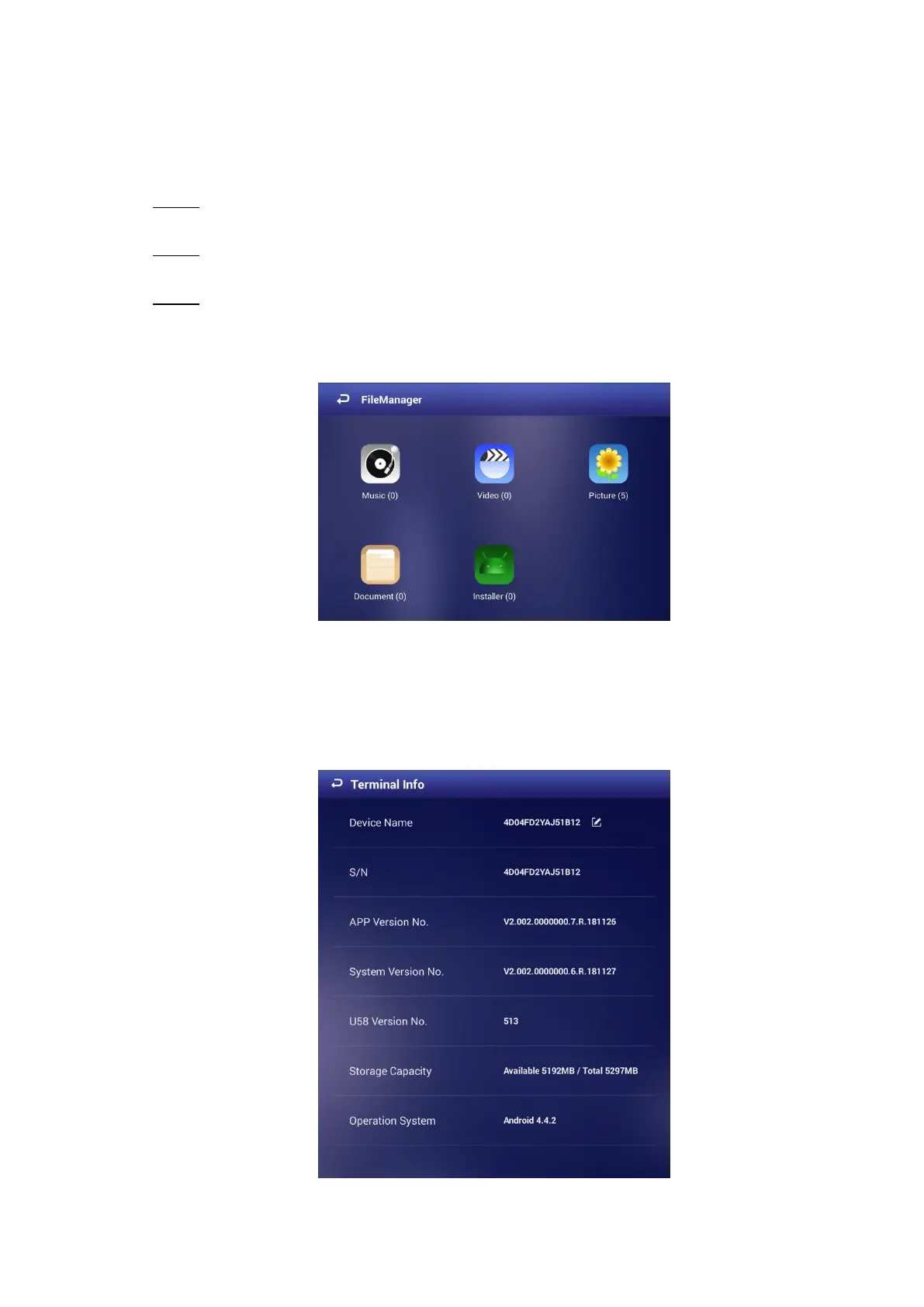
Files in different classifications are displayed. See Figure 4-19.
Click a file classification to view and operate files.
Files in different classifications Figure 4-19
Viewing Terminal Information 4.8
In main menu, select Settings > Terminal Info. The Terminal Info interface is displayed. See
Figure 4-20. You can view information such as Device Name, S/N, APP Version No..
The terminal info interface Figure 4-20


 To Next Page
 Loading...