User’s Manual
207
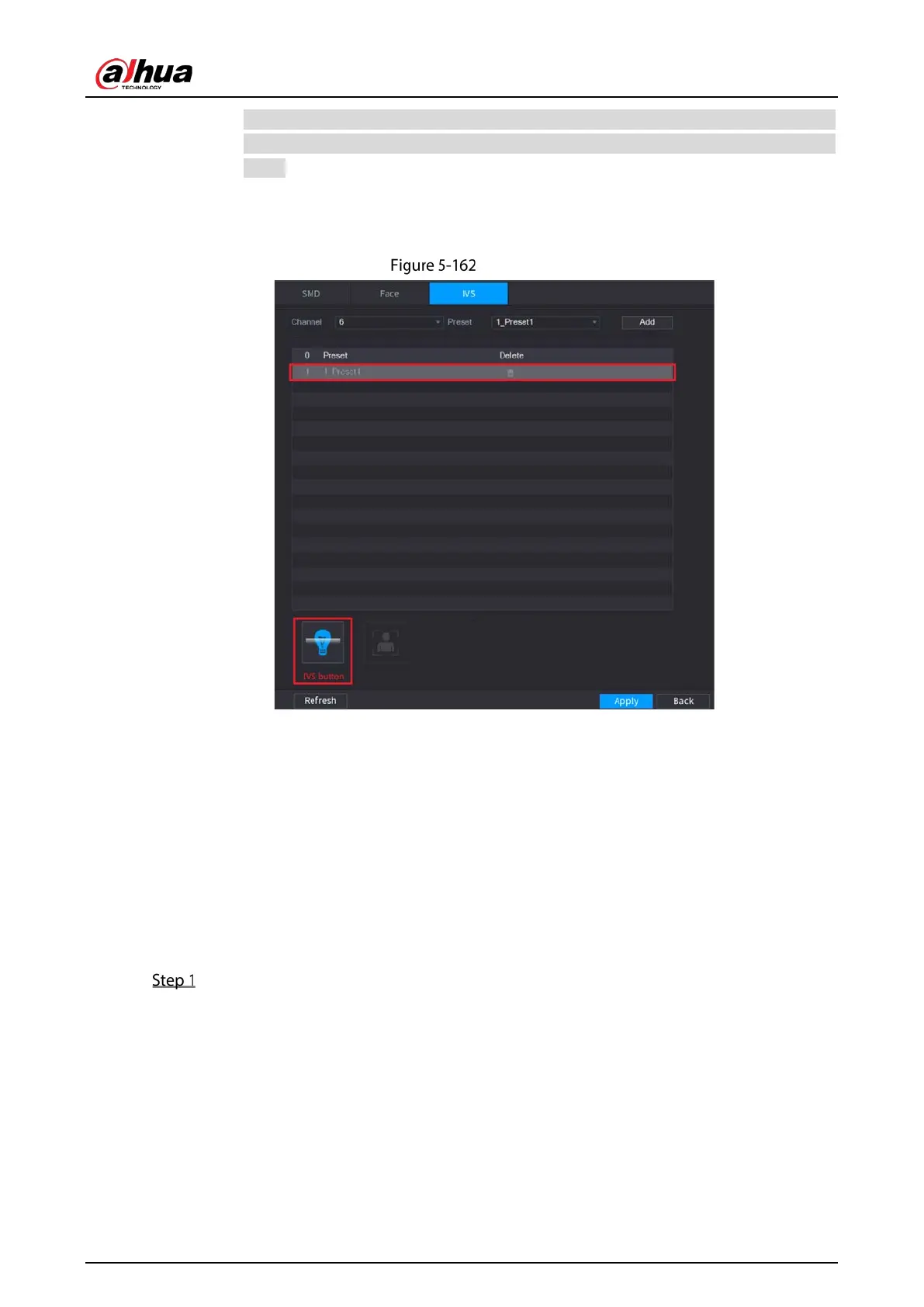
All the presets that the IP camera has are displayed in the Preset list, and you just need
to select the preset that you have configured the intelligent settings as shown in Figure
5-159.
2) Click
Add.
The selected preset is displayed in the table and the IVS button and Face Detect button
are displayed.
Add IVS
3) Select the line of 1_Preset1.
4) Click
IVS button to enable the intelligent settings to preset 1. The button is displayed in
blue.
5) Click
Apply to complete the settings.
For the IP camera without preset, click the IVS button and then click Apply to complete
the settings.
5.11.3.3 Using Smart Search
You can search for the intelligent events and display in graph or list.
Select Main Menu > SMART DETECTION > AI Search.


 To Next Page
 Loading...