
 Need help?
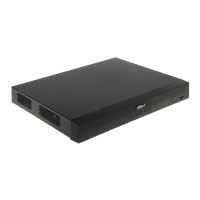
Do you have a question about the Dahua Technology XVR5116HS-I3 and is the answer not in the manual?
Covers initial device setup steps like booting, initialization, and password settings.
Explains how to view live video feeds and use the control bar interface.
Covers image, encode, snapshot, and overlay settings for connected cameras.
Details how to enable and control video recording for main and sub streams.
Guides on searching, playing, clipping, and backing up recorded video files.
Covers configuration of alarm inputs, outputs, motion detection, and system events.
Details AI features like face detection, recognition, IVS, and video structuring.
Guides on finding USB devices and backing up recorded videos and snapshots.
Covers network settings, testing, Wi-Fi, 3G/4G, PPPoE, DDNS, and email configurations.
Details managing user accounts, groups, ONVIF users, and password reset.
Manages stored resources like recorded video, HDD, disk quotas, and FTP settings.
Provides security options like status, services, attack defense, and warnings.
Covers device basic settings, time, holidays, RS-232, maintenance, and updates.
Guides on accessing the device interface via a web browser and logging in.
 General
| Brand | Dahua Technology |
|---|---|
| Model | XVR5116HS-I3 |
| Category | DVR |
| Language | English |



 To Next Page