User’s Manual
348
The default administrator account is admin. The password is the one that was configured during
initial settings. To security your account, it is recommended to keep the password properly and
change it regularly.
Click to display the password.
Click Login.
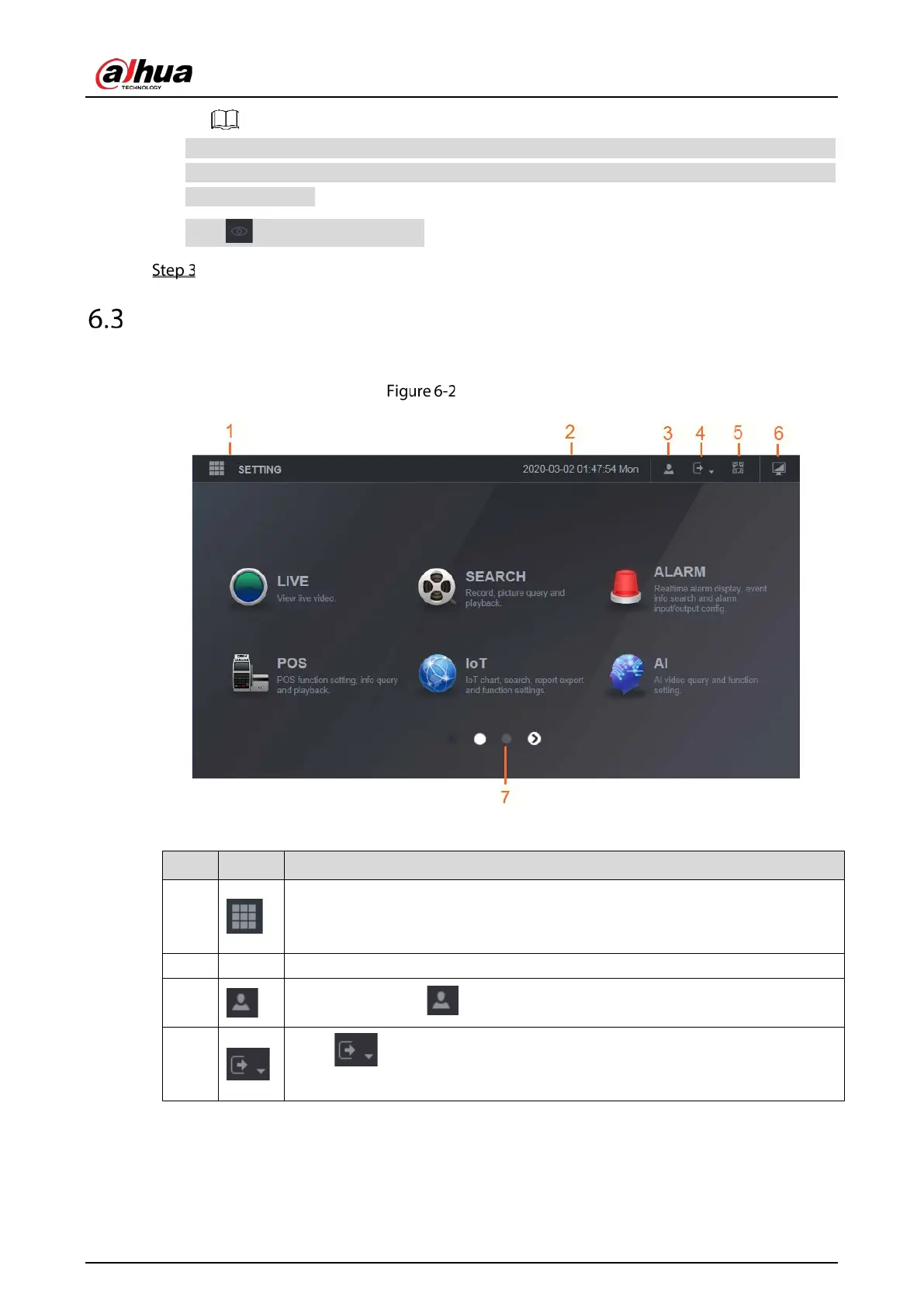
Introducing Web Main Menu
After you have logged in the web, the main menu is displayed.
Main menu
Table 6-1 Main menu description
1
Includes configuration menu through which you can configure camera settings,
network settings, storage settings, system settings, account settings, and view
information.
2 None Displays system date and time.
3
When you point to , the current user account is displayed.
4
Click , select
,
, or
situation.


 To Next Page
 Loading...