User’s Manual
218
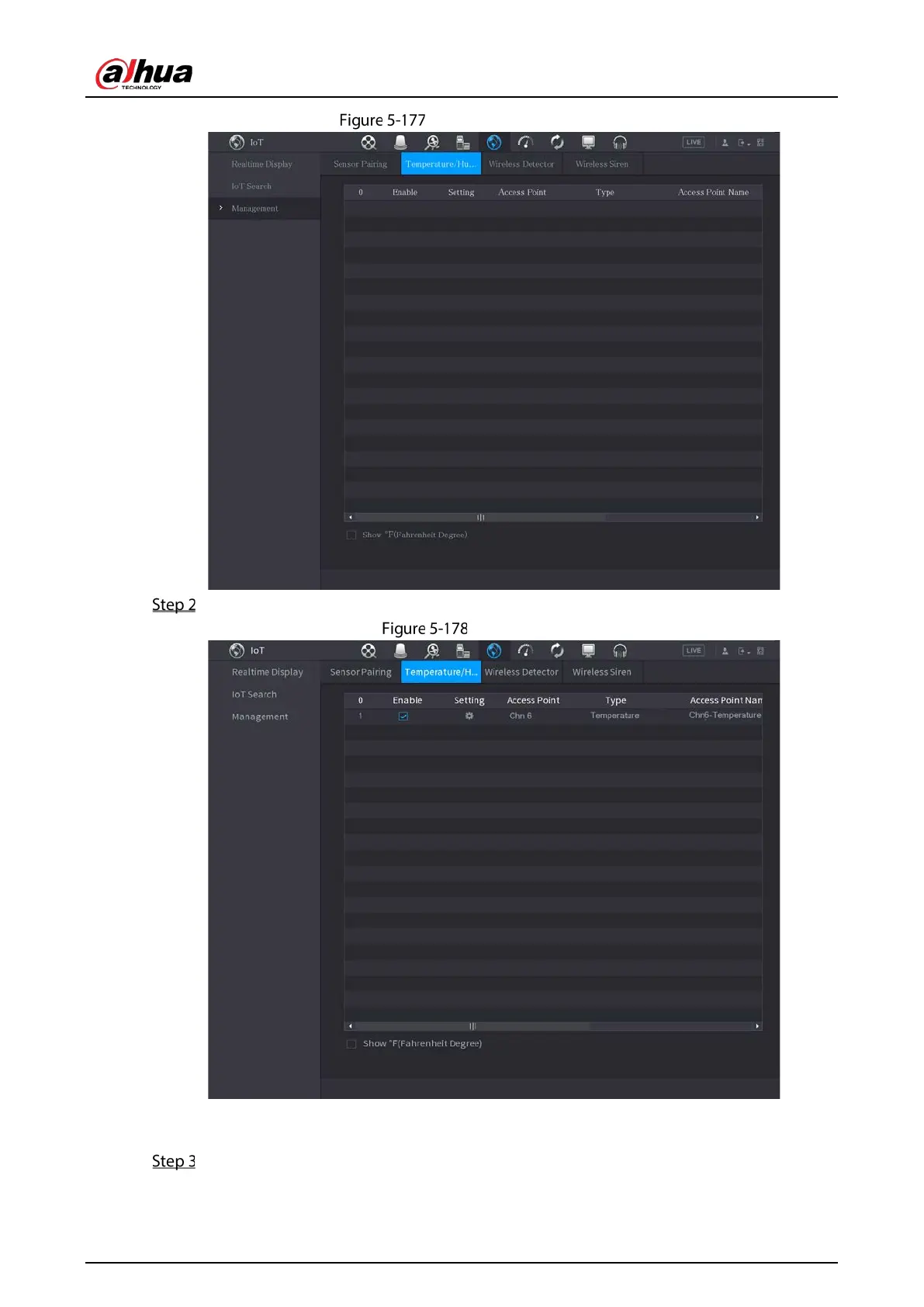
Temperature/humidity
Select the Enable check boxes to enable IoT function.
Enable IoT
The Device starts detecting the temperature and humidity data from the camera and display
on the
Realtime Display interface.
(Optional) Set temperature displaying mode.
When Show°F (Fahrenheit Degree) is selected, the temperature will be displayed by


 To Next Page
 Loading...