User’s Manual
115
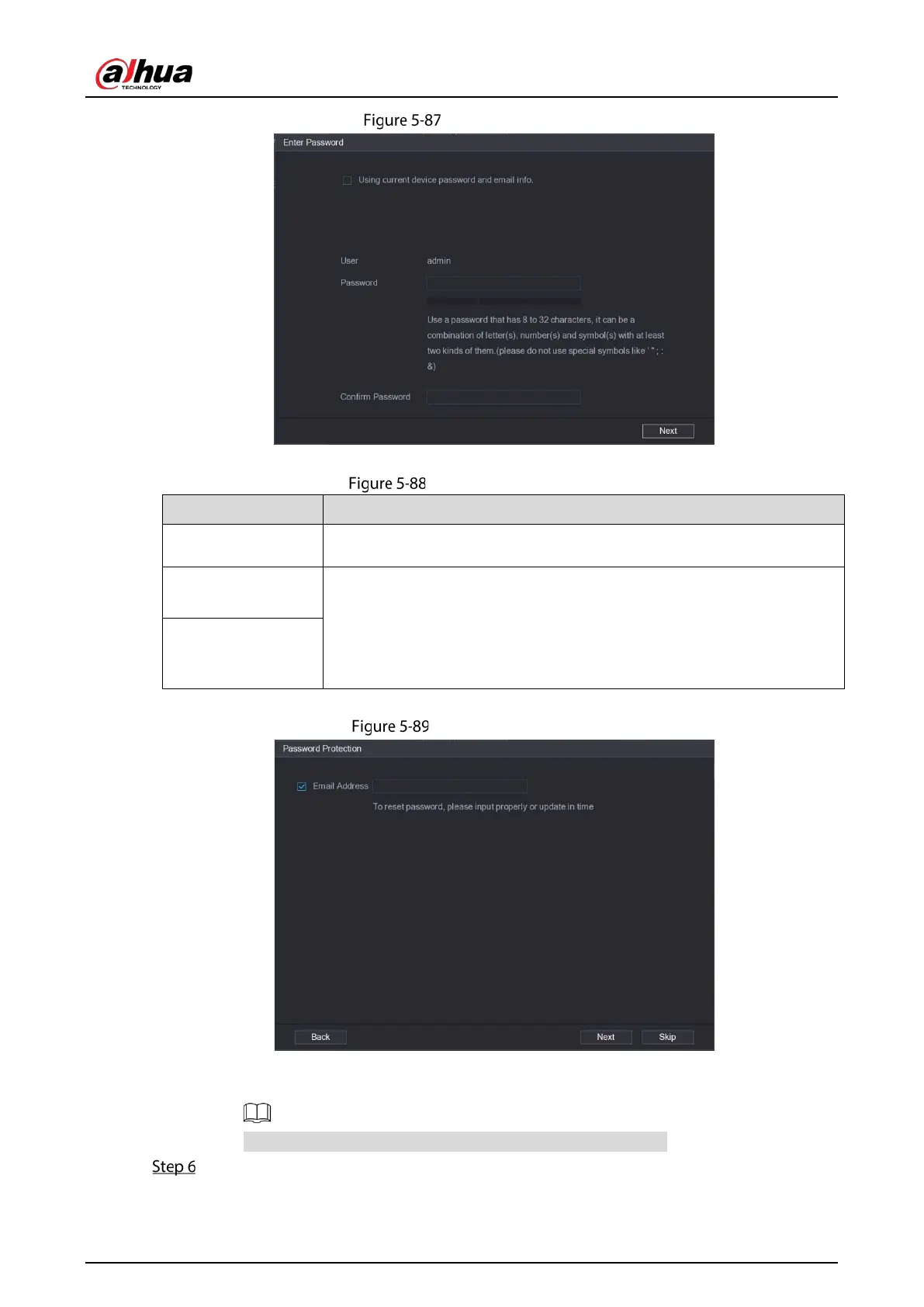
Password setting
2) Configure the settings for the password setting parameters.
Password parameters
User The default is admin.
Password
The password must consist of 8–32 non-blank characters and contain at
least two types of the following characters: uppercase, lowercase,
numbers, and special characters (excluding ' " ; : &).
Enter a strong password according to the password strength bar
indication.
Confirm Password
3) Click Next.
Password protection
4) Select the
Email Address box and enter the email address that you want to reserve for
password reset in the future.
If you do not want to set the reserved email address, click Skip.
Click Next.


 To Next Page
 Loading...