4 Setting the energy prices
Operation manual
9
EJHA04AAV3
Daikin Altherma hybrid monobloc – Heat pump module
4P531174-1B – 2018.10
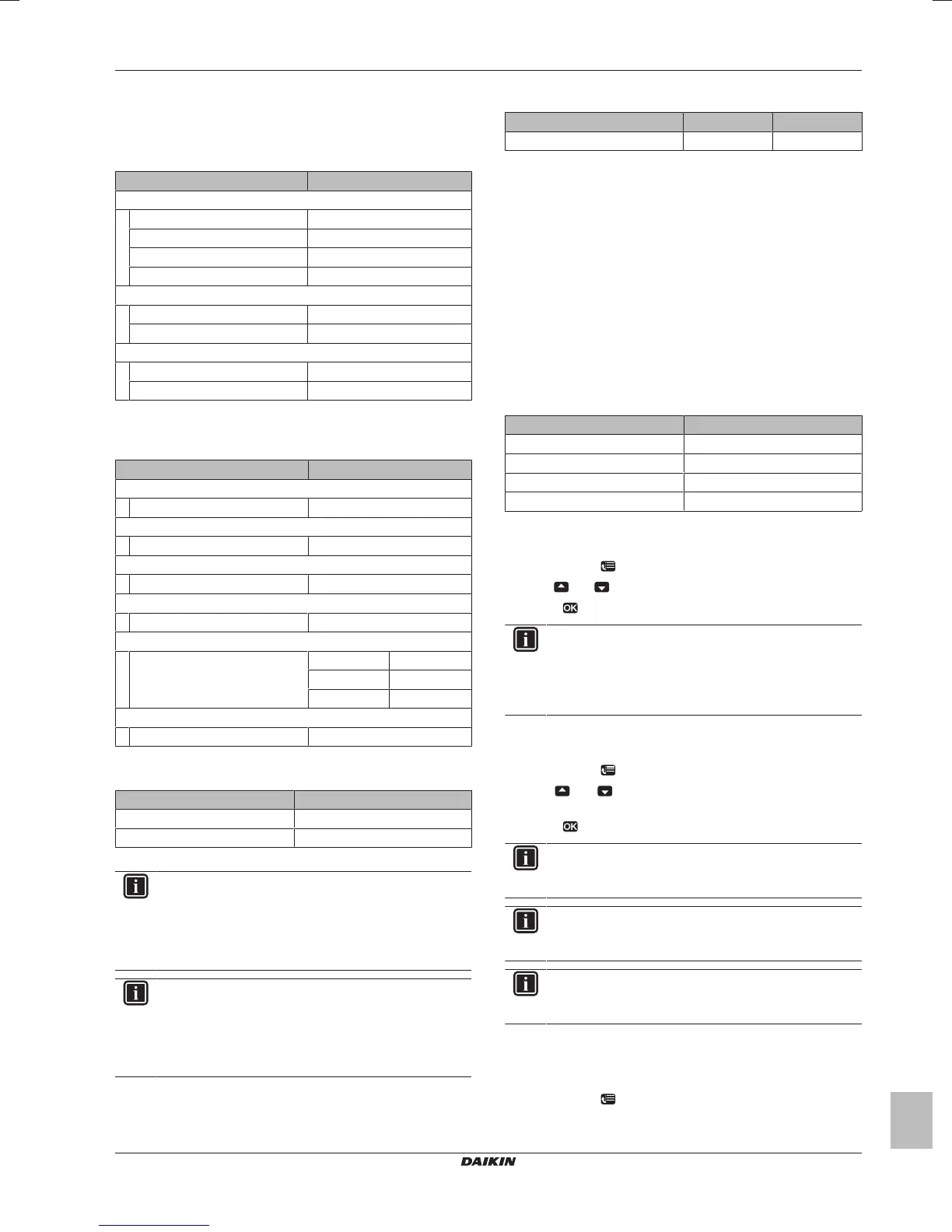
3.8 Installer settings: Tables to be
filled in by installer
3.8.1 Quick wizard
Setting Fill in…
Space heating settings [A.2.1]
Unit control method
Pump operation mode
User interface location
Glycol present
Domestic hot water settings [A.2.2](*)
DHW operation(*)
DHW pump(*)
Thermostats [A.2.2]
Contact type main
External sensor
(*) Only applicable in case of *HY2KOMB28+32AA gas boiler
3.8.2 Space heating control
Setting Fill in…
Leaving water temperature: Main zone [A.3.1.1]
LWT setpoint mode
Leaving water temperature: Modulation [A.3.1.1.5]
Modulated LWT
Leaving water temperature: Emitter type [A.3.1.1.7]
Emitter type
Savings mode [A.6.7]
Savings mode
Electricity price [7.4.5]
Elec price High
Medium
Low
Fuel price [7.4.6]
Fuel price
3.8.3 Domestic hot water control [A.4]
Setting Fill in…
Type(*)
Maximum setpoint(*)
(*) Only applicable in case of *HY2KOMB28+32AA gas boiler
INFORMATION
There is a risk of space heating capacity shortage/comfort
problem (in case of frequent domestic hot water operation,
frequent and long space heating interruption will happen)
when selecting [6‑0D]=0 ([A.4.1] Domestic hot water
Type=Reheat only).
INFORMATION
When the DHW tank booster mode is active, the risk of
space heating and capacity shortage comfort problems is
significant. In case of frequent domestic hot water
operation, frequent and long space heating interruptions
will happen.
3.8.4 Contact/helpdesk number [6.3.2]
Setting Default Fill in…
Contact/helpdesk number —
4 Setting the energy prices
If your system's savings mode is set to Economical, it allows you to
set:
▪ a fixed gas price
▪ 3 electricity price levels
▪ a weekly schedule timer for electricity prices.
The savings mode is set by the installer and can be either ecological
or economical. In ecological mode, the primary energy use is
minimised; in economical mode, the running costs. Discuss with the
installer which savings mode is preferred. Refer to the installation
manual for more information.
Example: How to set the energy prices on the user interface?
Price Value in breadcrumb
Gas: 5.3euro cent/kWh [7.4.6]=5.3
Gas: 4.8pence/kWh [7.4.6]=4.8
Electricity: 12euro cent/kWh [7.4.5.1]=12
Electricity: 12.49pence/kWh [7.4.5.1]=12
4.1 To set the gas price
1 Go to [7.4.6]: > User settings > Preset values > Fuel price.
2 Use and to set the correct price.
3 Press to confirm.
INFORMATION
▪ Price value ranging from 0.00~290valuta/MBtu (with 2
significant values).
▪ Price value ranging from 0.00~990 valuta/kWh (with 2
significant values).
4.2 To set the electricity price
1 Go to [7.4.5]: > User settings > Preset values > Elec price.
2 Use and to set the correct prices for High, Medium and
Low, according to your electricity tariff.
3 Press to confirm.
INFORMATION
Price value ranging from 0.00~990 valuta/kWh (with 2
significant values).
INFORMATION
If no schedule is set, the Elec price for High is taken into
account.
INFORMATION
Solar panels. If solar panels are used, set the electricity
price value very low to promote the use of the heat pump.
4.3 To set the electricity price
schedule timer
1 Go to [7.3.8]: > User settings > Set schedules > Elec price.
2 Program the schedule according to the High, Medium and Low
electricity prices for each time interval.




 To Next Page