8 English
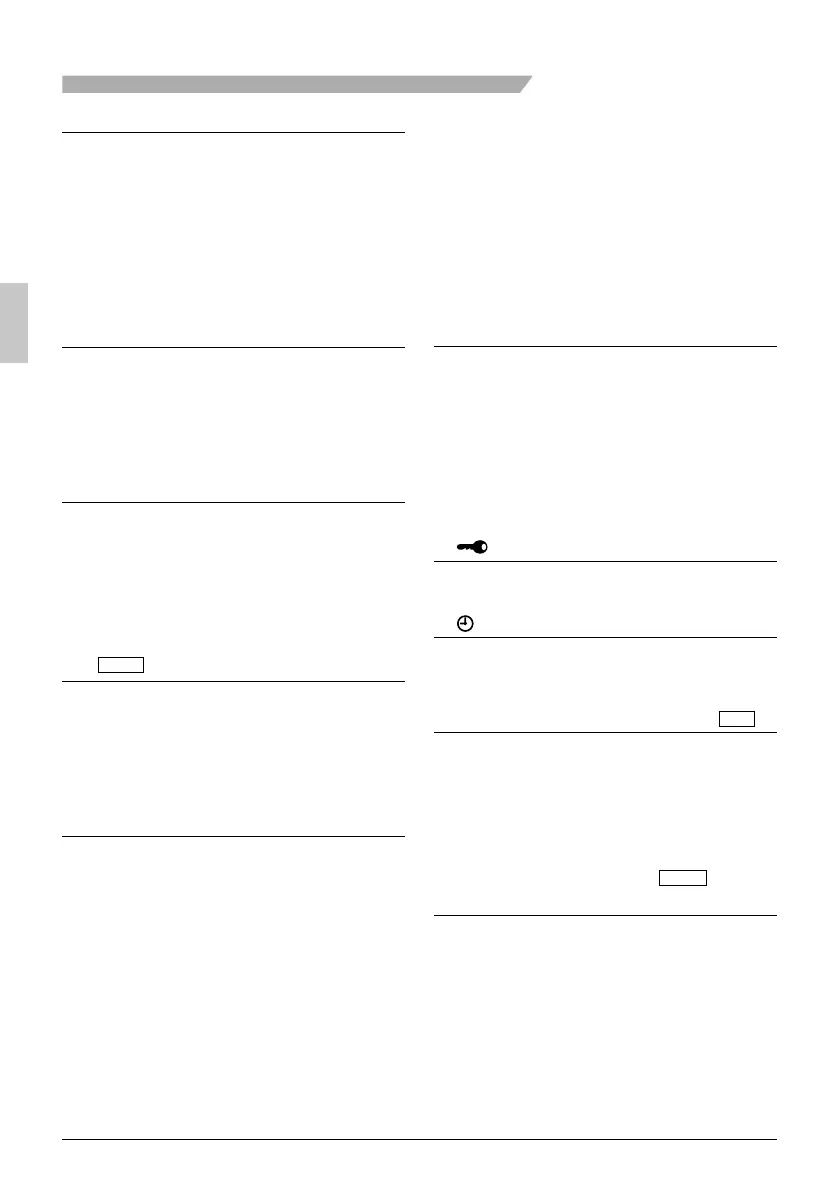
Names and Functions
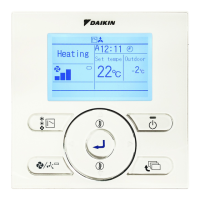
Operation mode1.
Used to display the current operation ●
mode: Cool, Heat, Vent, Fan, Dry or Auto.
In Auto mode, the actual operation mode ●
(Cool or Heat) will be also displayed.
Operation mode cannot be changed when ●
OFF is displayed.
Operation mode can be changed after
starting operation.
Fan Speed2.
Used to display the fan speed that is set for ●
the indoor unit.
The fan speed will not be displayed if the ●
connected model does not have fan speed
control functionality.
Setpoint display3.
Used to display the setpoint for the indoor ●
unit.
Use the Celsius/Fahrenheit item in the ●
main menu to select the temperature unit
(Celsius or Fahrenheit).
Stand by for Defrost/Hot start 4.
“
STANDBY
” (See page 12.)
If ventilation icon is displayed in this fi eld:
Indicates that an energy recovery ventilator ●
is connected.
For details, refer to the Operation Manual
of the ERV.
Message5.
The following messages may be
displayed.
“This function is not available”
Displayed for a few seconds when an ●
Operation button is pressed and the indoor
unit does not provide the corresponding
function.
In a remote control group, the message will ●
not appear if at least one of the indoor units
provides the corresponding function.
“Error: Push Menu button”
“Warning: Push Menu button”
Displayed if an error or warning is detected ●
(see page 47).
“Time to clean fi lter”
“Time to clean element”
“Time to clean fi lter & element”
Displayed as a reminder when it is time to ●
clean the fi lter or element (see page 45).
Ventilation6.
Displayed when a energy recovery ●
ventilator is connected.
Ventilation Mode icon.“ ●
AUTO
ERV
ERV
BYPASS
”
These icons indicate the current ventilation
mode (ERV only) (AUTO, ERV, BYPASS).
Air Purify ICON “ ●
AIR
PURIFY
”
This icon indicates that the air purifying unit
(option) in operation.
7. display (See page 18.)
Displayed when the key lock is set. ●
8. display (See page 28.)
Displayed if the Schedule or Off timer is ●
enabled.
Under Centralized control “ 9.
CENTRAL
CONTROL
”
Displayed if the system is under the ●
management of a multi-zone controller
(option) and the operation of the system
through the remote controller is limited.
Changeover controlled by the 10.
master indoor unit “
MASTER
CONTROLLED
”
(VRV only)
Displayed when another indoor unit on the ●
system has the authority to change the
operation mode between cool and heat.
01_EN_3P243520-3E.indd 801_EN_3P243520-3E.indd 8 9/11/2012 4:12:38 PM9/11/2012 4:12:38 PM



 To Next Page