4 English
On/Off
Mode
Fan
Speed
Cancel
Menu
OK
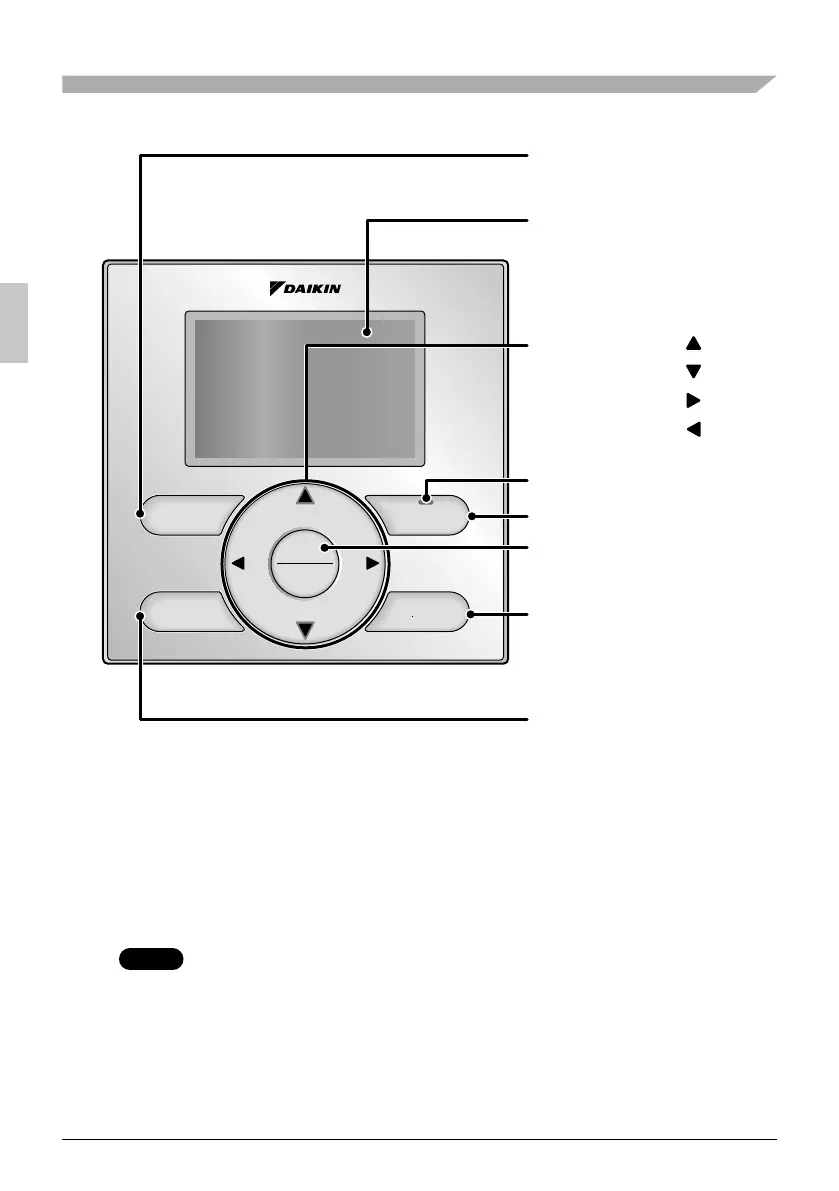
Button Locations and Descriptions
Functions other than basic operation items (i.e., On/Off, Operation
Mode, Fan Speed, and Setpoint) are set from the menu screen.
NOTE
Do not install the remote controller in places exposed to direct sunlight, the LCD ●
will be damaged.
Do not pull or twist the remote controller cord, the remote controller may be ●
damaged.
Do not use objects with sharp ends to press the buttons on the remote controller ●
damage may result.
2. Fan speed control
button
3. Menu/OK button
8. On/Off button
10. Cancel button
9. Operation lamp
11. LCD (with backlight)
4. Up button
5. Down button
6. Right button
7. Left button
1. Operation mode
selector button
01_EN_3P243520-3E.indd 401_EN_3P243520-3E.indd 4 9/11/2012 4:12:36 PM9/11/2012 4:12:36 PM



 To Next Page