5 | Operation
User reference guide
18
FTXP20~35N5V1B9 + ATXP20~35N5V1B9
Daikin room air conditioner
4D520466-17M – 2023.08
5.3.1 To start/stop operation mode and to set the temperature
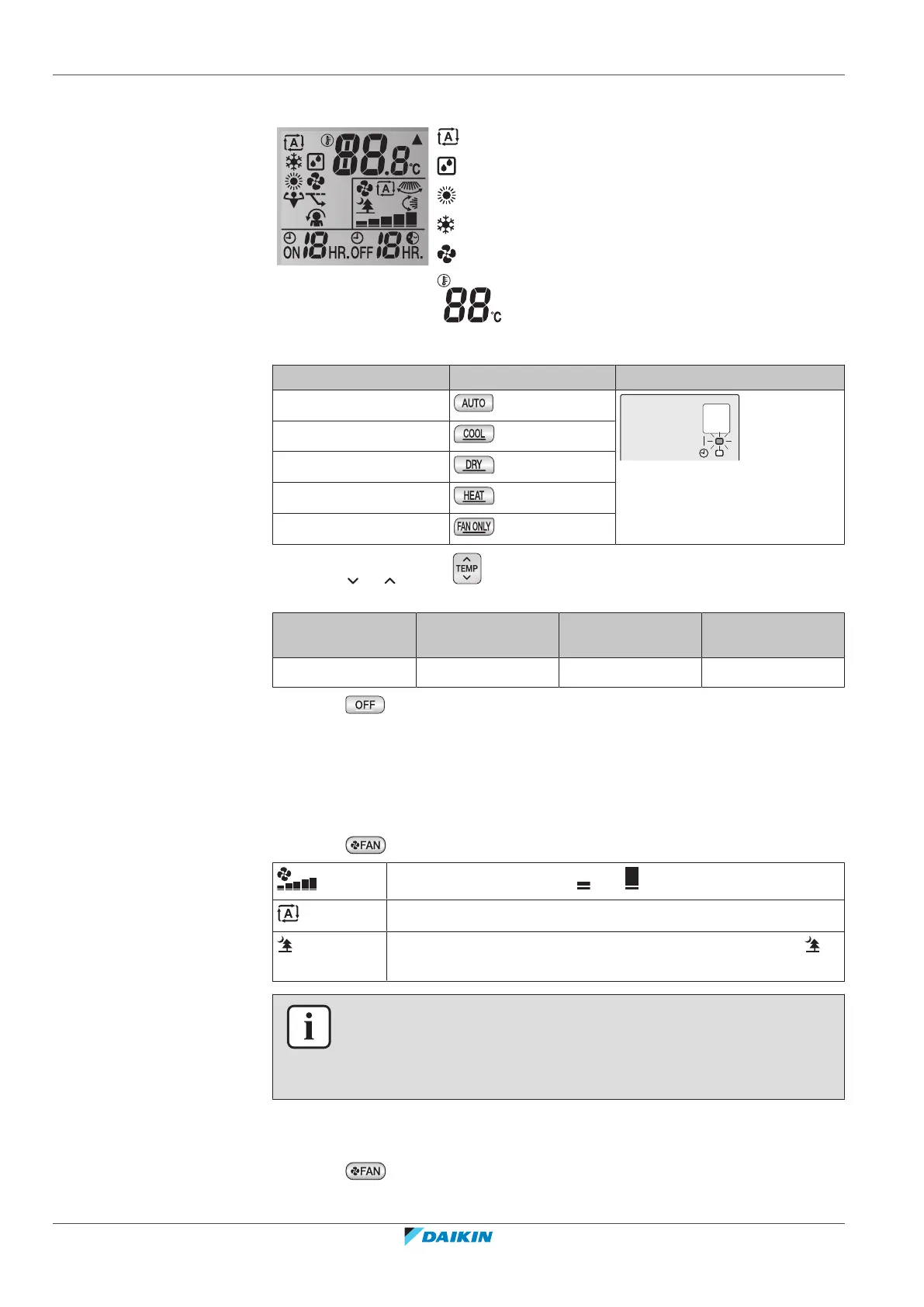
: Operation mode = Automatic
: Operation mode = Drying
: Operation mode = Heating
: Operation mode = Cooling
: Operation mode = Fan only
: Shows the set temperature.
1 Start operation by pressing one of the following buttons.
Mode Press Result
Automatic operation
The operation lamp lights up.
Cooling operation
Drying operation
Heating operation
Fan only operation
2 Press or on the button one or more times to set the temperature.
You CANNOT adjust the temperature in drying or fan only operation mode.
Cooling operation Heating operation Automatic
operation
Drying or fan only
operation
18~32°C 10~30°C 18~30°C —
3 Press to stop operation.
Result: The operation lamp goes off.
5.4 Airflow rate
1 Press to choose:
5 airflow rate levels, from " " to " "
Automatic airflow rate operation
Indoor unit quiet operation. When the airflow rate is set to " ",
the noise from the unit will be reduced.
INFORMATION
▪ If the unit reaches the temperature setpoint in cooling or heating mode, the fan
will stop operating.
▪ When using drying operation mode, you CANNOT adjust the airflow rate setting.
5.4.1 To adjust the airflow rate
1 Press to change the airflow setting as follows:



 To Next Page