4 | Before operation
User reference guide
15
FTXP-N
Daikin room air conditioner
4P513685-11H – 2022.06
4 Before operation
4.1 Overview: Before operation
This chapter describes what you have to do before operating the unit.
Typical workflow
Before operation usually consist of the following stages:
▪ Inserting the batteries in the wireless remote control.
▪ Fixing the wireless remote control to the wall.
▪ Turning on the power supply.
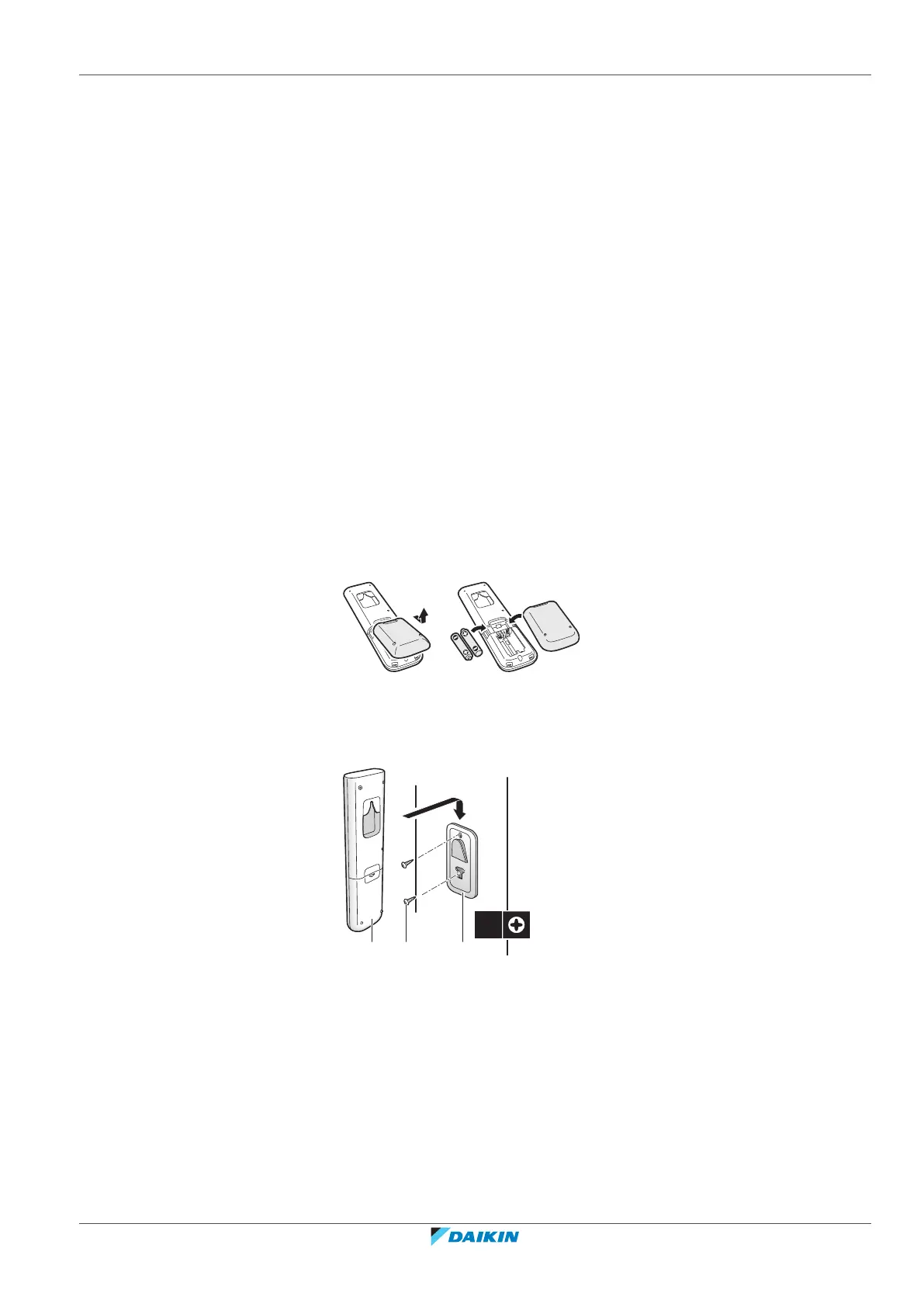
4.2 To insert the batteries
The batteries will last for about 1 year.
1 Remove the back cover.
2 Insert both batteries at once.
3 Put the cover back.
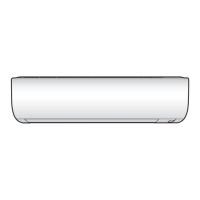
4.3 To mount the wireless remote control holder
a Wireless remote control
b Screws (field supply)
c Wireless remote control holder
1 Choose a place where the signals reach the unit.
2 Attach the holder with screws to the wall or a similar location.
3 Hang the wireless remote control on the holder.



 To Next Page