7 | Maintenance and service
User reference guide
30
FTXP-N
Daikin room air conditioner
4P513685-11H – 2022.06
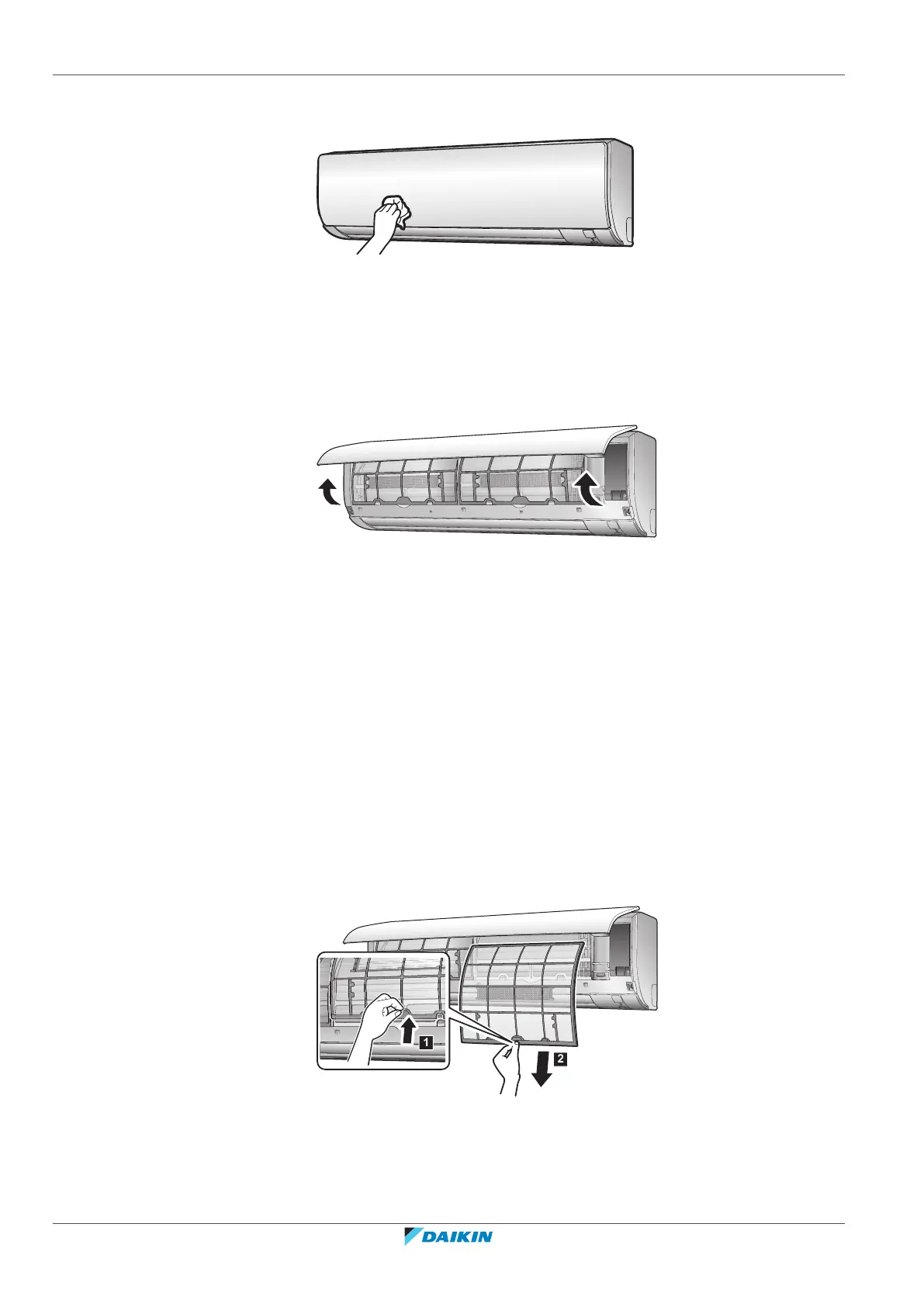
7.3 To clean the front panel
1 Clean the front panel with a soft cloth. If it is difficult to remove stains, use
water or a neutral detergent.
7.4 To open the front panel
1 Hold the front panel by the panel tabs on both sides and open it.
7.5 About the air filters
Operating the unit with dirty filters means that the filter:
▪ CANNOT deodorise the air,
▪ CANNOT clean the air,
▪ poor heating/cooling,
▪ causes odour.
7.6 To clean the air filters
1 Push the tab at the centre of each air filter, then pull it down.
2 Pull out the air filters.
3 Remove the titanium apatite deodorising filter and silver particle filter from
the tabs.



 To Next Page